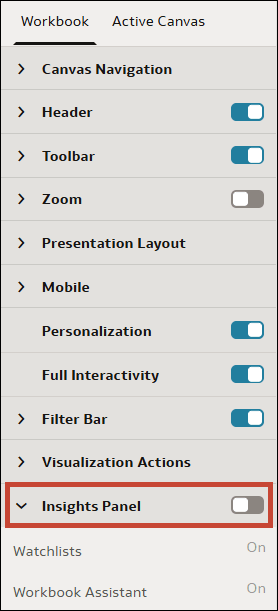
Enable the Insights Panel for Consumers
When you configure the presentation settings for a workbook, the Insights Panel is disabled for consumers by default. You can choose to make the Insights Panel available for consumers so they can use it.
Showing the Insights Panel allows consumers to access watchlists, Auto Insights, and the Oracle Analytics AI Assistant. See Specify Insights Panel Options for Consumers.
- On your home page, hover over a workbook, click Actions, and select Open.
- From the Preview menu
 , select Configure Presentation.
 - In the presentation settings panel, click the Workbook tab.
- In the Insights Panel section, click Insights Panel to toggle it to On to show the panel, or toggle it to Off to hide the panel.
- Click Save.