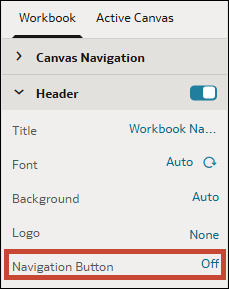
Hide the Workbook Header Navigation Button
When you configure the presentation settings for a workbook, the Go back button in the workbook's header bar displays by default. You can choose to hide it so consumers can't access it.
If your consumers land directly in a workbook when they open Oracle Analytics, you can hide the Go back button  for the workbook so they can't navigate to the home page or the catalog.
- On your home page, hover over a workbook, click Actions, and select Open.
- From the Preview menu
 , select Configure Presentation.
 - In the presentation settings panel, click the Workbook tab.
- In the Header section, in the Navigation Button row, click On to turn it to Off.
- Click Save.