Specify How to Display Missing Values in Pivot Visualizations
Choose how missing values are displayed in pivot cells. You can specify missing-value text for measures.
By default, Oracle Analytics displays missing values as blank cells in pivot visualizations. The Missing value text property lets you display custom text at empty row and column intersections. It doesn’t replace null values in existing pivot cells.
For example, you can display --- for a missing value.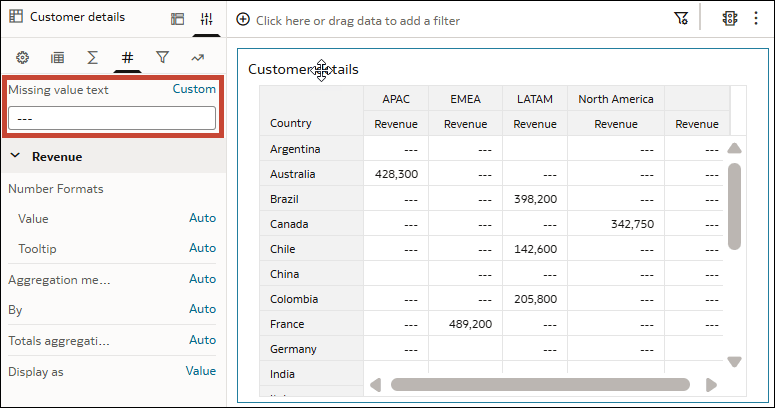
Description of the illustration pivot_missing_values_example.png
- On your home page, hover over a workbook, click Actions, and select Open.
- Select a pivot visualization.
- Click Properties, then click Values.
- In the Missing value text row, click Auto and select Custom.
- Enter the text to display for missing values.
- Click Save.