Tooltip Configuration Properties
In Oracle Analytics, you can configure how tooltips display in workbooks using the Properties pane on the Grammar Panel.
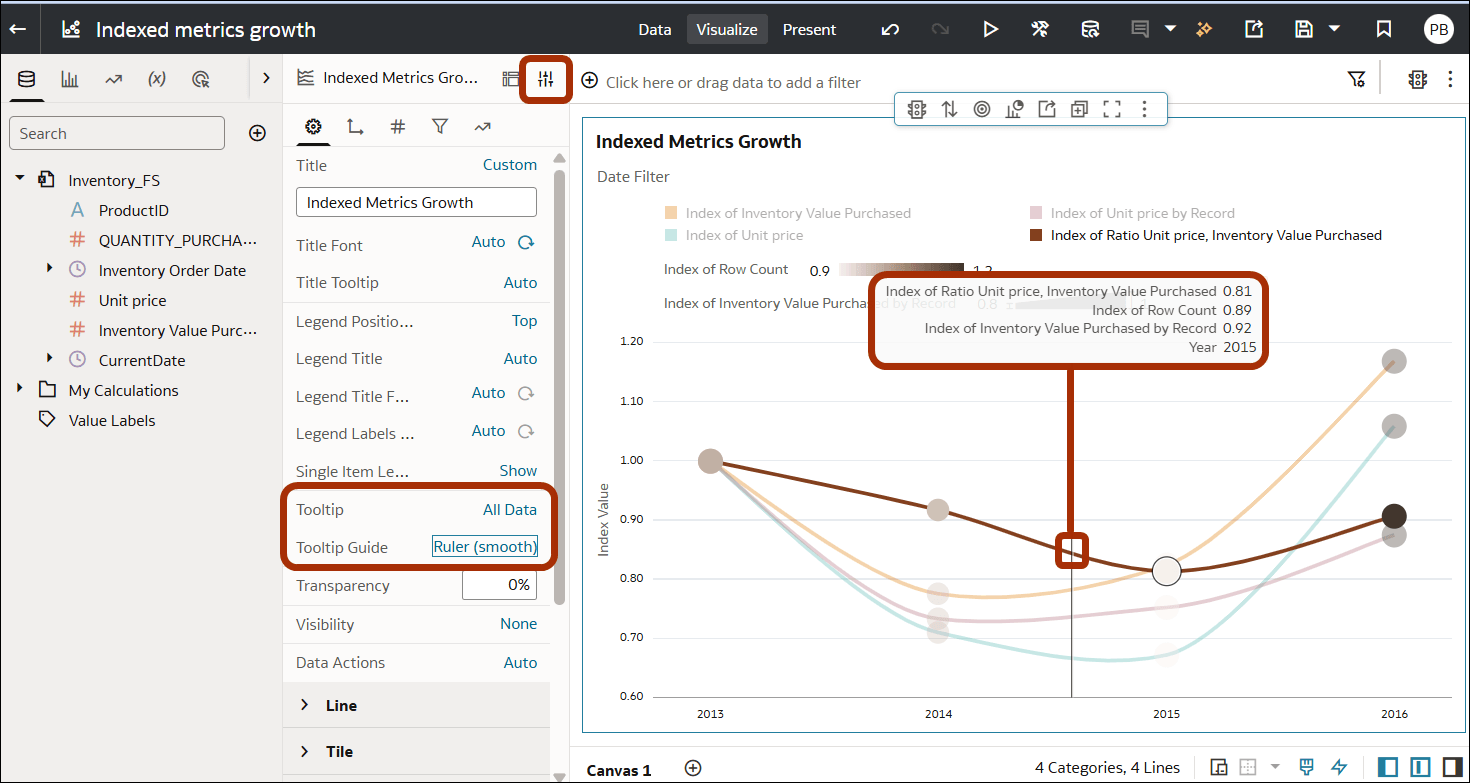
Description of the illustration tooltip-configuration.png
Use these settings on the Properties pane:
- Tooltip:
- All Data - Display values for all metrics using the default text formatting and alignment.
- Tooltip Grammar Only - Highlight the selected metric in the legend (if displayed using one of the Legend Position options). For example, when you hover-over a metric named Temperature, "Temperature" is highlighted in the Legend and other metrics are grayed-out.
- Custom - Choose which attributes and metrics you include in tooltips, and format font-size, color, and text-alignment for the values.
- Tooltip Guide (for bar charts and line charts, excluding Radar Line):
- Hover - Display data values in a tooltip next to a data-point when you hover-over it.
- Ruler (snap) or Ruler (smooth) - Display data values in a tooltip at the top of the visualization for the data value nearest to the cursor position.