Verifying an Item's Location in the Catalog
Verify the location of an item to determine whether it's located in the read-only legacy area or in the read-write area in the catalog.
Verifying an item location using the Inspect dialog
Use the Location field on the General tab of the Inspect dialog to determine where an item is saved.
If an item is not yet moved to My Folders or Shared Folders in the catalog, the Location field displays "Not defined". You can edit items stored in the legacy area, but we advise that you to move production items to the My Folders or Shared Folders area.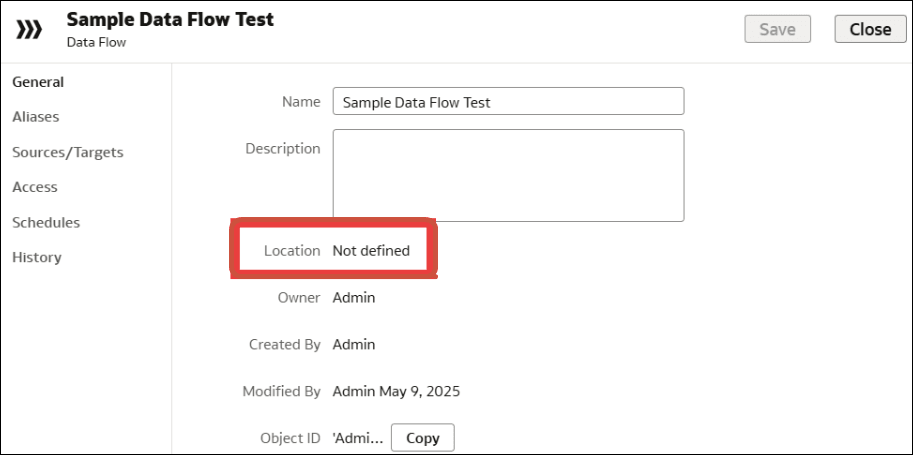
Description of the illustration onecat-inspect-not-catalog.png
If an item has been moved to My Folders or Shared Folders in the catalog, the Location field displays the name of the folder. You can edit and share items in My Folders and Shared Folders.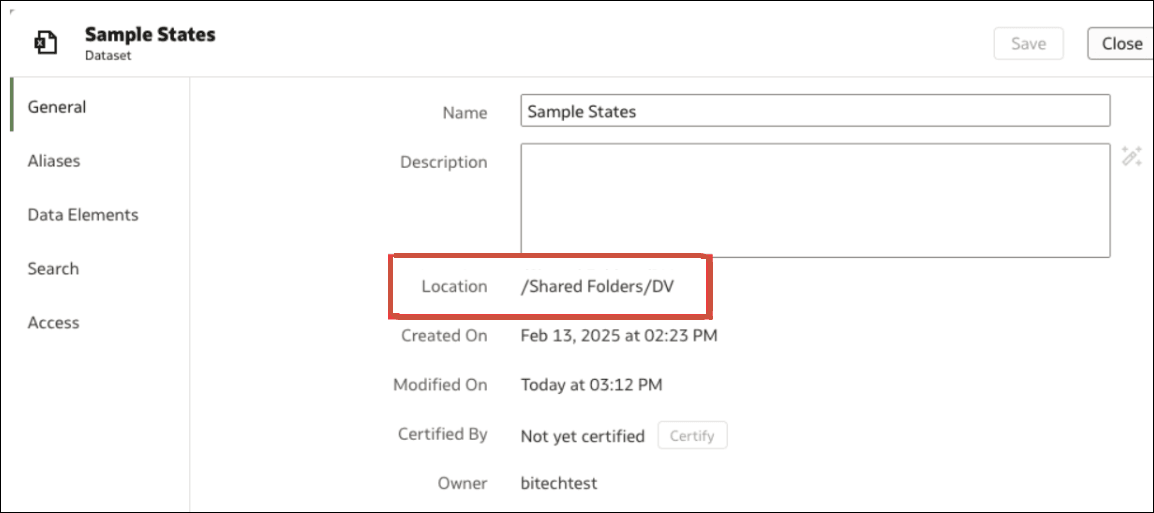
Description of the illustration onecat-inspect-catalog.png