Adding an Alias to Support Legacy References
Add an aliase for an item to support legacy references to data and machine learning items that have been deleted or lost.
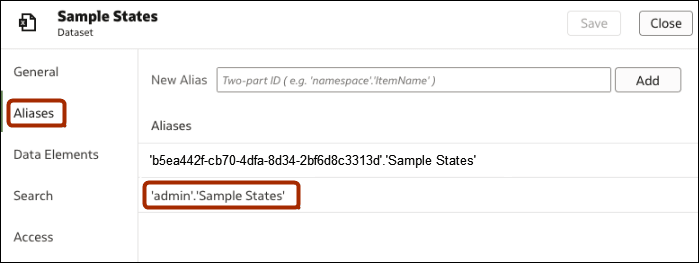
When you create data and machine learning items in the catalog, they're given unique IDs, for example 'b5ea442f-cb70-4dfa-8d34-2bf6d8c3313d'.'Sample States'. Add aliases to specify legacy references to data and machine learning items so that workbooks that accessed the original items can work with the new items.
For example:
- Old workbooks might use a dataset
'admin'.'Sample States'that's been deleted or lost. - When you recreate the dataset, it's assigned a unique ID, for example
'b5ea442f-cb70-4dfa-8d34-2bf6d8c3313d'.'Sample States'. - Inspect the dataset, display the Aliases page, and add the alias
'admin'.'Sample States'. - Workbooks that referenced the original dataset reference the new dataset.