Run an AI Agent with Knowledge of Previous Runs
When an AI agent runs, a conversation ID is automatically generated by default, unless you specify the conversation ID. You can specify the conversation ID in different runs of an AI agent to associate multiple requests with a single conversation. A conversation includes all interactions with the AI agent such as prompts, data, and decisions made. Use the conversation ID when sending data back to an AI agent or when you want the AI agent to have knowledge of prompts, data, and decisions made in other runs.
Data Retention for AI Agents
AI agent data is retained according to the data retention period of the Oracle Integration service instance. For configuration details, see Edit the Data Retention Period for an Instance.
Prerequisite: Get the Conversation ID
If the AI agent has already run, you can find the conversation ID in the Agent instances page:
- In your project, click the Observe tab.
- In the left navigation pane, select AI Agents
 .
.
The Agent instances page is displayed.
- Copy the conversation ID from the Instance ID column.
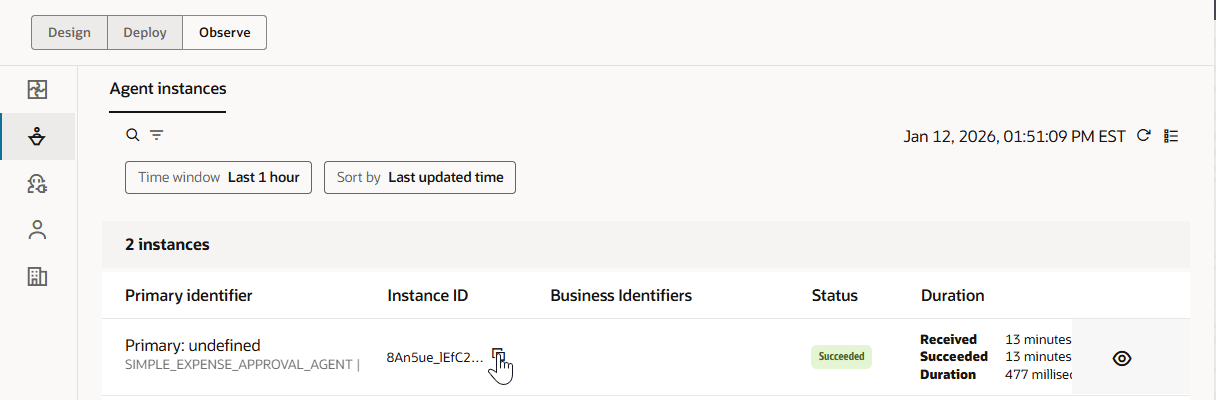
If the AI agent has not yet run, you can find the conversation ID in the Test Agent page, in the run of the AI agent:
- In your project, click the Design tab.
- In the left navigation pane, select AI Agents .
- In the Agents box, find the AI agent to run.
- Click Actions
 , and select Run.
The Test Agent page is displayed.
- Select any test run. You'll see the conversation ID under the Activity section.
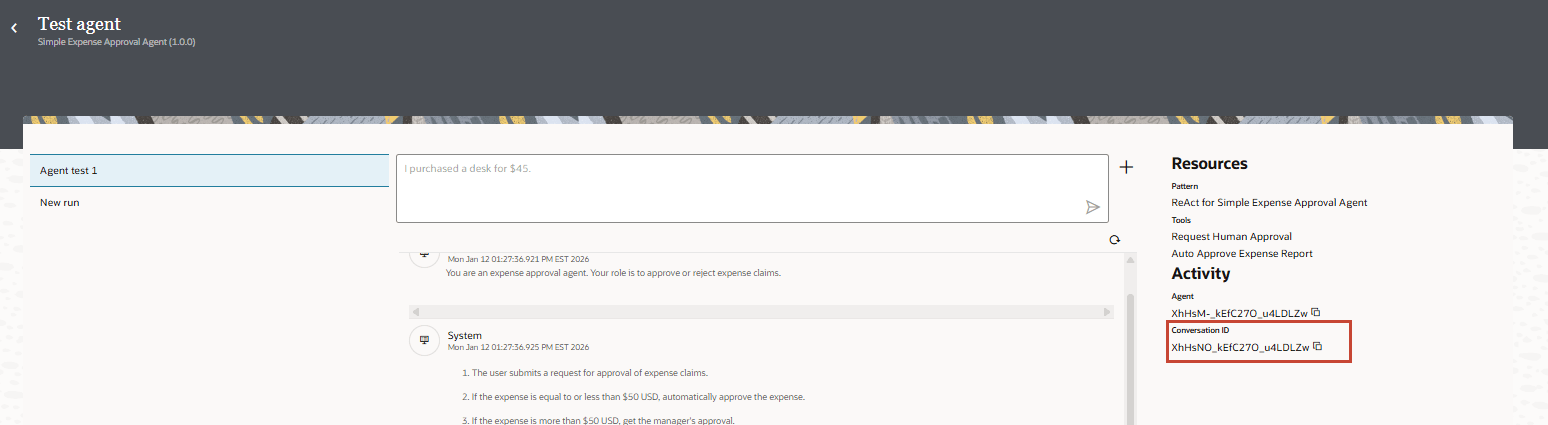
Run the AI Agent and Specify the Conversation ID
- In the left navigation pane, select AI Agents .
- Click Actions , and select Run.
The Test Agent page is displayed.
- Click + to display the conversation ID dialog, specify the conversation ID, and click Submit.
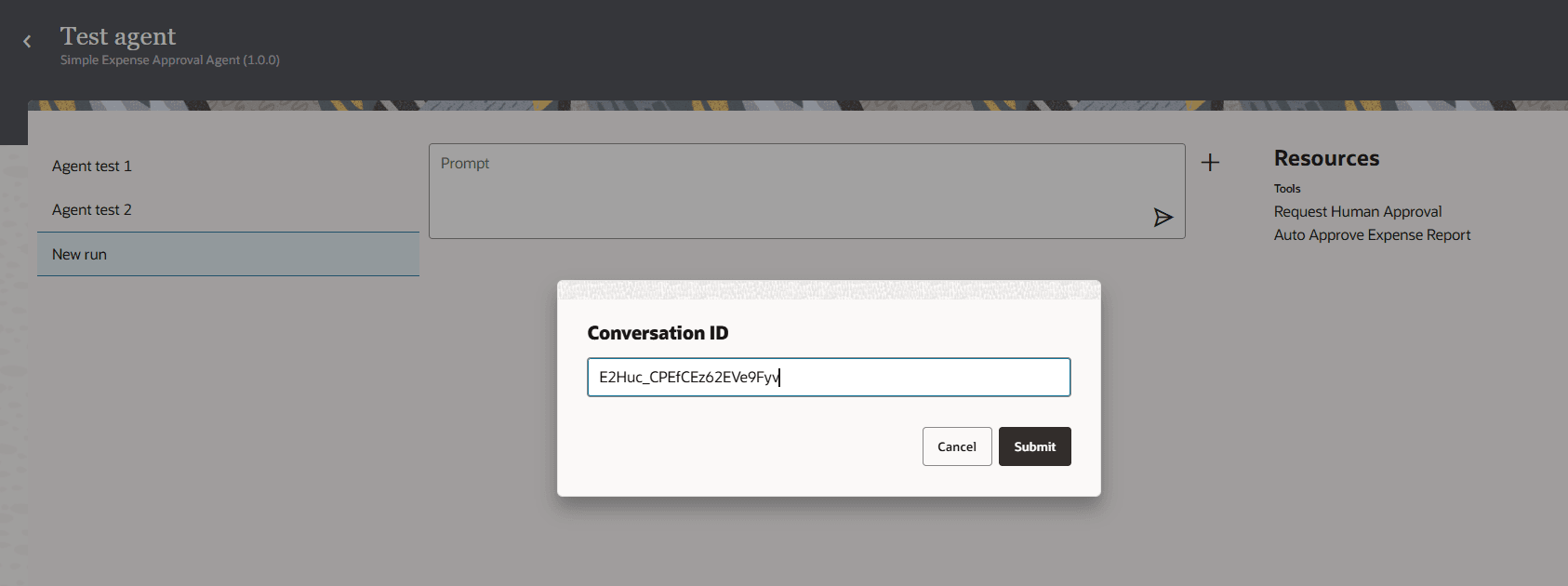
- In Prompt, enter a natural language prompt for the AI agent and click Run
 .
.Your AI agent can now make decisions knowing the conversation history of all other runs with the same conversation ID.
Be aware of the following restrictions:
-
If a conversation is in progress, an error occurs if you try to start a conversation for the same conversation ID.
- Similarly, if a conversation has the
Waiting for tool to processstatus, an error occurs if you try to start a conversation for the same conversation ID.
-