Send Dynamic Data to the AI Agent with Prompt Templates
Use prompt templates to define prompts that include variable data. When you run the AI agent, you select the prompt template and specify the JSON payload. The prompt template is combined with the payload and is submitted to the Large Language Model (LLM). Prompt templates use Liquid syntax.
Example:
- You configure the prompt template as: The rate is {{rateValue}}
- You specify this JSON payload: {"rateValue":500}
- The prompt sent to the LLM is: "The rate is 500"
Send Dynamic Data to the AI Agent
- In the navigation pane, select Projects.
- Select the project that contains your AI agent.
- In the left navigation pane, select AI Agents
 .
. - Create the prompt template.
- Click Back
 to return to the AI Agents page. You can now associate the prompt template with an AI agent.
- Click Back
- Associate the prompt template with an AI agent.
- Click Back to return to the AI Agents page. You can now run the AI agent with the new prompt template.
- Click Back
- Run the AI agent and specify the prompt template.
- Click Actions
 , and select Run.
 - In Define payload, enter the values for the variables and click Submit.
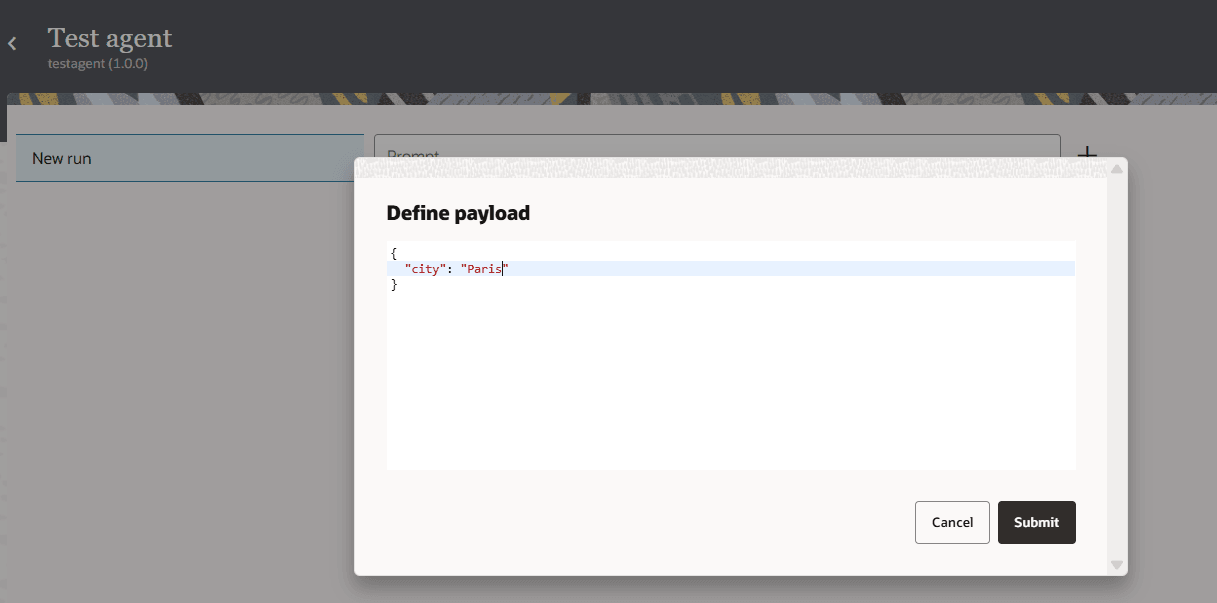
The values you entered are added to the prompt created from the prompt template.
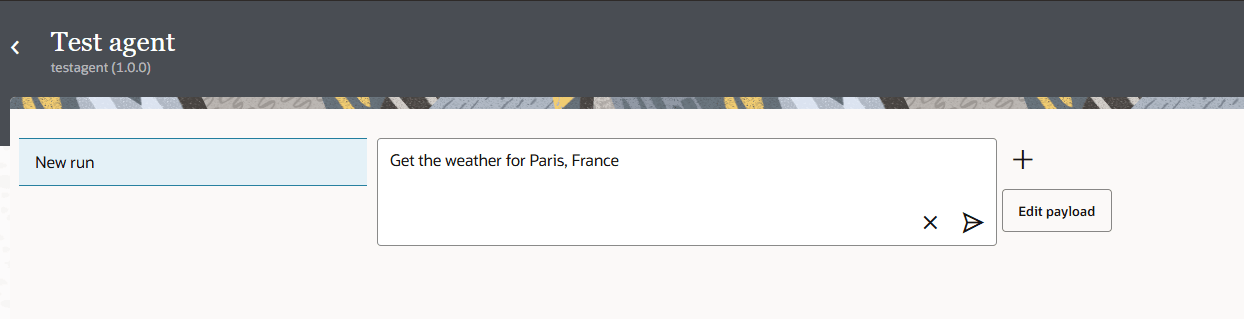
- In Prompt, click Run
 .
.
- Click Actions