Configure the OCI Search with OpenSearch Connection
Prerequisites
Get OCI Search with OpenSearch Information
To configure a connection to your OpenSearch cluster in Oracle Integration, you will need the following information:
-
User name and password: Make note of the user name and password you used to create your OCI Search with OpenSearch cluster.
-
OCI Search with OpenSearch cluster URL: You need the API endpoint to configure the Base URL in the connection in Oracle Integration. You can find the API endpoint for your OCI Search with OpenSearch cluster in the Oracle Cloud Console by selecting Databases, OpenSearch, then Clusters and select your OpenSearch cluster to view details.
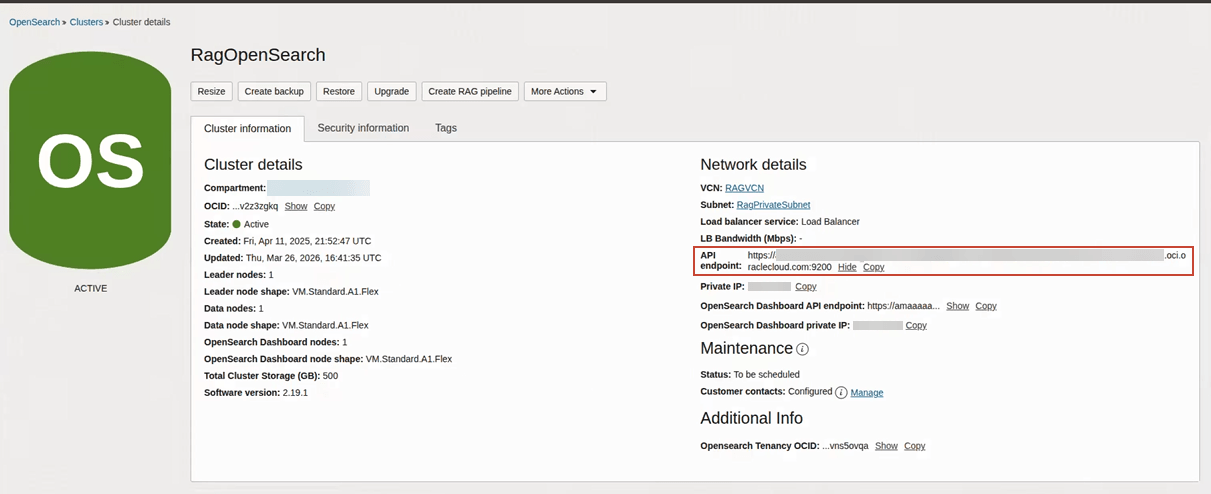
Configure the OCI Search with OpenSearch Connection
Configure the OpenSearch connection for your knowledge base.
Note:
You must name the OpenSearch connection OpenSearchConnection. This is a known issue: You Must Use the Connection Name OpenSearchConnection for Knowledge Base.- Click Integrations
 .
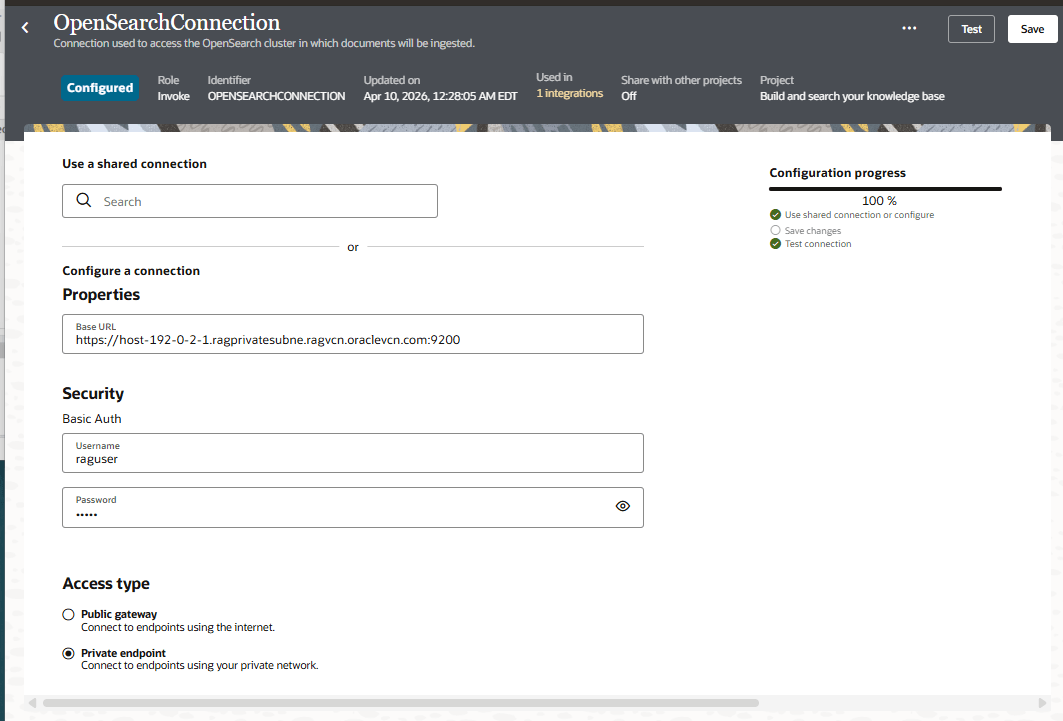
. - Configure the Endpoint Access Type. If you are using a private endpoint so that your OpenSearch is not publicly accessible, select private endpoint.
Here's an example completed configuration:
- To return to the project workspace,
click Go back
 .
.
Next step: Add a Knowledge Base.