Send a Response to an AI Agent with a Callback
When an AI agent invokes an asynchronous integration registered as an agentic AI tool, the agentic AI tool must send the response through a callback when it completes. To send a response to the AI agent, add the AI Agent action in your integration and configure the operation Callback AI agent.
This task applies to agentic AI tools that do not call Human in the loop. The callback is automatically implemented for Human in the loop. See Design an Integration to Call a Workflow.
How Callback Works
An AI agent can have any number of asynchronous tools in its list of tools. When the AI agent invokes an asynchronous agentic AI tool, it stops reasoning. You'll see the AI agent status Waiting for tool to process. The AI agent resumes reasoning only after it receives a response through the callback.
Note:
A callback can be sent to an AI agent only when the associated conversation is in theWaiting for tool to process status.
Example:
You have an AI agent that calls an asynchronous agentic AI tool. You have an asynchronous integration registered as the agentic AI tool. You also have a callback integration with the Callback AI agent action configured to send the response back to the AI agent.
Here's a summary of what happens:
- The AI agent invokes the asynchronous integration registered as an agentic AI tool. The AI agent waits for the response to be sent through the callback.
- The asynchronous integration calls an external application to perform an operation.
- The external application completes the operation, and invokes the callback integration to send the response back to the AI agent.
- When the AI agent receives the response, it continues reasoning.
For a detailed walk through of how callback works with an AI agent and agentic AI tool, see: Use Case: Send a Callback to an AI Agent for an Asynchronous Tool
Response to the AI Agent
{
  "toolFlowId": "",
  "conversationId": "",
  "toolInstanceId": "",
  "responsePayload": "",
}
Obtain the Conversation ID and Tool Instance ID
The callback operation expects you to pass the conversation ID and tool instance ID with the asynchronous tool response at a minimum to proceed with a callback operation.
-
To obtain the conversation ID:
Add anx-agentic-callback-uriheader to the asynchronous tool integration trigger. The value of this header typically follows this format:https://agent_endpoint/callback?conversationId=conversationIdAt runtime, this custom header is populated with the agent callback URL that includes the conversation ID. Store the conversation ID from this URL at some persistence layer locally that can be either a database or file. Map the conversation ID to the agent callback operation in the mapper.
-
To obtain the tool instance ID:
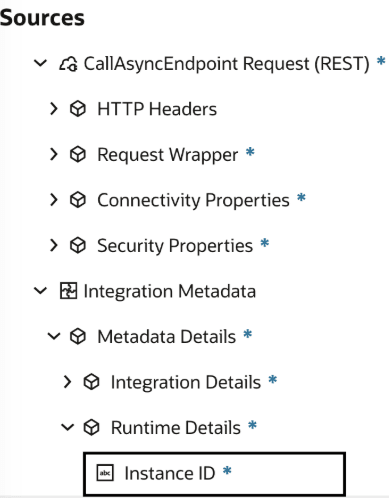
When an asynchronous tool integration is invoked by an AI agent and executed at runtime, a tool instance ID is populated that can be read within an integration from the Integration Metadata section of the mapper. Store the tool instance ID at some persistence layer locally that can be either a database or file. Map the tool instance ID value to the Tool Flow ID element in the mapper.
Add a Callback to an AI Agent
- Add an AI Agent action to an integration in either of the following ways:
- On the side of the canvas, click Actions
 and drag to the appropriate location.
- Click
 at the location where you want to add the action, type AI, then select AI Agent.

- On the side of the canvas, click Actions
- Configure mapping for your AI agent.
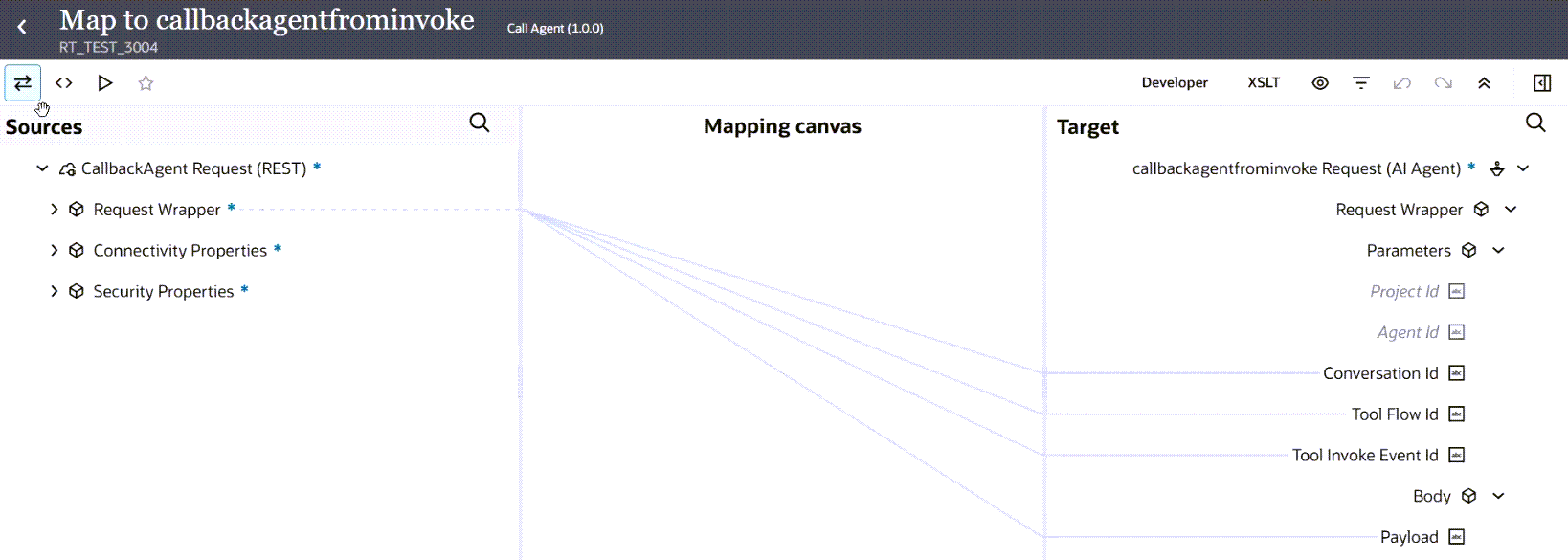
- Configure parameters and values to implement the callback to your AI agent.
Note:
Ensure that both Tool Flow Id and Tool Invoke Event Id are mapped for the callback AI agent action. Both fields (even if both are mapped with the same value as Tool Flow Id) are mandatory and must be mapped.Parameter Description How to get the value Project Id
Optional. Use to specify a different project than selected in the configuration wizard.
Current project or shared project in which the AI agent resides.
View a project's identifier in the project details page when you edit the project details. See Edit Project Description Details Agent Id
Optional. Use to specify a different AI agent than selected in the configuration wizard.
ID of the AI agent to which to send the response. This is the AI agent that invoked the agentic AI tool.
View the AI agent identifier in the Test Agent page when you run the AI agent.
Conversation Id
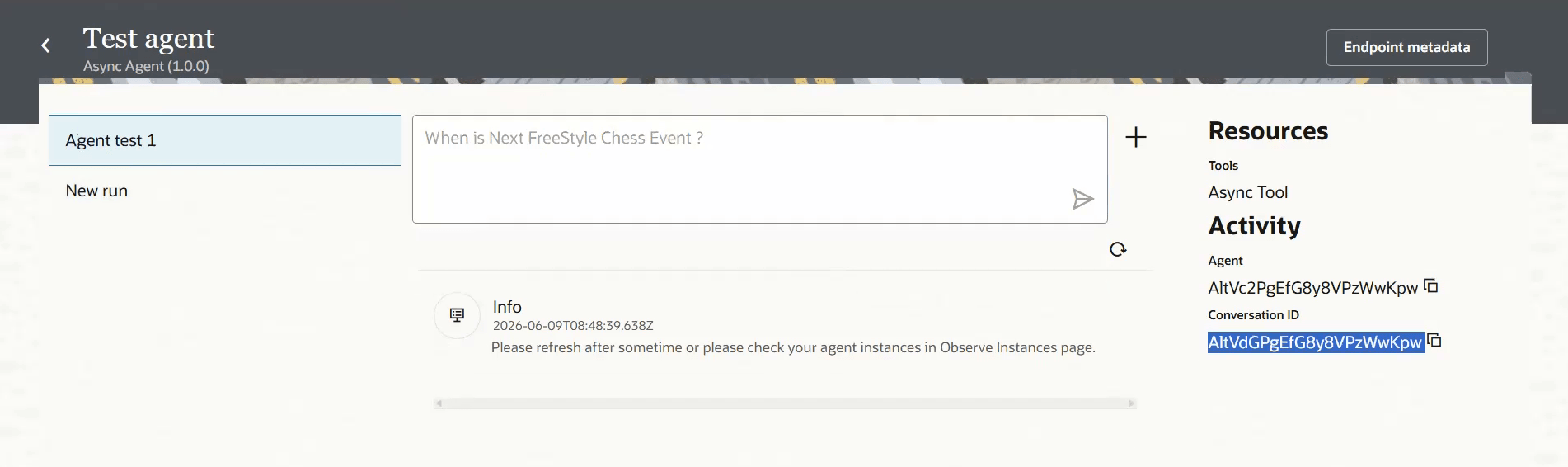
Required. ID of the conversation in which the agentic AI tool was invoked. When an AI agent runs, a conversation ID is automatically generated by default, unless you specify the conversation ID. The conversation ID can span multiple instance IDs.
Obtain the conversation ID in either of the following ways:- Add an
x-agentic-callback-uriheader to the asynchronous tool integration trigger. At runtime, this custom header is populated with the agent callback URL that includes the conversation ID. Store the conversation ID from this URL at some persistence layer locally that can be either a database or file. - View the conversation ID when you run an AI agent. See Get the conversation ID.
Tool Flow Id
Required. Tool instance ID at runtime.
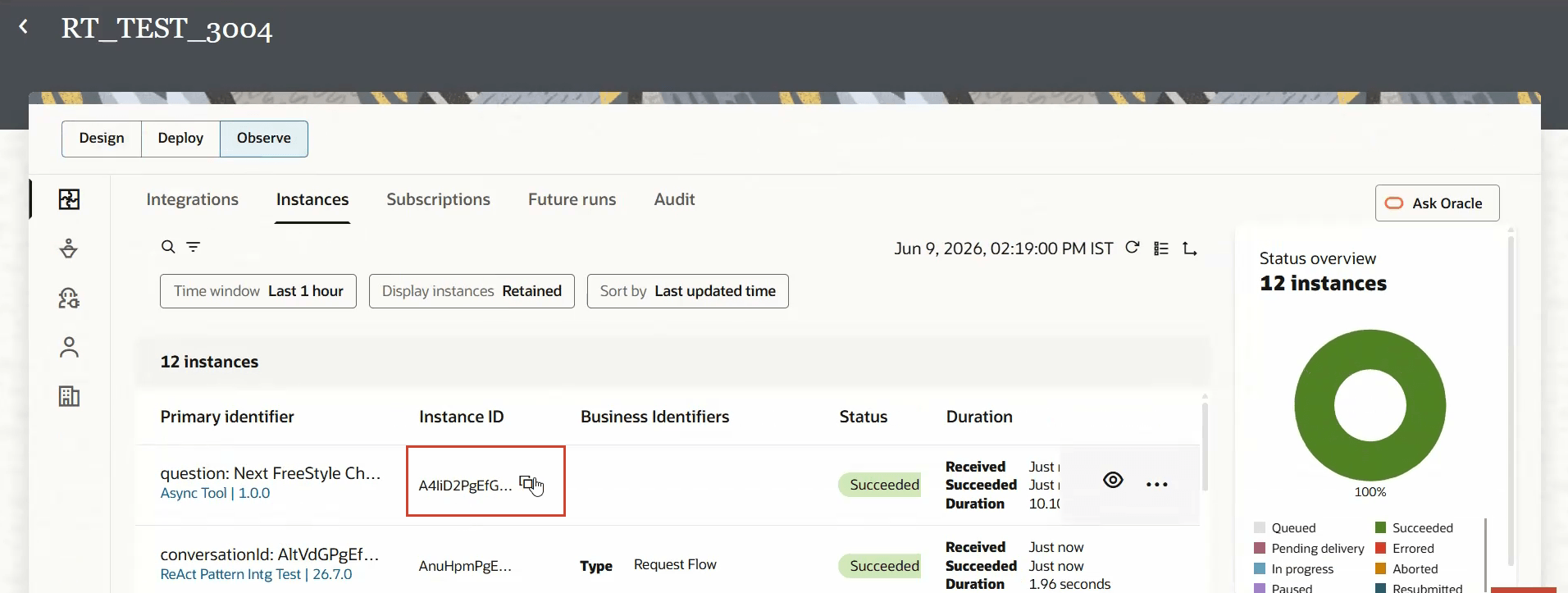
You can view the instance ID of a tool in the following ways:- (Recommended way) When the tool integration is invoked and executed by the agent, an instance ID is populated at runtime that can be read from within the integration using integration metadata in the mapper. The instance ID can be mapped to the Tool Flow Id element.
-
Select Integrations
 from the left navigation pane, then Observe, then Instances. You can copy the tool instance ID from the Instance ID column for the integration for the agentic AI tool.
Tool Invoke Event Id
Required. Same as Tool Flow ID.
Use the instance ID for both Tool Flow ID and Tool Invoke Event ID.
Payload
Required. Payload that you want to send to the AI agent in the callback. The payload can be any stringified JSON. Can be any custom JSON, there is no strict format.
You pass any payload that you require.
- Add an
- Click Back
 to return to the Integration canvas.
- Configure parameters and values to implement the callback to your AI agent.