About File Server
File Server provides an embedded SFTP server within Oracle Integration, enabling organizations to focus on building integrations without needing to host and maintain a separate SFTP server.
Prerequisite: Enable File Server
An administrator must enable File Server before your organization can start using it. An administrator enables File Server for a given Oracle Integration instance by working in the Oracle Cloud Console. See Enable File Server.
How to Connect to File Server from an Integration
When designing an integration that connects to File Server, you have the following options:
-
Connect to File Server using the File server action.
The File server action offers improved performance and easier setup, compared to the FTP Adapter.
-
Connect to File Server using the FTP Adapter.
The FTP Adapter offers some capabilities that aren't available with the File server action. For details, see Interact with Files in File Server in Using Integrations in Oracle Integration 3.
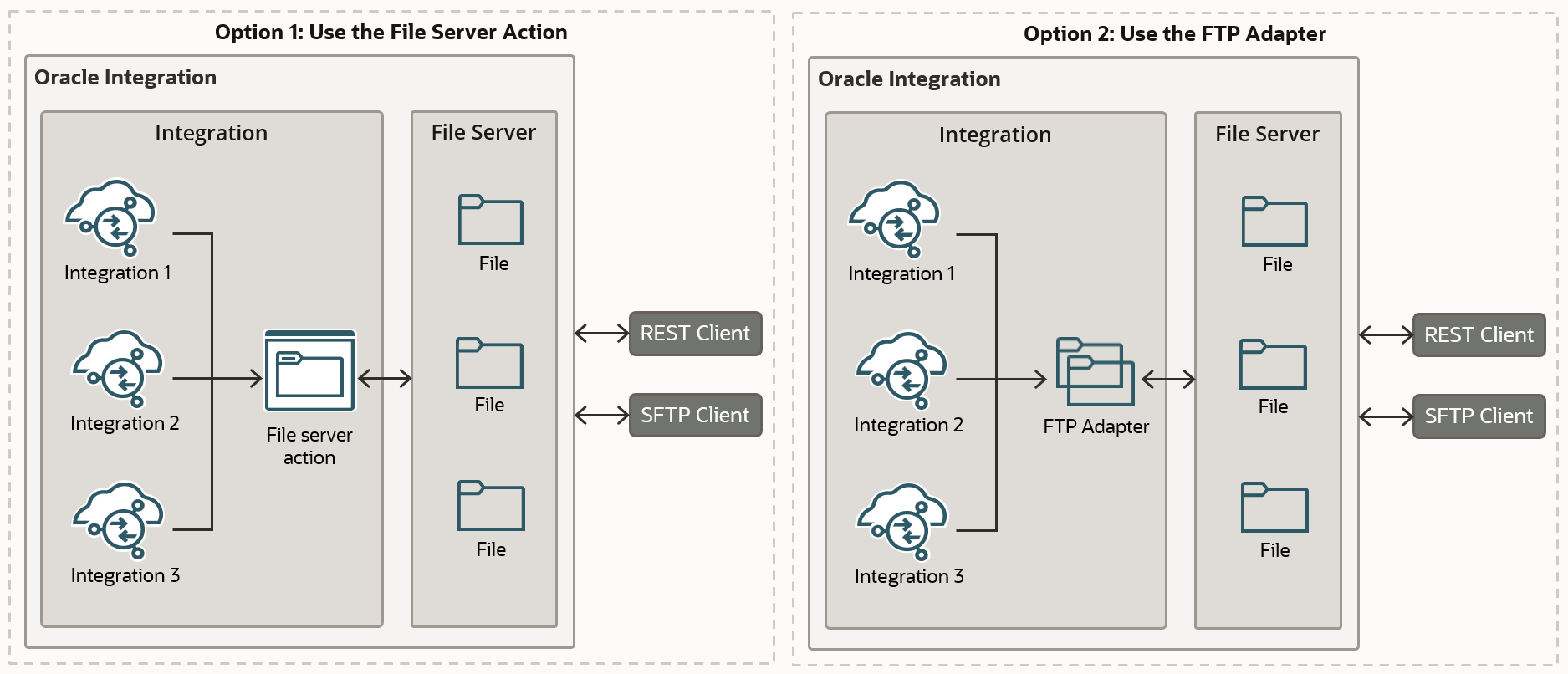
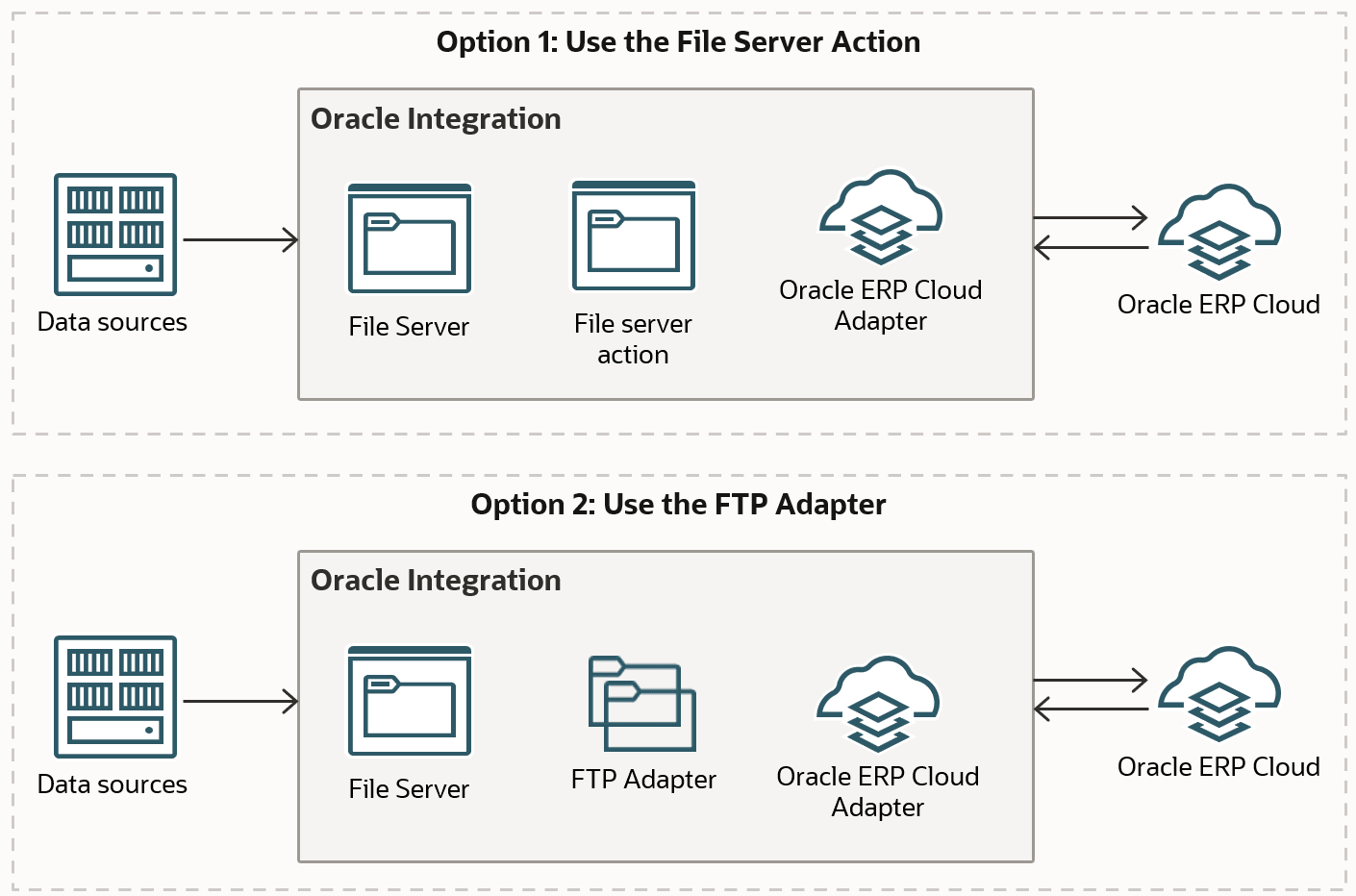
If applications export bulk data to an SFTP server, Oracle Integration can pick up the file, translate it into the required format, and send it to the target system. For example, E-Business Suite generates a zip file with external transactions and uploads it to File Server. An integration can then read the file, transform it into the format required by the ERP system, and trigger bulk import of the data. The following diagram illustrates the options for connecting to File Server: the FTP Adapter and the File server action.
How to Connect to File Server Outside an Integration
You can reach File Server, even when you're not working in Oracle Integration. Use any standalone SFTP client that is supported. See Supported SFTP Clients.
File Server Roles
Permissions in File Server are defined by a subset of Oracle Integration roles.
The following table lists predefined roles available in Oracle Integration, and the File Server tasks that users with those roles can perform.
| Oracle Integration Roles | Personas and Permissions in File Server |
|---|---|
|
ServiceAdministrator |
Users with this role can manage server settings and configure users, groups, and folders, including permissions. To administer File Server as described in this guide, you must be assigned the ServiceAdministrator role in Oracle Integration. |
|
ServiceDeveloper |
Users with this role can use File Server along with the FTP Adapter or File server action to read and write files. |
|
Users with these roles (or no role assigned) can access File Server using an SFTP client. These users must be configured and enabled as users in File Server. Their access is controlled by their assigned folders and folder permissions. |
Developer API for File Server
APIs are provided for File Server administration, as described in Developer API for File Server in Oracle Integration 3.