Configure Task Assignment Notification
Set up task assignment notifications to send an email to an assignee when a task is assigned.
- Open the Edit task pane using either of the following options:
- Select the task and click
 on the side of the canvas.
- Select the task, click Actions
 and then select Configure.
The Edit task pane appears.
- Select the task and click
At runtime, the task assignee receives a notification email such as the one below:
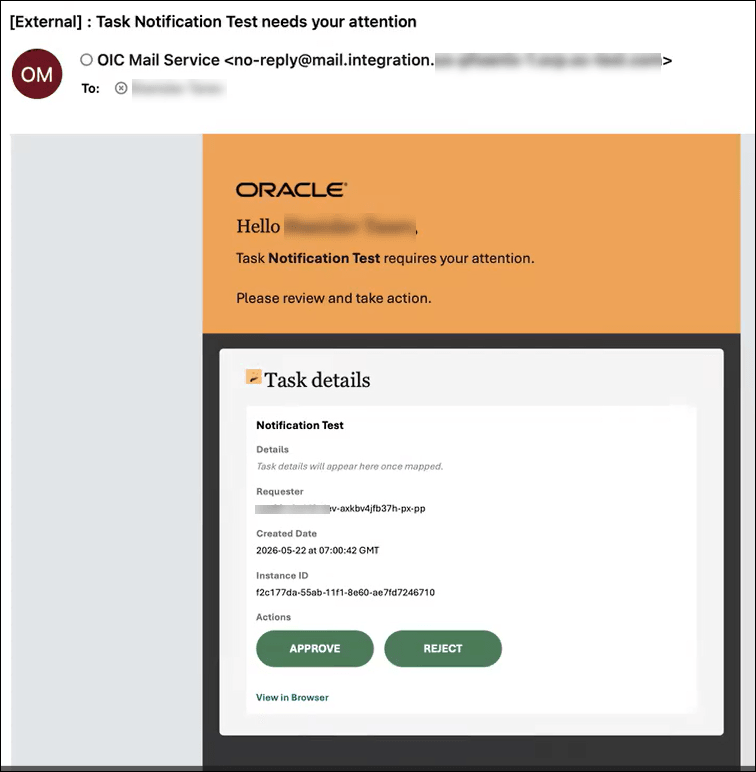
Selecting an actionable button in the email, such as Approve, Reject, or Submit, or selecting the View in Browser link, opens the Process Automation Workspace in a browser. The assignee can then take appropriate action on the assigned task from the Process Automation Workspace.
Alternatively, if email-based approval is configured for the assignee in Process Automation Workspace, the assignee can take action on the task directly from the email and receive an automatically generated reply. For more information, see Manage Notifications in Using Oracle Cloud Infrastructure Process Automation and this blog.