Prerequisites for Creating a Connection
You must satisfy the following prerequisites to create a connection with the OpenSearch Adapter:
Create an OCI Search with OpenSearch Cluster in the Oracle Cloud Console
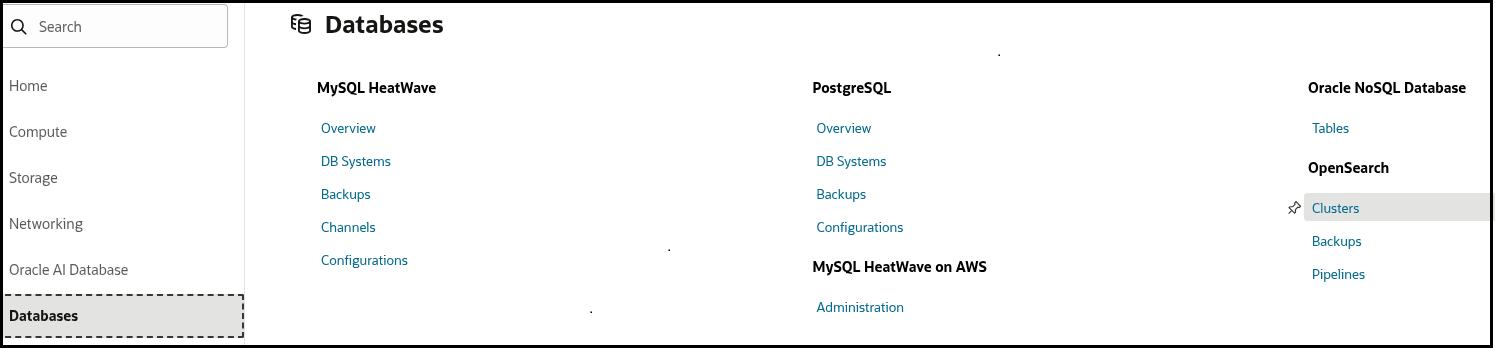
- Sign in to the Oracle Cloud Console.
- Under Databases, select
Clusters.
- Click Create Cluster. See Creating an OpenSearch
Cluster.
You configure the OCI Search with OpenSearch cluster to be associated with a VCN and subnet of your choice. You also create admin user/password credentials. In the database world, this configuration is equivalent to creating an Oracle26ai instance and setting up the wallet.

Note:
Create the OCI Search with OpenSearch cluster in a private or public subnet. Common configurations are:- Create your OpenSearch cluster in your selected VCN's private subnet and use a private endpoint to access OpenSearch in Oracle Integration. This configuration ensures that your access remains private inside the Oracle network. See Configure a Private Endpoint for Your Instance in Provisioning and Administering Oracle Integration 3.
- Create your OpenSearch cluster in your selected VCN's private or public subnet and use a VM with nginx in your VCN's public subnet to forward the requests to your OpenSearch cluster. The connection URL you use in the OpenSearch Adapter must point to the virtual machine (VM) running nginx. See Access OCI OpenSearch Dashboards and REST APIs outside a VCN and nginx.
When configuration is complete, the OCI Search with OpenSearch cluster instance details are provided. For this example, the cluster is created in a private subnet, meaning your OCI Search with OpenSearch activity can remain private.
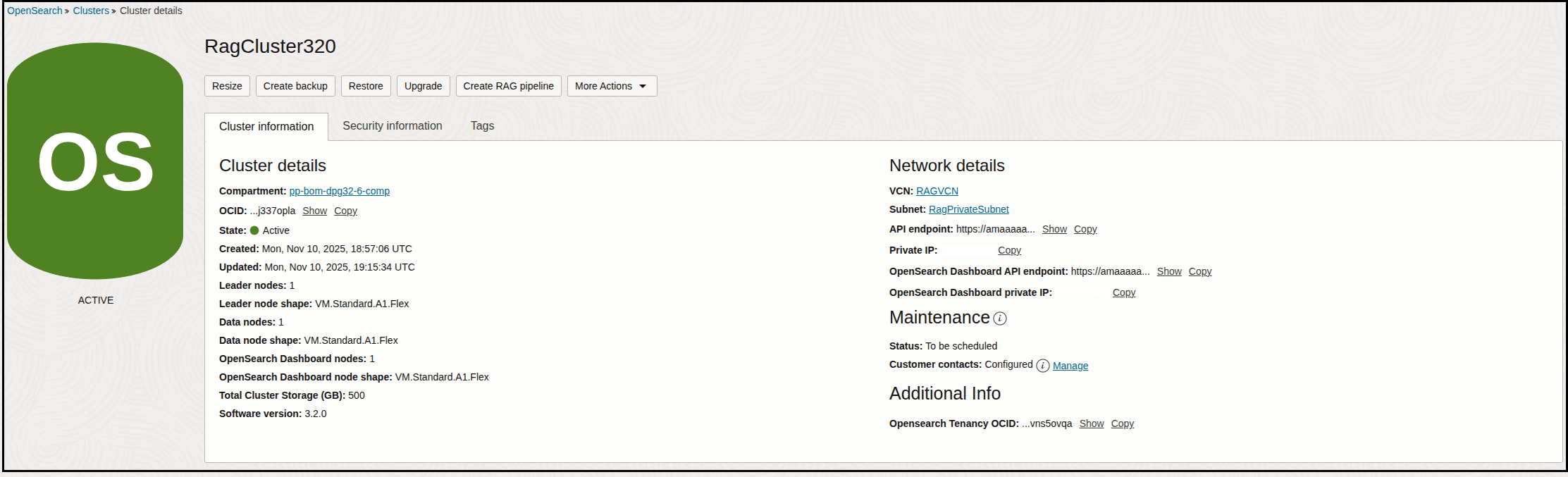
When you create an OpenSearch Adapter invoke connection on the Connections page, you specify the URL associated with the cluster and the Basic Authentication admin user/password configured while creating the cluster. See Configure Connection Properties.