Design the Robot
Create a robot to automate the login process with steps to enter username, password, and click the Submit button.
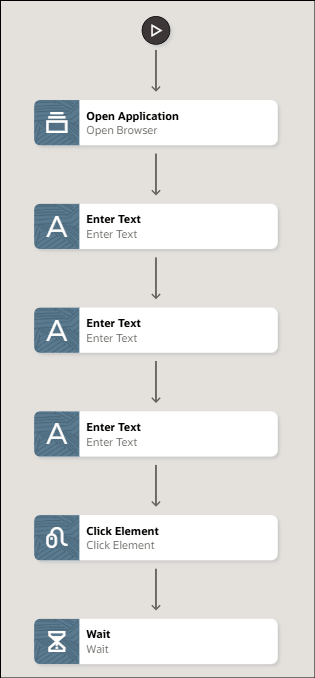
See Create a Robot.
Note:
In the robot description, provide business context, end-user context to describe the business action being performed and describe your robot in a clear and simple way so the AI understands it well. Explain what the robot does, how it works, and who it helps. Mention the tasks it handles, the tools or data it can use, and any limits or rules it must follow. This helps the AI generate more accurate, relevant, and reliable recommendations when errors occur.
For example:
Scenario: The robot helps test a website’s Login page. On some screens, the main action button is labeled Submit, and on others it is labeled Login. The robot should understand that both labels mean the same action: sending the login form.
Expected behavior:When the button label changes from Submit to Login, the robot should not fail. Instead, it should recognize the button by its purpose, confirm it is the correct action button, and continue with the login flow.