Create a Dataset Using a Pre-Authenticated Request URL
You can create a dataset by specifying the pre-authenticated request (PAR) URL to an object storage bucket on your Autonomous AI Database instance.
As a prerequisite, ensure that Spatial Studio is attached to a compute environment. See Create a Compute Environment for more information.
Perform the following steps to create a PAR URL dataset:
-
Navigate to the Datasets page.
-
Click Create Dataset.
The Create Dataset window opens.
-
Select the OCI pre-authenticated request URL option.
-
Specify the PAR URL to access all the objects in the storage bucket.
-
Click Create.
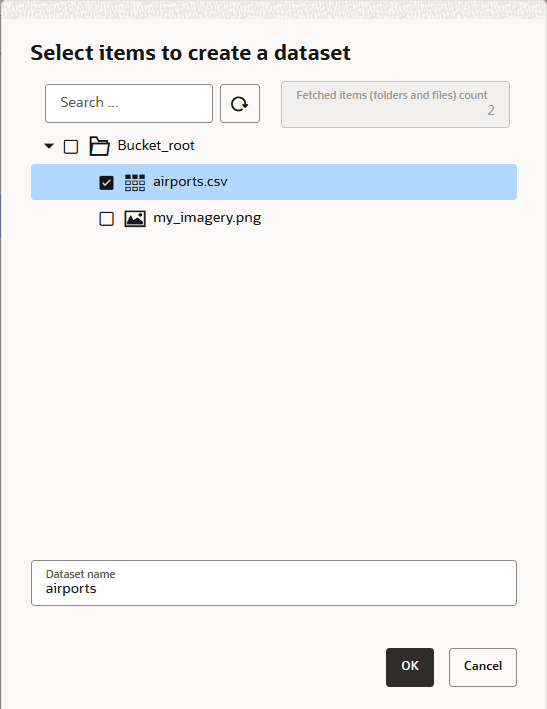
The Select items to create a dataset opens as shown:
-
Select the object file(s) for creating the dataset.
For instance, geospatial rasters stored in object storage can be accessed as collections of tiles. Therefore, you can select all the required image tiles at this step.
-
Click OK.
The dataset get created and is displayed on the Datasets page.
The PAR URL details and the object storage files used for creating the dataset can be viewed in the Storage token dataset tab in Dataset Properties.