Accessing Oracle Cloud Object Storage
These are simple steps to set up access to the Oracle Object Storage Service.
Create a bucket in Object Storage
To set up access to the Oracle Object Storage Service, you need to create a bucket for Object Storage.
You create a bucket to which the NoSQL table’s data can be temporarily copied, in Parquet format. This is in preparation for the transfer of data to ADW. To create a bucket, go to the Oracle Cloud Console and do the following:
-
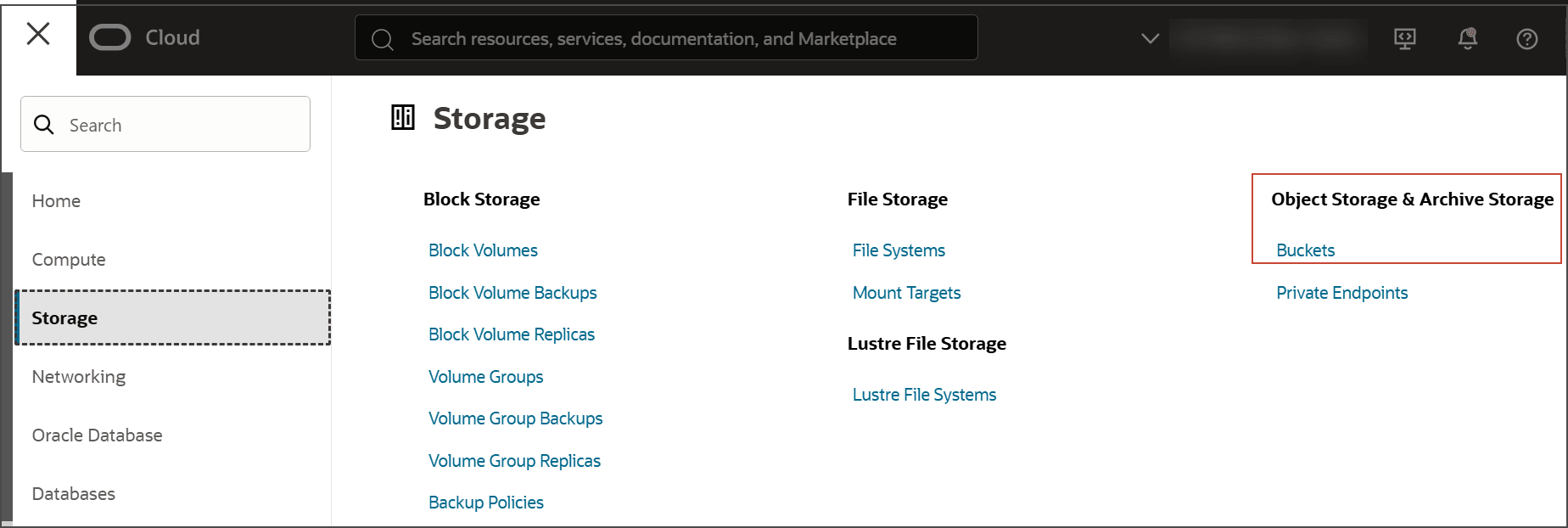
Select Storage from the menu on the left side of the display and select Object Storage & Archive Storage.
-
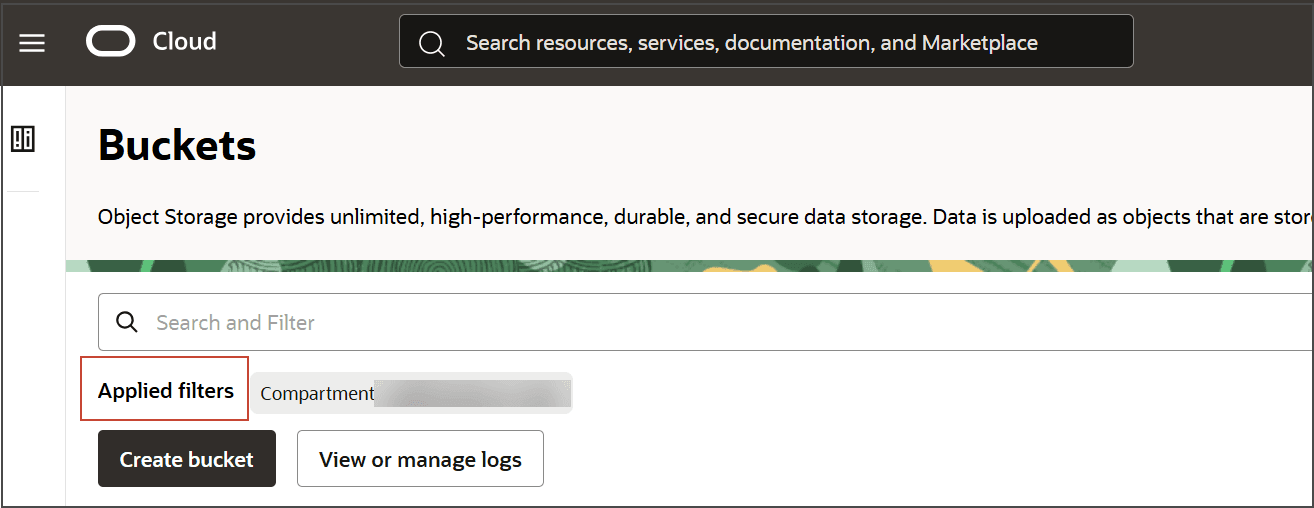
In Applied Filters, select the Compartment to create the bucket.
-
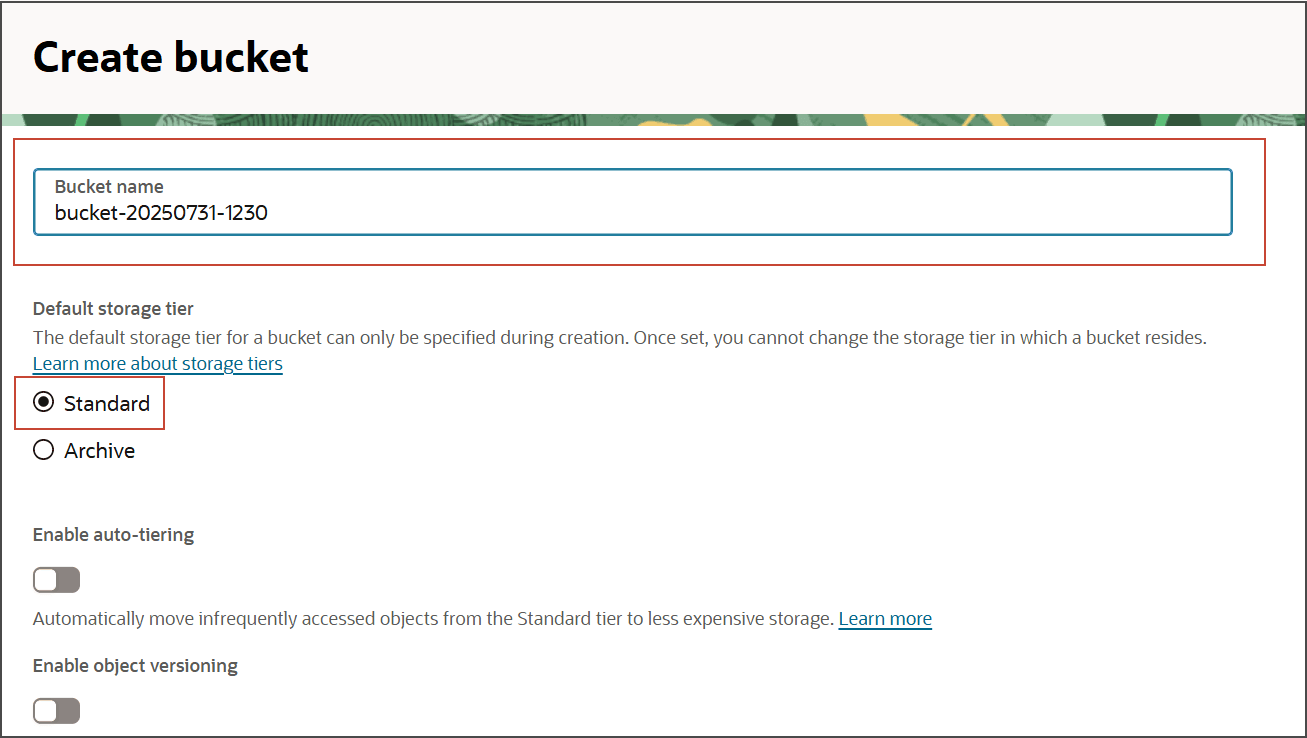
Supply a descriptive name.
-
Under the Default storage tier, select Standard.
-
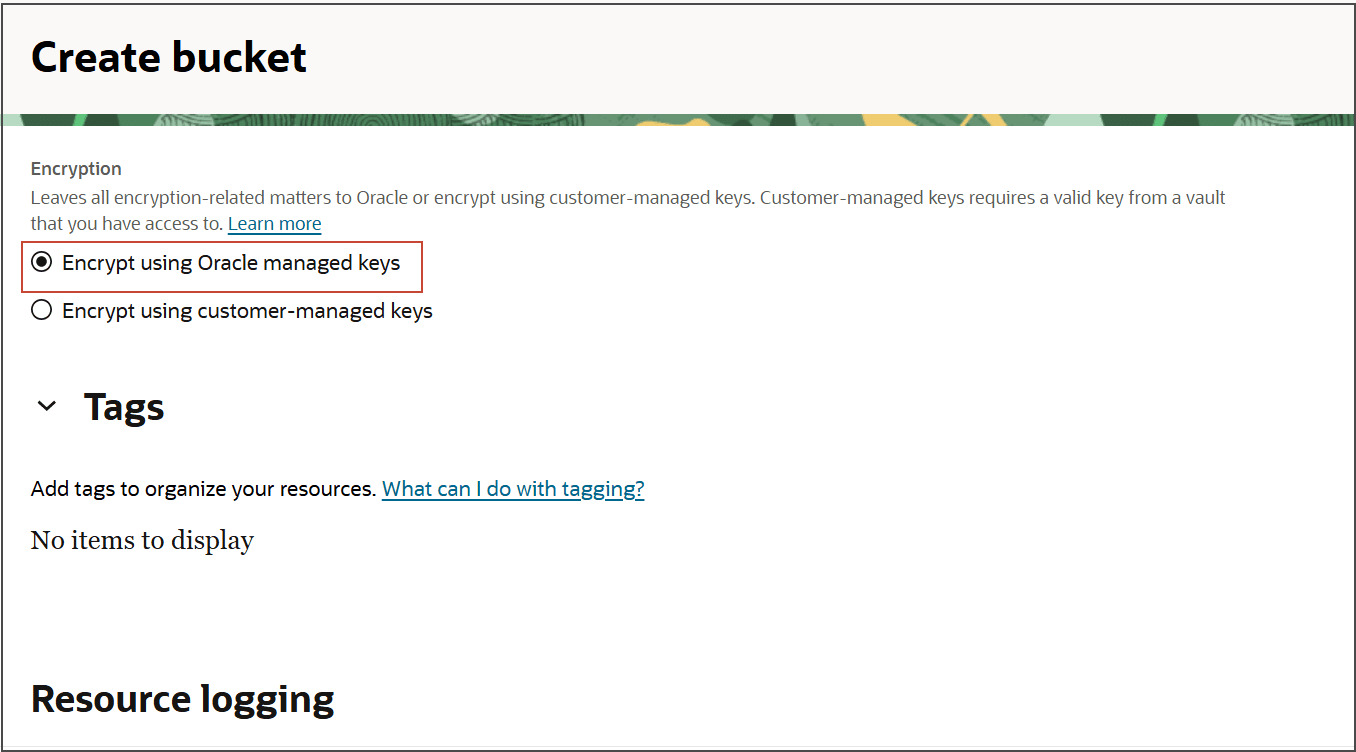
Choose your desired Encryption and click Create bucket.
There is no need to create any other files. Once the bucket is created, all you need to do is specify the name of the bucket in the configuration, along with the bucket’s compartment, and the utility will take it from there; creating objects with names derived from the table being copied.
For example, if the name of the bucket you created is nosql-to-adw and the name of the table you wish to copy to ADW is myTable, and you direct the utility to use the Oracle NoSQL Migrator , then the utility will retrieve data from the NoSQL table named myTable, convert it to Parquet format, and copy the Parquet data to the ` nosql-to-adw` bucket as objects having names of the form, myTable_2021_07_22/Data/000000.parquet, myTable_2021_07_22/Data/000001.parquet, etc.
Generate an authorization token for Object Storage.
After creating the bucket, if you wish to authenticate ADW with the Object Storage service using a user specified authorization token (AUTH_TOKEN), and if your system administrator has not already generated one for you, then you must generate that token yourself so that files written to the Object Storage bucket can be accessed. Communication between ADW and Object Storage will rely on this AUTH_TOKEN as well as the database’s username/password authentication mechanism.
To create an AUTH_TOKEN do the following steps.
-
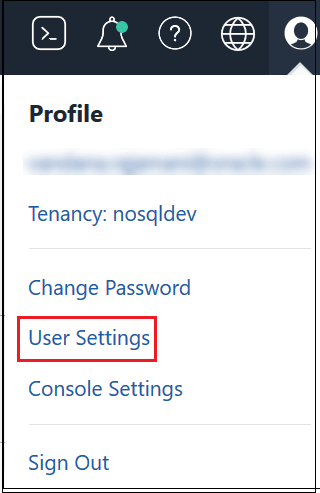
In the OCI Console, go to User Settings in your Profile menu.
-
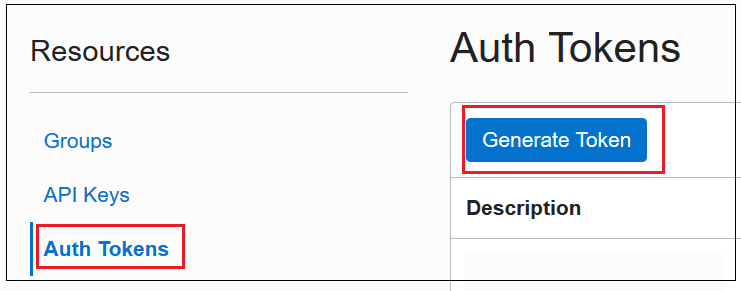
Under Resources, select Auth Tokens . Click Generate Token.
-
If you, rather than the system administrator, generate the AUTH_TOKEN, then copy it to a file for safekeeping. Whether generated by you or the system administrator, the AUTH_TOKEN must then be stored in the ADW database. For details on how to do this, see Enable the OCI Resource Principal Credential or Store/Enable the User’s Object Storage AUTH_TOKEN in the ADW Database