Accessing the Oracle Autonomous AI Lakehouse
Steps to access the Oracle Autonomous AI Lakehouse from Oracle NoSQL Database Analytics Integrator.
Create a database in the Oracle Autonomous AI Lakehouse
You must create a database to access the Oracle Autonomous AI Lakehouse from Oracle NoSQL Database Analytics Integrator. To create a database in the Oracle Autonomous AI Lakehouse, go to the Oracle Cloud Console and do the following:
-
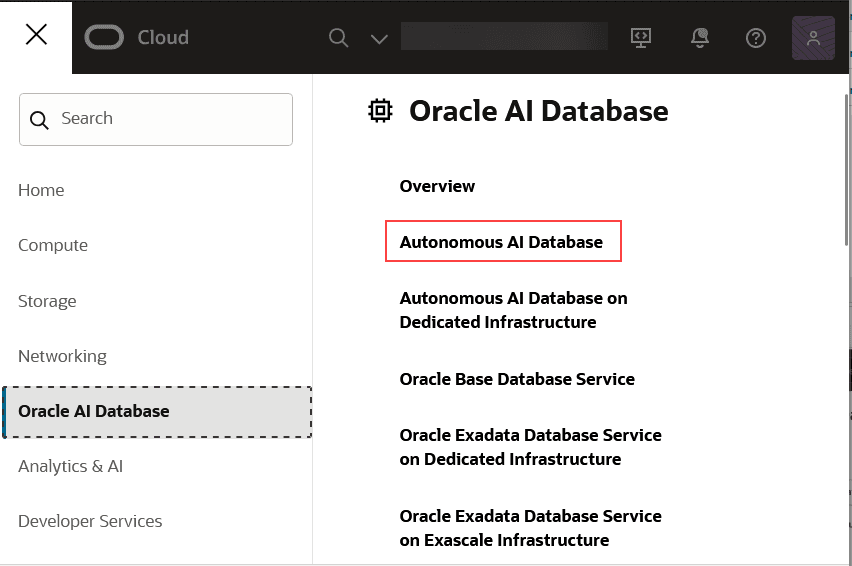
Select Oracle AI Database from the menu on the left side of the display.
-
Select Autonomous AI Database.
-
In Applied Filters, select the Compartment to create the database.
-
Select Create Autonomous AI Database.
-
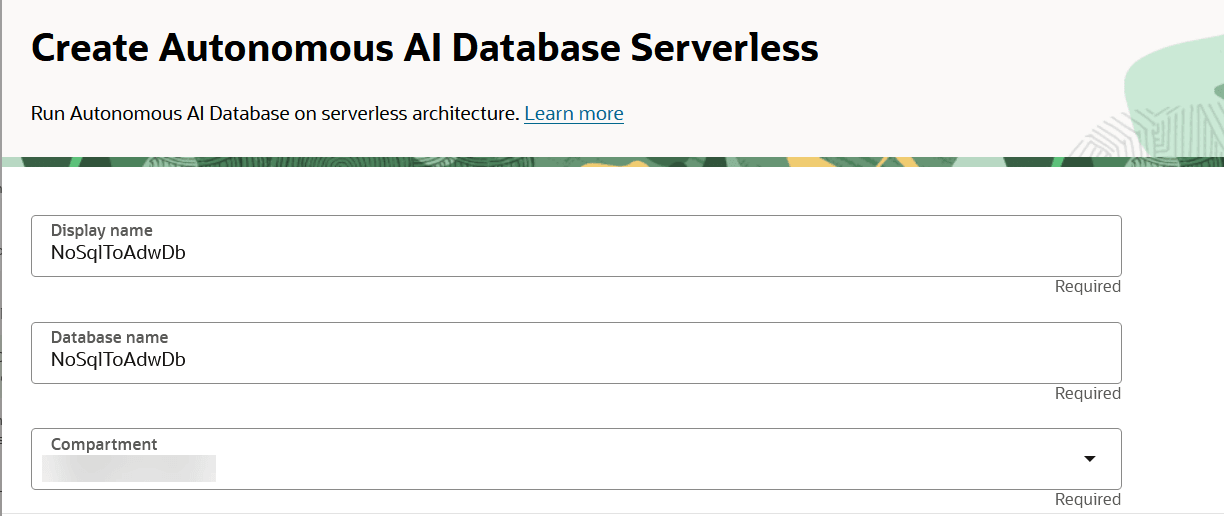
Enter the Basic Information for the Autonomous AI Database; for example,
-
Compartment: enter the compartment name selected above.
-
Display name: the name to display on the console; for example,
NoSqlToAdwDb. -
Database name: the name to use when connecting to the database; for example,
NoSqlToAdwDb(cannot be more than 30 characters).
-
-
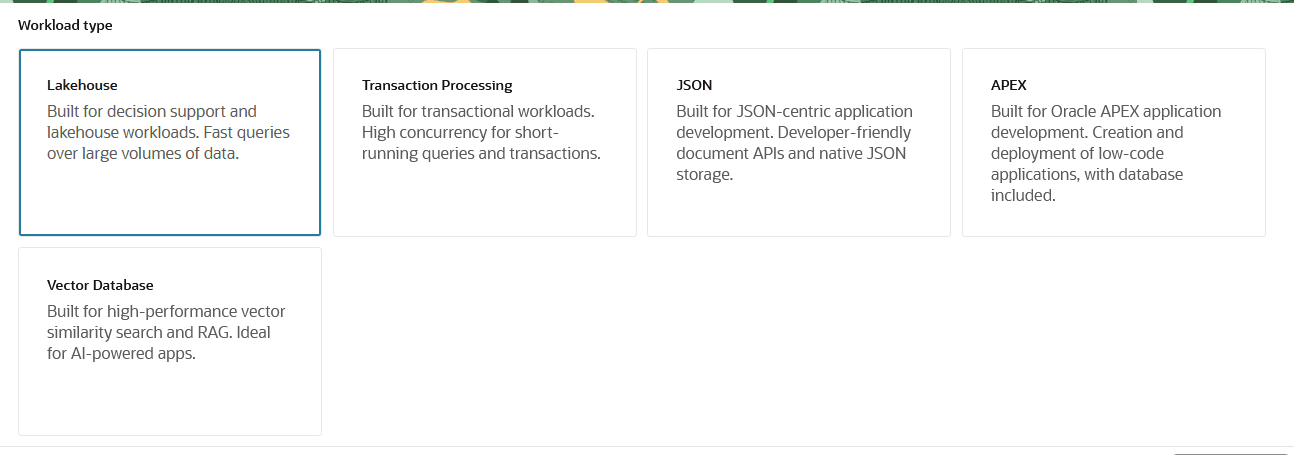
Select the Lakehouse workload type.
-
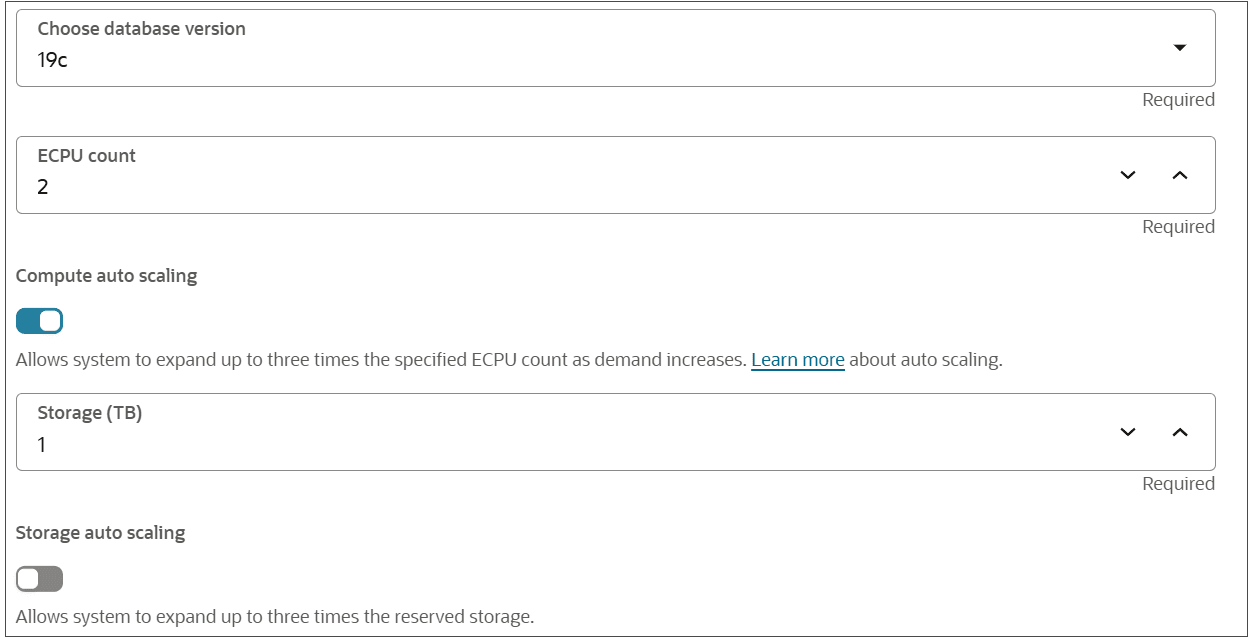
Use the default configuration for the database.
-
Set a Password under Administrator credentials creation.
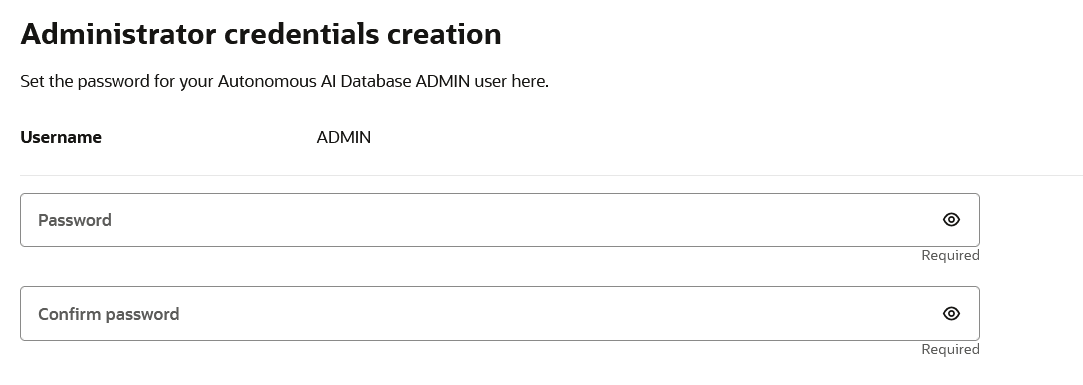
-
Select Secure access from everywhere for Access Type.

-
Select the appropriate license type. If you have your own license, then enable Bring Your Own License (BYOL).
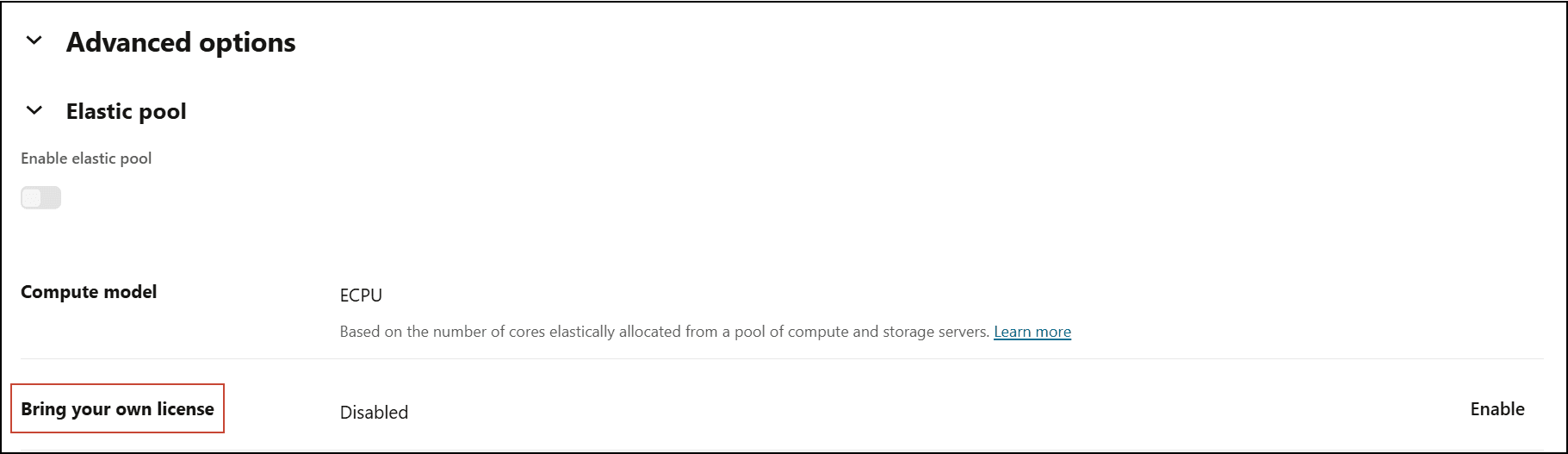
-
Select Create.
Install credentials needed for a secure database connection
Connections to the database you created in the Oracle Autonomous AI Lakehouse must be secure. For the Oracle NoSQL Database Analytics Integrator to connect securely to the Oracle Autonomous AI Lakehouse database, the utility uses the credentials contained in an Oracle Wallet.
To obtain the Oracle Wallet, go to the Oracle Cloud Console and do the following:
-
Select Oracle AI Database from the menu on the left side of the display.
-
Select Autonomous AI Database.
-
In Applied Filters, select the Compartment in which the database is located.
-
Select the link with the display name you entered when creating the database.
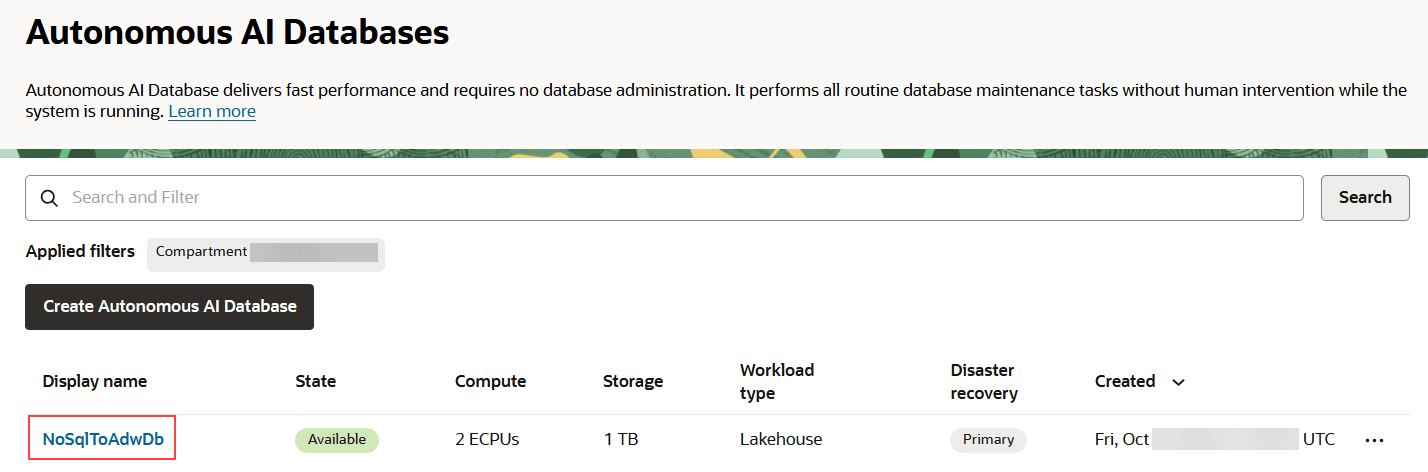
-
Select Database Connection.
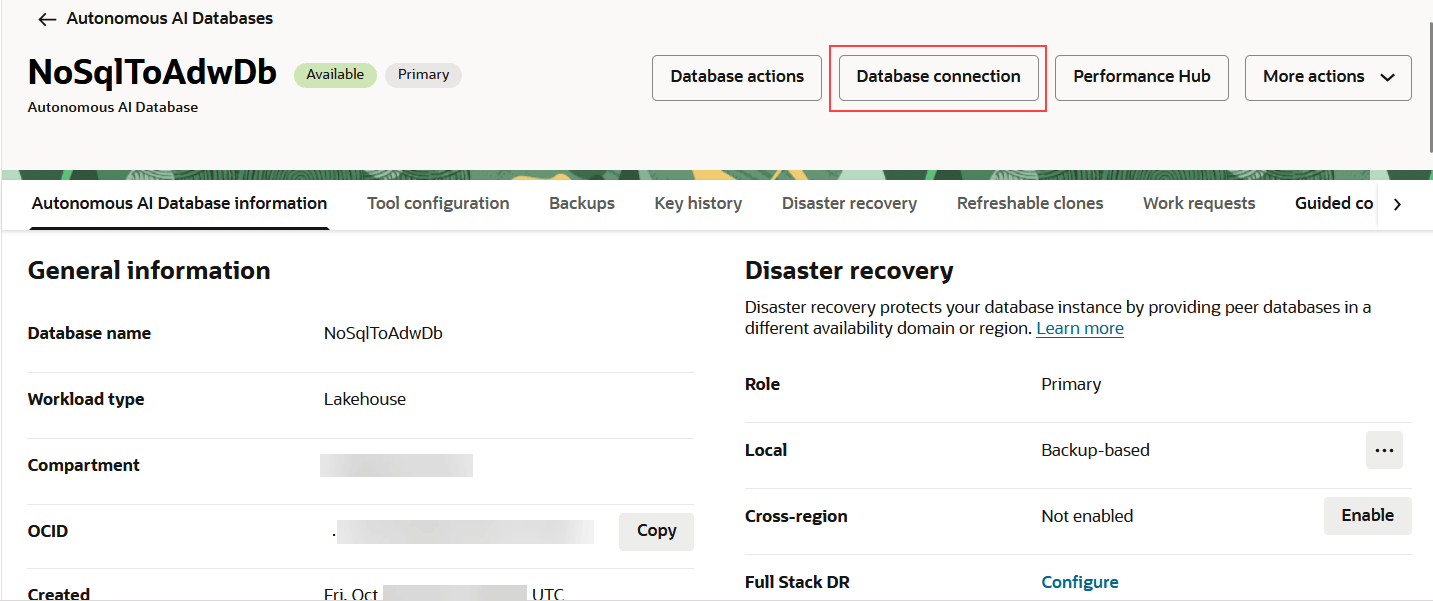
-
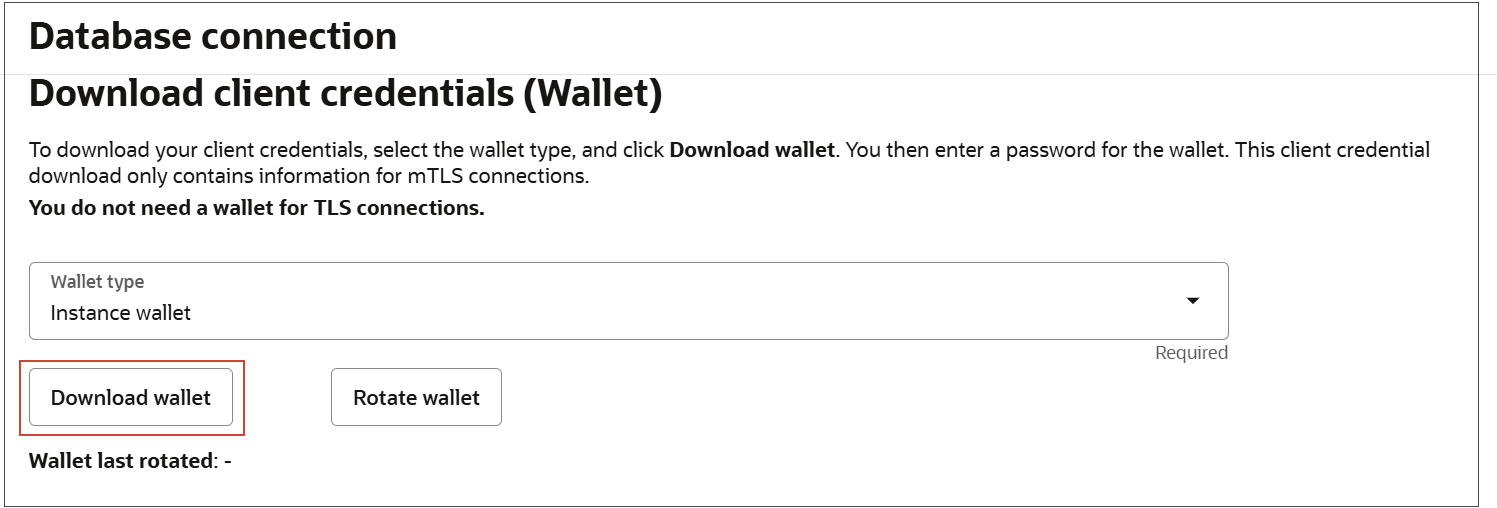
Select Download wallet and enter the administrative password set during database creation.
-
Save the file (zip) to a safe location.
The zip file that is produced includes the following items:
-
The network configuration files (
tnsnames.oraandsqlnet.ora) needed to connect to the database. -
The auto-open SSO wallet file,
cwallet.sso. -
The PKCS12 file,
ewallet.p12which is protected by the wallet password you provided when you downloaded the zip file via the Oracle Cloud Console. -
The Java keystore and trustore files,
keystore.jksandtruststore.jks;protected by the wallet password. -
The file
ojdbc.properties, which specifies the wallet-related Java system property required for connecting to the database via JDBC. -
A
READMEfile containing wallet expiration information.
After obtaining the wallet zip file, make note of the password and store the wallet in any environment from where you will be connecting to the database. Additionally, to use the Oracle NoSQL Database Analytics Integrator, the extracted contents of the wallet zip file must be installed in the environment where you will be running the utility. For example, if you are running the utility from an Oracle Cloud Compute Instance, you should extract the contents of the zip file in any directory on that instance. Then use the path to that directory as the value of the parameter databaseWallet in the database section of the utility’s configuration file.
Enable the Resource Principal Credential or Store/Enable the User’s Object Storage AUTH_TOKEN in the Oracle Autonomous AI Lakehouse Database
After retrieving data from the desired NoSQL Cloud Service table and writing that data to Parquet files in Object Storage, the Oracle NoSQL Database Analytics Integrator uses subprograms from the Oracle PL/SQL DBMS_CLOUD package to retrieve the Parquet files from Object Storage. It then loads the data contained in those files to a table in the database you created in the Oracle Autonomous AI Lakehouse.
Before the Oracle NoSQL Database Analytics Integrator can do this, you must provide a way for the Oracle Autonomous AI Lakehouse database to authenticate with Object Storage for access to those Parquet files. The Oracle Autonomous AI Lakehouse database can authenticate with the Object Storage service in one of two ways: using the OCI Resource Principal or a user-specific AUTH_TOKEN that either you or the system administrator generates. The authentication mechanism you decide to use is enabled by executing the following steps from the Oracle Cloud Console.
-
Select Oracle AI Database from the menu on the left side of the display.
-
Select Autonomous AI Database.
-
In Applied Filters, select the Compartment in which the database is located.
-
Select the link with the display name you entered when creating the database.
-
Under Database actions, select SQL.
-
From the window labeled [Worksheet]*, if you wish to authenticate the Oracle Autonomous AI Lakehouse database with Object Storage using the Resource Principal, then execute the following procedure.
EXEC DBMS_CLOUD_ADMIN.ENABLE_RESOURCE_PRINCIPAL();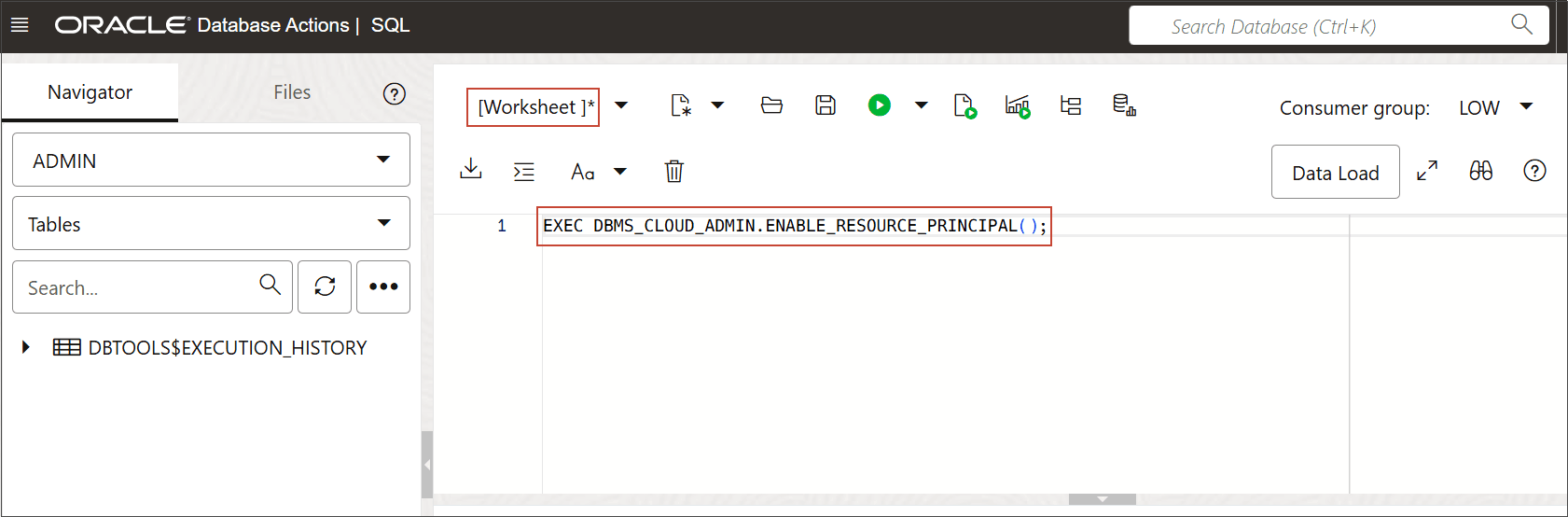
Description of the illustration dbactions-resource-principal.png
Alternatively, if you wish to perform the authentication using the AUTH_TOKEN that either the system administrator provided to you or you generated yourself, then execute the procedure,
BEGIN
DBMS_CLOUD.CREATE_CREDENTIAL (
credential_name => 'NOSQLADWDB_OBJ_STORE_CREDENTIAL',
username => '<your-Oracle-Cloud-username>',
password => '<cut-and-paste-the-AUTH_TOKEN>'
);
END;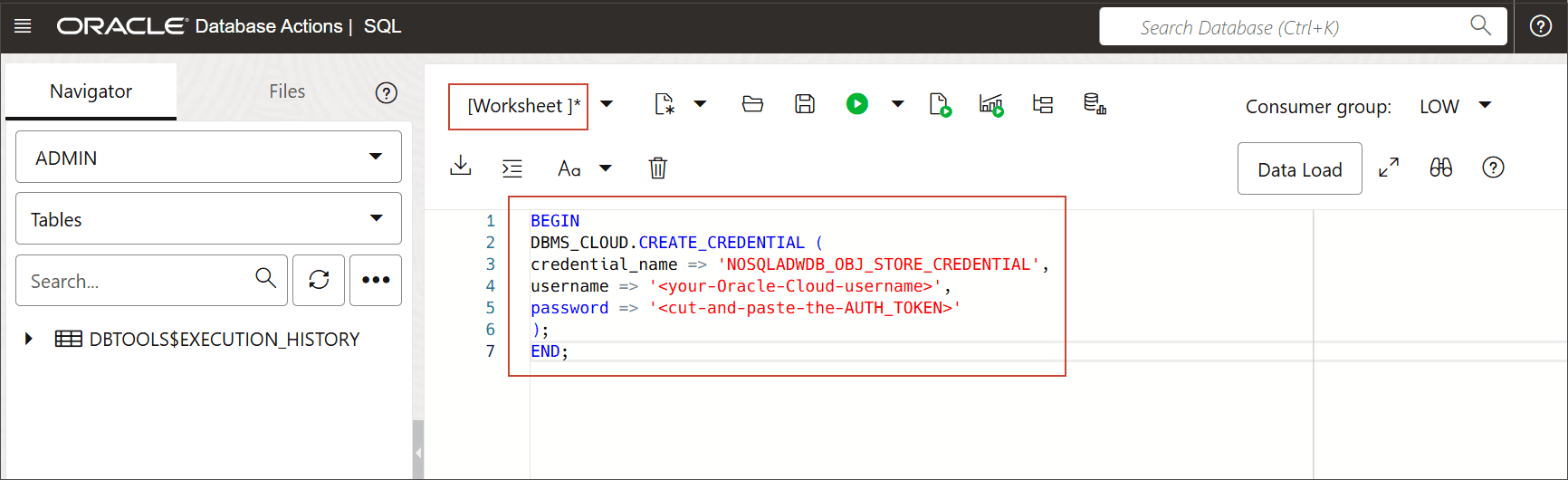
The DBMS_CLOUD_ADMIN.ENABLE_RESOURCE_PRINCIPAL procedure enables the OCI Resource Principal (named OCI$RESOURCE_PRINCIPAL) for use by the Oracle Autonomous AI Lakehouse database when authenticating with an OCI resource such as Object Storage. The DBMS_CLOUD.CREATE_CREDENTIAL procedure encrypts the specified AUTH_TOKEN credential and stores it in a table in the database named adwc_user. Whichever procedure you employ, that procedure needs to be executed only once; after which the same credential name can be specified for all transfers from Object Storage to the Oracle Autonomous AI Lakehouse database.
Note: When the Oracle Autonomous AI Lakehouse database uses the OCI Resource Principal to authenticate with Object Storage, the name of the credential is OCI$RESOURCE_PRINCIPAL. Alternatively, when using the AUTH_TOKEN to authenticate with Object Storage, the name of the credential is the value you specify for the credential_name parameter in the DBMS_CLOUD.CREATE_CREDENTIAL procedure. But note that the value shown above (NOSQLADWDB_OBJ_STORE_CREDENTIAL) is only an example. You can use any name you wish. Thus, the dbmsCredentialName parameter in the configuration file should contain either the value OCI$RESOURCE_PRINCIPAL, or the name you specify here for the credential_name parameter; depending on the authentication mechanism you choose to employ for authenticating the Oracle Autonomous AI Lakehouse database with Object Storage.