Verify Mail Configuration Settings
You can test your mail server configuration by sending a test mail.
- Click the arrow next to SOA Infrastructure, select Service Engine and then Human Workflow.
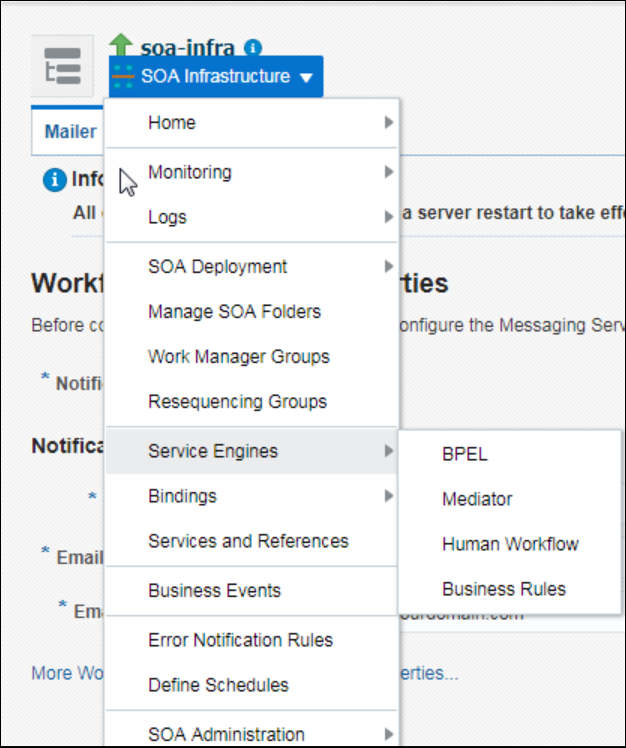
Description of the illustration human_workflow.png - Enter the details of the mail ID to which you want to send the test mail and click Send.
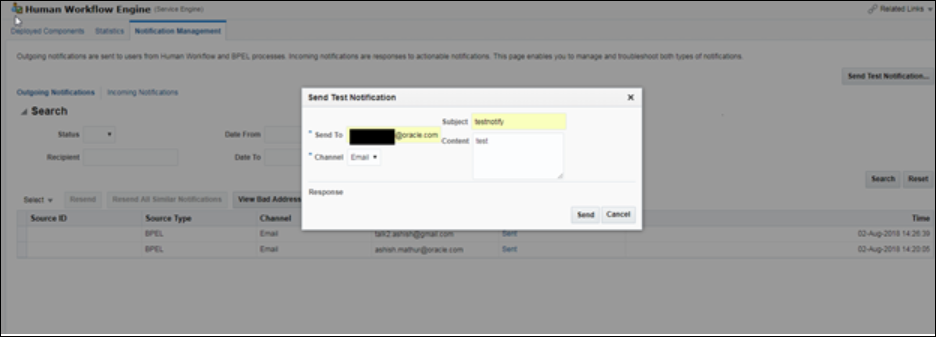
Description of the illustration config_mail.pngA successful mail delivery is sent to the intended recipient