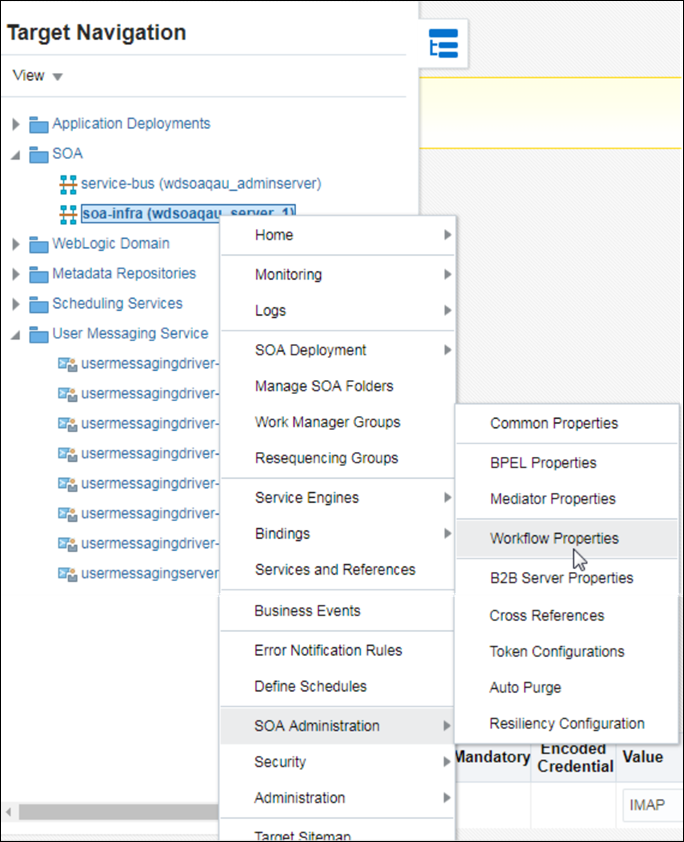
Update the Workflow Notification Properties
Update the workflow notification properties with details of the external mail server.
- Right-click soa-infra, select SOA Administration and then Workflow Properties.
- In the Mailer tab, under Notification Service, enter From Address, Actionable Address, and Reply To Address for your outgoing mail address. For example, YourMail@yahoo.com.
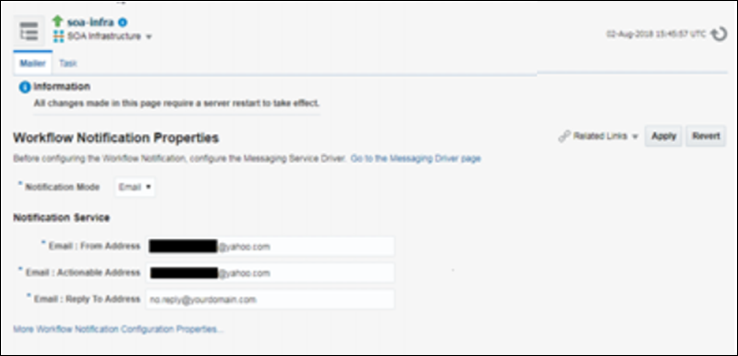
Description of the illustration mail_config.png