Run VM Build Executors in Another Compartment’s VCN and Subnets
To allow a VM build executor access your Oracle Cloud services in a compartment’s VCN, you should configure the VM executors to run in the same VCN. This allows the VM executor to access Oracle Cloud services easily without any complex networking configuration.
Before you configure the VCN, make a note of these:
- A VM executor always runs in a public subnet.
- In the VCN, you must create a public subnet or configure an existing public subnet to allow inbound access from and outbound access to VB Studio. See Create and Configure a Public Subnet in a VCN.
- Make sure that the public subnet is regional.
-
Instead of modifying an existing security list’s security rules, create a new security list for the public subnet.
For the public subnet, create a security list and add ingress rules from source CIDR
0.0.0.0/0for VB Studio ports22(SSH),9082(Executor Agent), and9085(VM Agent). This is required to allow VB Studio access the VM executors in the VCN. -
For the subnet’s compartment, assign the
use virtual-network-familyOCI policy to the user whose OCID you specified when you set up the OCI connection in VB Studio. This is required for networking permissions and builds to run in the VCN’s subnet. This statement assigns the policy to the user’s group:allow group <group-name> to use virtual-network-family in compartment <subnet-compartment-name>Here’s an example of the
use virtual-network-familypolicy: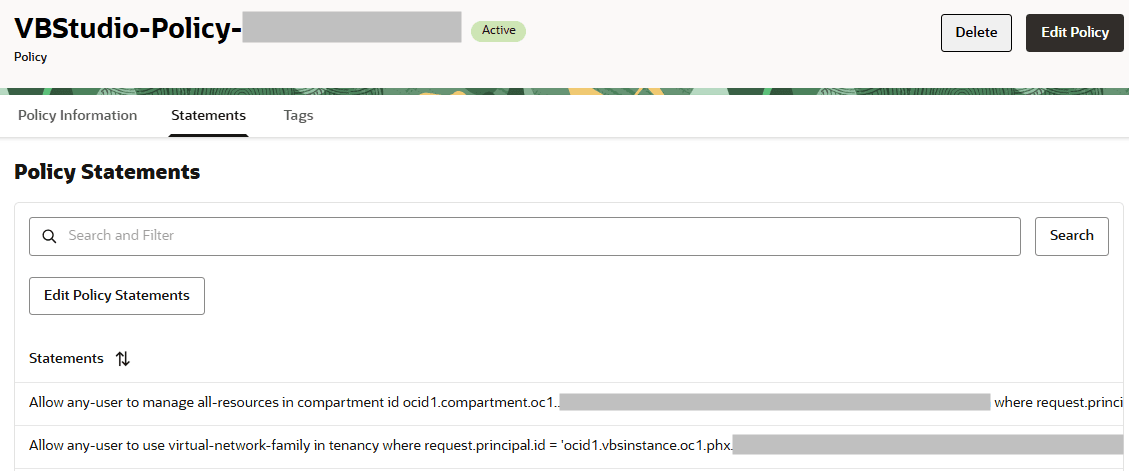
- Make sure that the VCN has a route table with a rule that allows Internet access.
- To allow the VM executor to access the VCN’s private subnet’s services and resources, configure the private subnet’s security rules to allow incoming traffic from the public subnet used by the VM executor.
- While adding a VM executor, you can specify multiple public subnets. If VB Studio can’t create the VM executor on the first specified public subnet, it tries to create it in the second subnet, and so on.
-
After configuring a VM executor to run in another compartment’s VCN, ask your organization’s members to configure their build jobs to use the private IP addresses or the Fully Qualified Domain Name (FQDN) of services that are running in the VCN.
Tell them not to use public IP addresses, because when VM executors are in the same VCN as the service, public IP addresses will route the traffic outside the VCN, causing builds to fail.
This table describes what you need to do if you have a VCN.
| If … | Then : |
|---|---|
| You have a VCN without a public subnet |
|
| You have a VCN with a public subnet |
|
| You don’t have a VCN and want to create one |
|