Add a Fire Notification Action
You add a Fire Notification action to display a notification to the user in the web browser.
There are four types of notifications: Info, Error, Warning, and Confirmation. They display a summary and a message underneath:
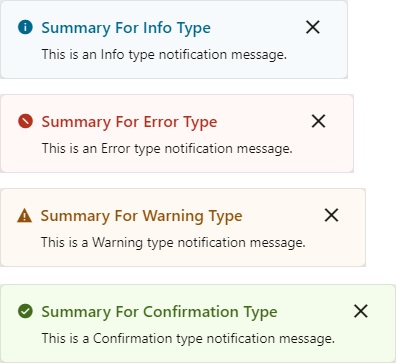
For API information about this action, see Fire Notification Event in the Oracle Visual Builder Page Model Reference.
To use a Fire Notification action:
-
Add the action in one of three ways, as explained at the end of Built-In Actions.
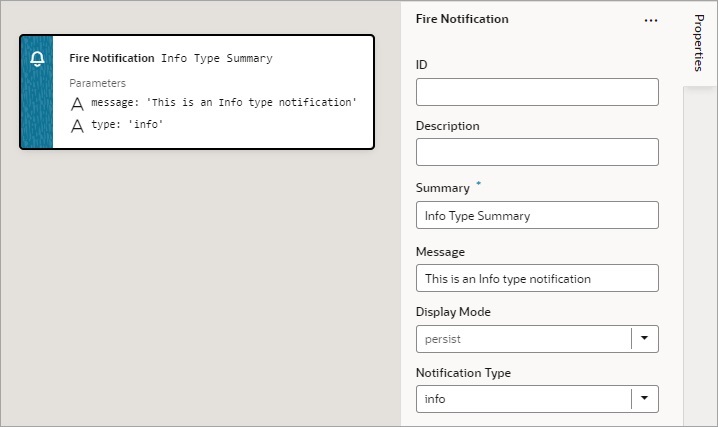
Description of the illustration jsac-fire-notification-action-example.jpg
-
Update the ID field in the Properties pane to make the action more identifiable.
-
Enter a summary of the notification in the Summary field.
-
Enter the message you want to display in the Message field.
The message can be a static string (
The name was updated.) or it can contain variables ({{ 'Could not create new Contacts: status ' + $chain.results.createContacts.payload.status }}). -
For Display Mode, choose how the notification is dismissed: Transient — goes away after a few seconds, or Persist — stays until the user closes it.
-
Select a Notification Type to specify the look of the notification window.