Set Version Information for Your Application
You can specify a version number for the visual applications that you share and deploy from VB Studio.
VB Studio includes a version number by default in the web applications that you deploy from your VB Studio projects. This version number appears in the Deployments tab of VB Studio’s Environments page (as shown here) and in the URL that users use to access your application:
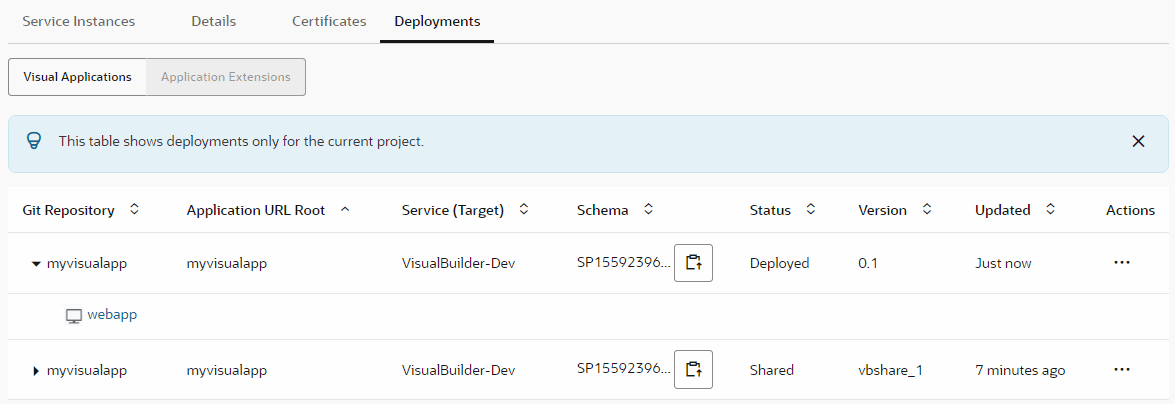
The application version takes the following format:
-
When you share an application, it’s
vbshare_*`workspaceID`*, whereworkspaceIDis an arbitrary number (for example,vbshare_1). The application URL in this case would behttps://host/something-else/vbshare_1/index.html. -
When you deploy an application, it’s the value of the
versionproperty in thevisual-application.jsonfile (for example,0.1). The application URL in this case would behttps://host/something-else/0.1/index.html.
Here’s how you can set an application’s version:
-
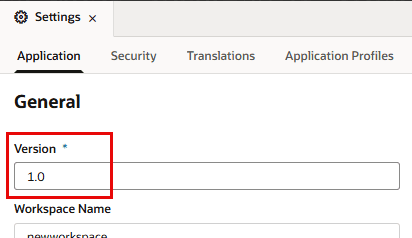
To change the
versioninvisual-application.json, go to the visual application’s Settings editor in the Designer and modify the Version field. Consider using a numbering scheme (for example, 1.0, 1.1, 1.2, and so on):
-
If you want to override the
versioncoming fromvisual-application.json, you can set a different value in the Application Version field of your visual application’s deployment job. To do this, configure the deployment job and set a value in the Application Version field for the Visual Application Deployment step under Steps. Here is an example where66is the version to appear in the application URL:
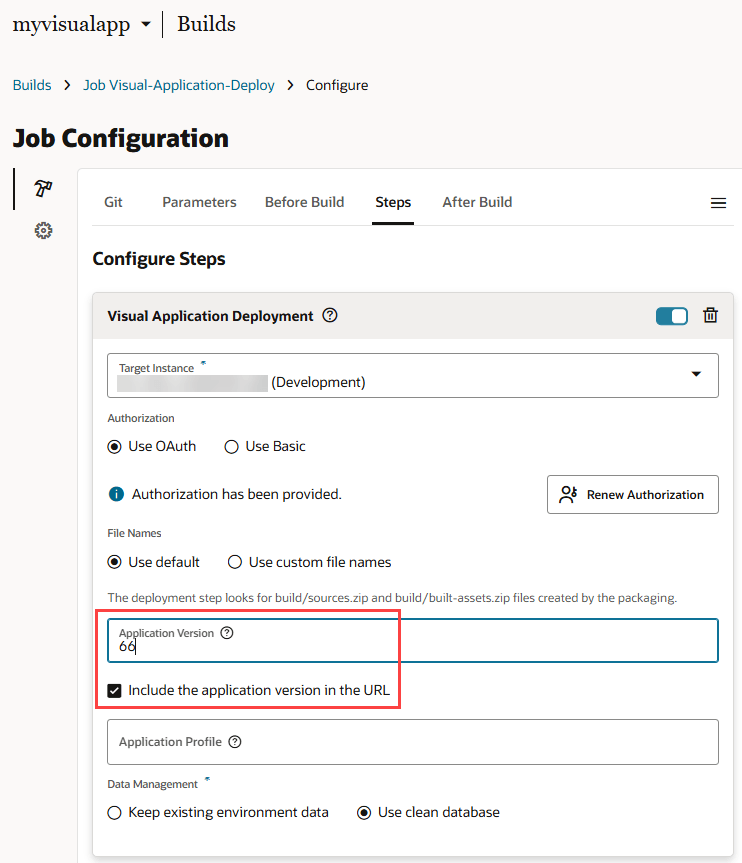
Description of the illustration app-version-includecheckin1.png
Changing the Application Version in your deployment job does not update the
versionproperty in thevisual-application.jsonfile.
By default, the application version is always included in the deployed application’s URL. You won’t need to remove the version during development, but when your application is ready to be deployed to production, it’s a good idea to replace the application version with “live”. In this case, the application URL would be https://host/something-else/live/index.html. See Deploy a Live Version of an Application.