Set Up the PagerDuty Account
To set up PagerDuty, create an API key, add services, and add users who would receive PagerDuty notifications .
You must be the account owner or assigned the PagerDuty Admin role to set up the PagerDuty account.
- Log in to PagerDuty as the account owner or administrator.
-
To set up the API key, from the Configuration menu, select API Access.
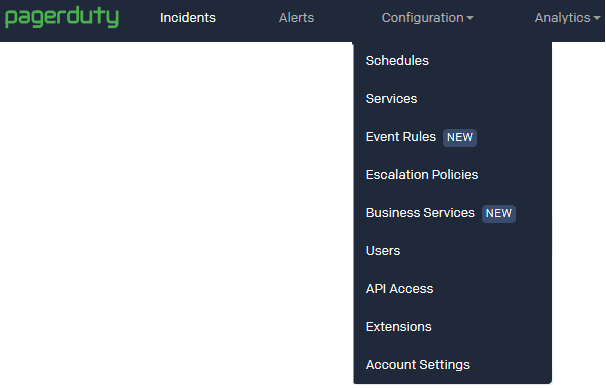
- Click Create New API Key.
-
In the Create API Key dialog box, enter a name for the key and click Create Key.
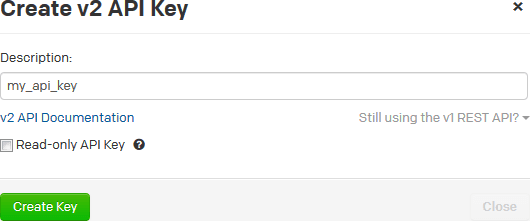
Description of the illustration pagerduty-apikey-dialogbox.png
-
From the New API Key dialog box, copy the API Key value and keep it safe. You can’t view or copy the key after closing the dialog box.
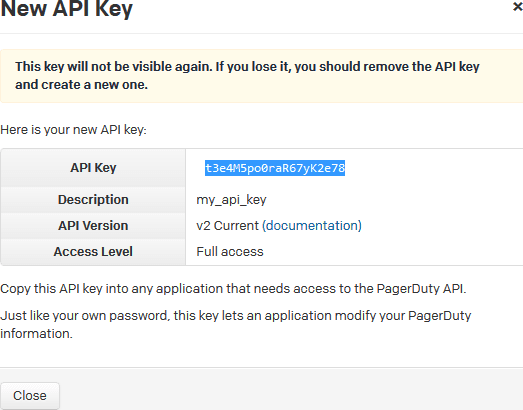
- Click Close.
- If not configured, set up services (such as applications or components) you wish to open incidents against. From the Configuration menu, select Services.
- Click New Service.
- Fill in the details and click Add Service.
- If not configured, add users who’d receive notifications. From the Configuration menu, select Users.
- Click Add Users.
-
In the Invite your team dialog box, add the details of users you want to invite, and click Add.
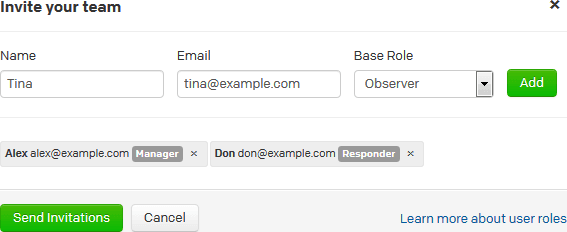
- When you’re finished adding users, click Send Invitations.
- Return to the dashboard page of PagerDuty.