About Data Source Attributes
When defining an attribute in a data source, you must provide certain details.
Note:
A data source can have a maximum of 200 attributes.The following table describes the details required to create a data source attribute.
Table 11-2 Attribute Details
| Field | Description |
|---|---|
| ID | ID of the data source attribute |
| Name | Name of the data source attribute
The data source attribute ID and name cannot connect special characters such as {, }, [, ], |, or reserved keywords (like transaction ID). |
| Type |
|
| Decimal Places |
For attributes with Type set to Number, enter the number of decimal places that must be used for the attribute. |
| Default Value | (optional) Enter a default value for this attribute. |
| Allow Edit | Select if users can edit the value of this attribute while working with unmatched transactions. |
| Key |
Select if you want to activate the duplicate transaction check process. The Key setting is a way to uniquely identify a record in the database. You can select one or more attributes as Keys for the duplicate check. The Transaction Import will not load a file if the file contains one or more transactions that match a Key that has already been loaded. Note: An attribute of type Group cannot be set as Key. |
| Required | Select this option to indicate that this is a required
attribute.
When importing transactions, if one or more transactions do not contain a value in a Required attribute, the import fails and no transactions are imported. |
| Accounting Date | Select if you want the attribute to be set as the Accounting Date. The Accounting Date represents the accounting period that the transaction is reflected in. This date assigned to each transaction will be used to perform all period-end calculations. Only one attribute can be set as Accounting Date. |
| Balancing Attribute |
Select if you want the attribute to be set as a Balancing Attribute. Only one attribute can be set as the Balancing Attribute. The precision used for the balancing attribute depends on whether currency is configured in the match type's data sources:
|
| Currency |
(Optional) Select if you want this attribute to be a currency attribute. Defining a currency attribute enables the you to load transactions with multiple currencies. A currency attribute must be a Required attribute of type Text and cannot be a Calculation attribute. You must define one currency attribute for each data source. See About Configuring Multiple Currencies for a Data Source. |
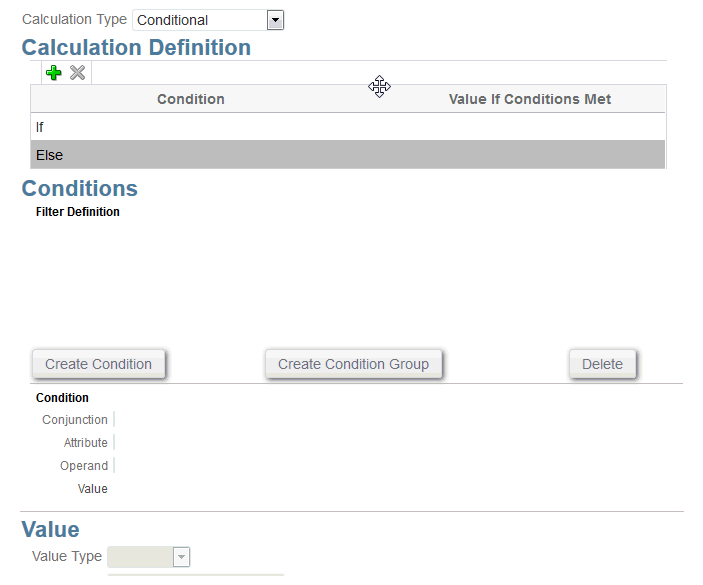
| Calculation | (optional) Check this box if you want the attribute data to be calculated. If you choose this option, a Calculation definition section is displayed. |
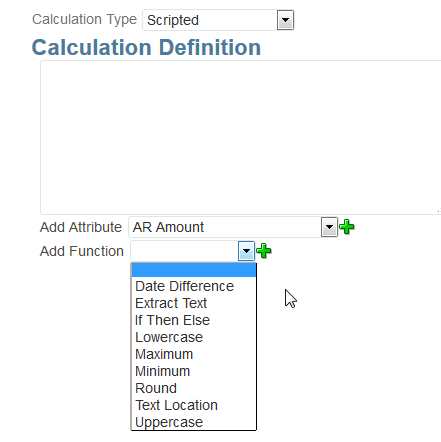
| Calculation Type |
Choose whether you want the calculation to be based on a script, when certain conditions are met, or assign value to a list
|
| Calculation Definition | Enter a calculation script in this area. |
| Add Attribute | Add an existing attribute to a calculation script by selecting from the list. |
| Add Function |
Choose from the library of functions to help create a script:
|
Attribute Examples
Here are some examples of common attributes:
Text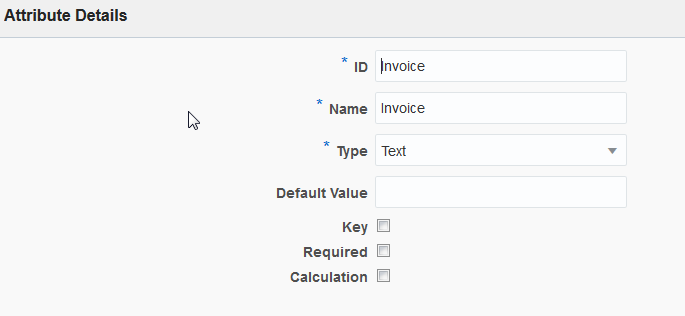
Scripted Calculation Type Example
Conditional Calculation Type Example