Time Dimensions
Data Augmentation Scripts provides built-in time dimensions for you to extract information or directly incorporate these dimensions.
You can use these built-in time dimensions by importing the system module which contains dimensions, such as Day, Week, Month, Quarter, and Year.
IMPORT MODULE SYSTEM

DEFINE DATASET MY_DAY FROM DW_APPS_DAY_D ENDDW_APPS_DAY_D
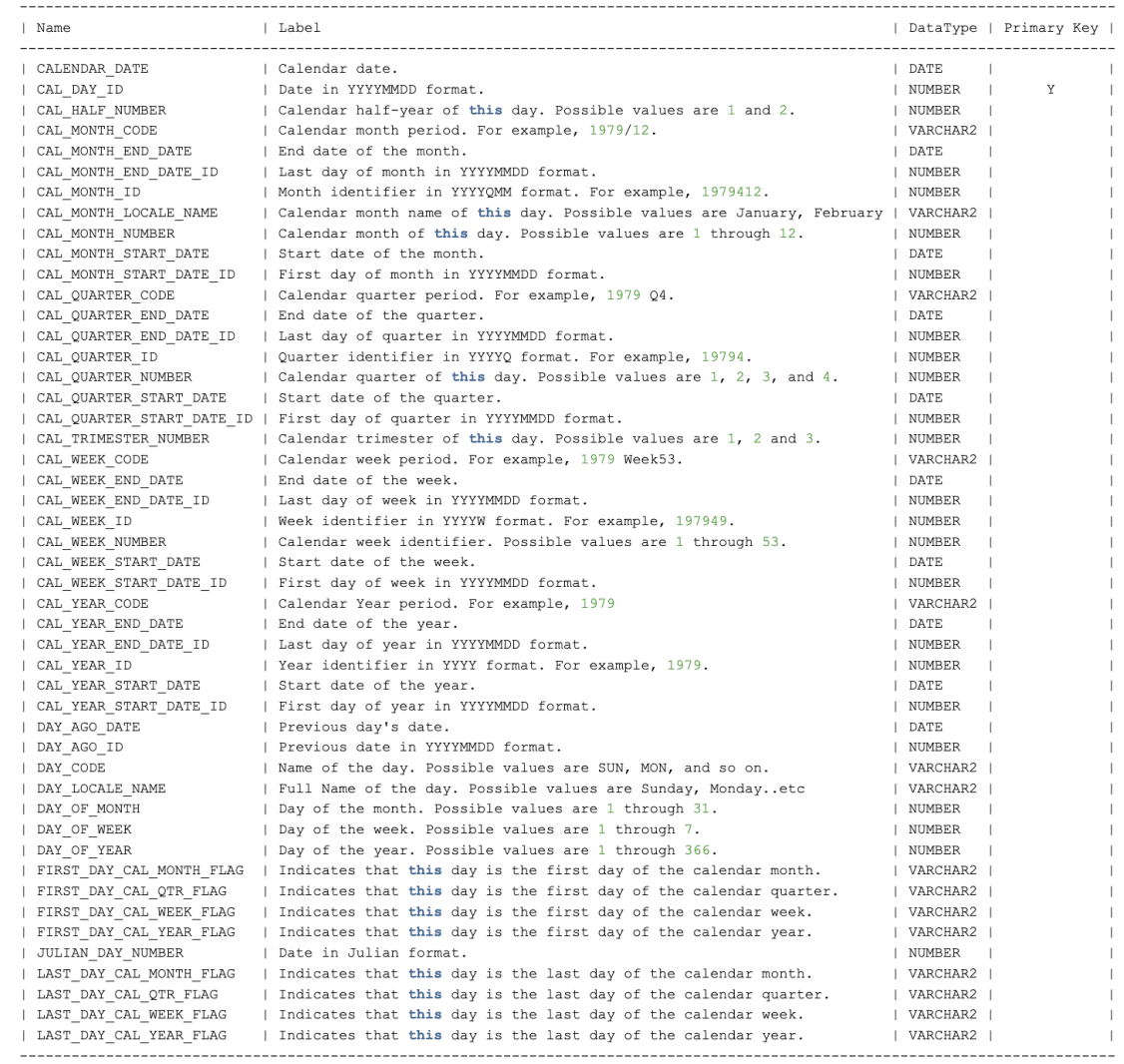
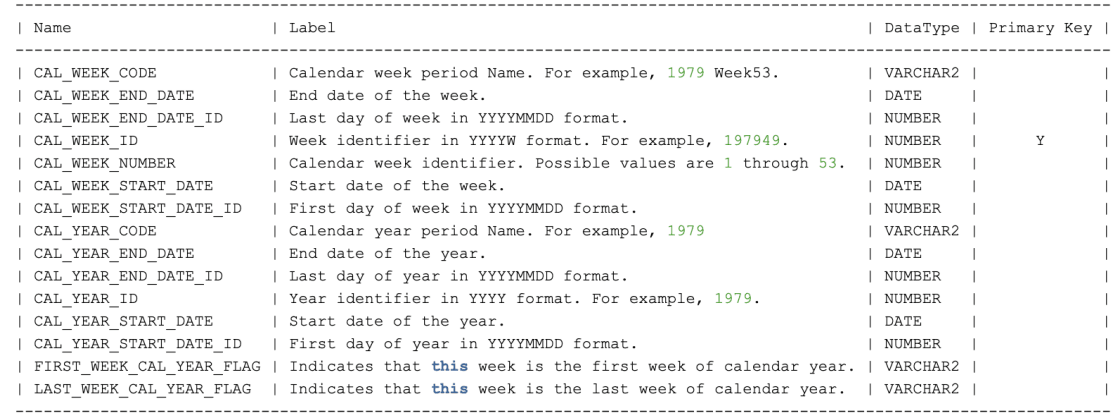
DW_APPS_WEEK_D
DW_APPS_MONTH_D
The following table shows the data available for the DW_APPS_MONTH_D time dimension: 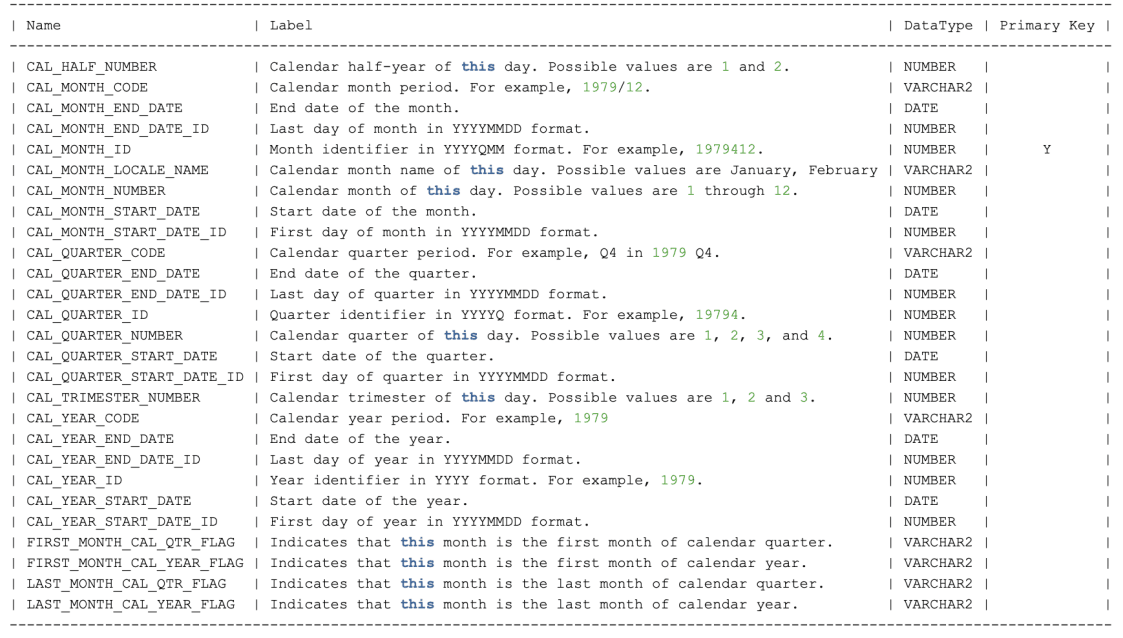
Description of the illustration dasrg-dw-apps-month-d.png
DW_APPS_QUARTER_D
The following table shows the data available for the DW_APPS_QUARTER_D time dimension: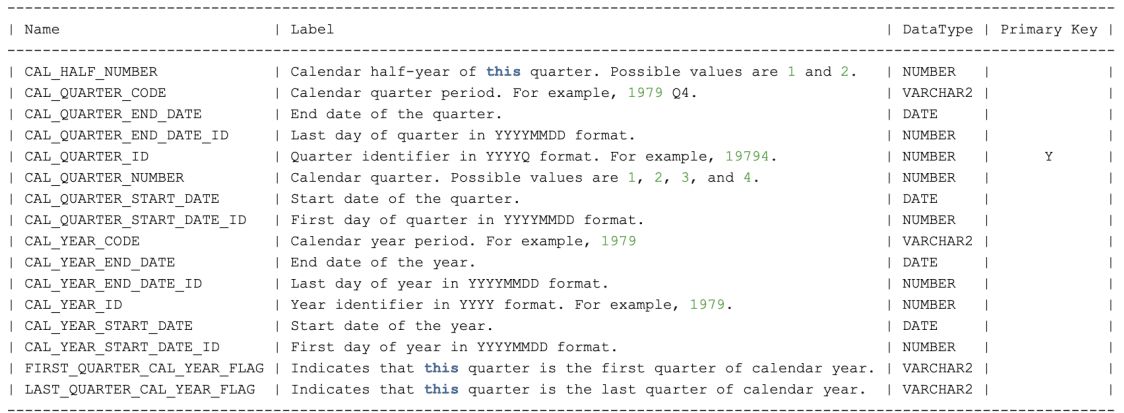
Description of the illustration dasrg-dw-apps-quarter-d.png
DW_APPS_YEAR_D
The following table shows the data available for the DW_APPS_YEAR_D time dimension: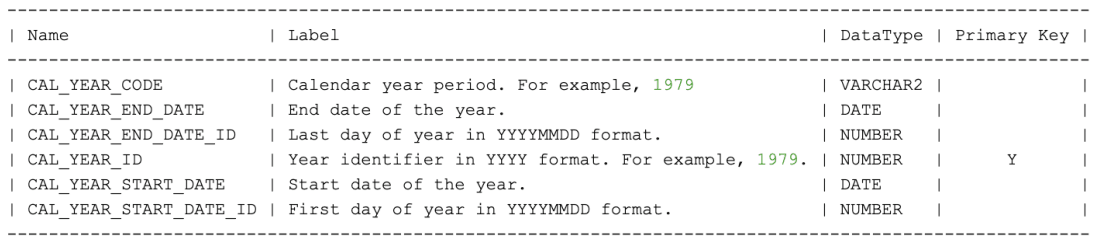
Description of the illustration dasrg-dw-apps-year-d.png