Create an Application Bundle
Create a snapshot of your application artifacts to save their current state.
For an application bundle, ensure that you raise a service request to have this option made available. Then enable the Application Bundle feature from the Preview tab on the Enable Features page.
- On the Bundles page, click Create.
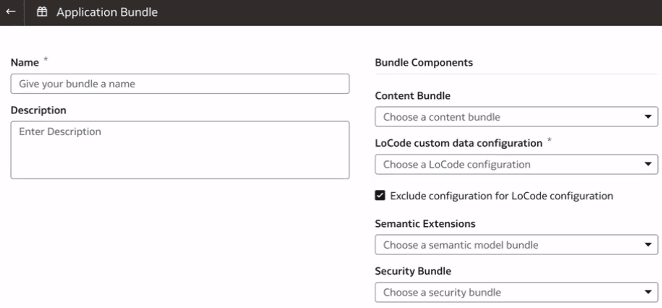
- For an application bundle, select a content bundle, Data Augmentation Scripts custom data configuration, semantic model extensions, and security bundle. Ensure that you include the source configuration while creating this bundle by not selecting the Exclude configuration for LoCode configuration checkbox. This enables the bundle to work with any version of the target data model.