Schedule Incremental Data Refreshes
You can schedule incremental data refresh to pull the latest incremental changes from your source into the Autonomous AI Lakehouse associated with your Oracle Fusion Data Intelligence instance. Based on the schedule, Oracle Fusion Data Intelligence refreshes the data for activated functional areas, custom data configurations, and data augmentations.
Oracle Fusion Data Intelligence refreshes data in the following stages (in order):
- Specified tables in Prioritized Refresh. See Prioritize Datasets for Incremental Refresh (Preview).
- Prebuilt modules, data augmentations of type Dimensions, Entity Extension, and Fact in the Primary stage. See Augment Your Data.
- Prediction modules, data augmentations of type Dataset, data augmentations with no last modified date, and Dimension Alias in the Secondary stage.
Note:
Data augmentations with versioned dataset are part of data maintenance.
The Schedule Incremental Data Refresh is the most critical refresh in Oracle Fusion Data Intelligence. To avoid interference during this refresh, you can configure a blackout window that prevents any other refreshes from starting. By default, this window starts 180 minutes (3 hours) before the scheduled start time of the incremental refresh. However, any refresh already in progress continues until it's completed and the incremental refresh begins only after it finishes. Ensure that any other refreshes finish well before the scheduled incremental refresh.
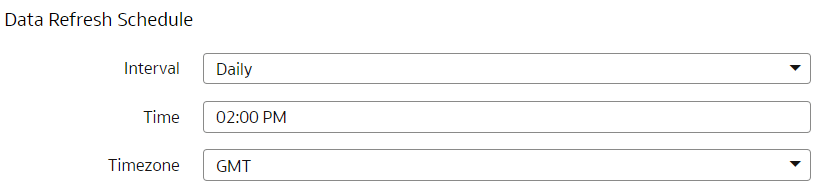
Set the schedule so the incremental refresh runs outside business hours. For example, if users need analytics-ready data by 8:00 AM and the refresh typically takes about 4 hours, schedule it to start at 2:00 a.m. This schedule provides a buffer for any variation in the refresh duration and ensures the data is available when users need it.
Use the Data Refresh Schedule on the Pipeline Settings page to specify the frequency and when you want the incremental data load to happen. While specifying the Timezone, the recommendation is to use city names to handle the daylight savings. For example, instead of selecting Timezone such as EST or PST, select Europe/Bucharest or America/Los_Angeles. In this case, the data refresh process calculates the value mentioned in the Time field based on the local time irrespective of daylight savings. For additional details about timezones, refer to TimeZoneID