Request Access to Protected Bundles
If you want to import a protected bundle from the Bundle Repository, you must first get access to the protected bundle.
Only after you get approval from the publisher of the protected bundle, you can import a protected bundle from the Bundle Repository. Perform these steps to request access to a protected bundle.
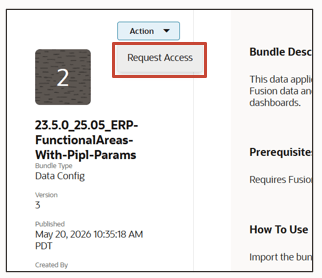
- On the Bundle Repository page, under the Bundle Repository tab, click the protected bundle or search for the bundle you want to request access, click View Details to review the shared details, and click Request Access .
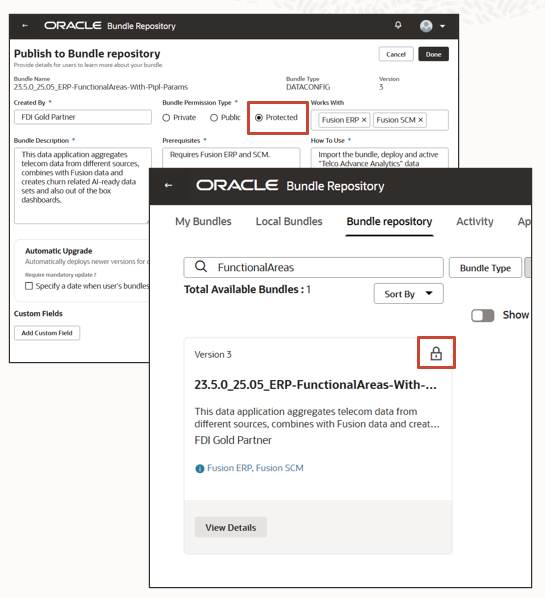
Protected bundles are identified by a lock icon, indicating restricted access and controlled usage within the Bundle Repository.
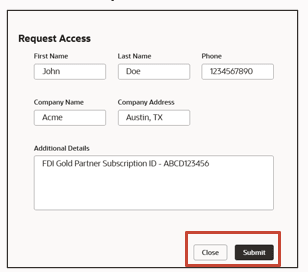
- Provide your details in the Request Access form and click Submit.
The publisher of the protected bundle receives the bundle access requests and can approve or reject the request. Only after you receive approval from the publisher, you can import a protected bundle. See Import a Shared Bundle.