Deploy a Semantic Model Bundle
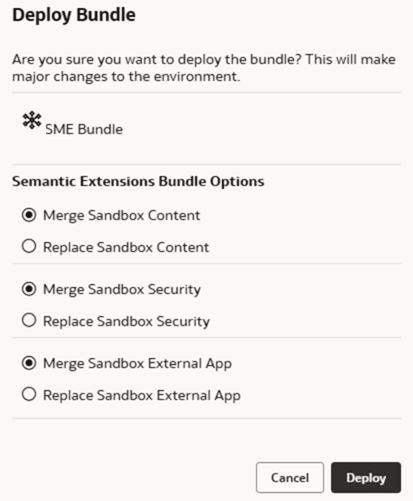
If you’re deploying the semantic extensions bundle or the composite bundle, you can either merge or replace the sandbox content and sandbox security in the target environment.
When you replace, you delete the existing semantic model extensions in the target environment and migrate the latest bundle. You must confirm the semantic model replacement to prevent unintended content loss. The merge option is helpful when you've deleted items in your source instance and want those deletions to be applied to the target instance. The default, Merge Sandbox Content, combines the changes from your source sandbox instance with the existing content on the target system.
- You can choose to merge or replace the sandbox content, external application, or security in Semantic Extensions Bundle.
If you have enabled Upload multiple External Applications, you can choose to merge or replace the External Application. See Generally Available Features and Import Semantic Model.
To Merge your Semantic Model, click Deploy to continue the merge immediately without a warning, or click Cancel to quit.
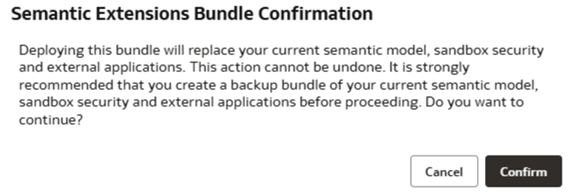
To replace a Semantic Model component, click Deploy, then click Confirm to continue the replacement immediately without a final warning, or click Cancel to quit.
Note:
Replacing Sandbox Content will delete all existing sandboxes on the target and replace them with the sandboxes included in the bundle.If you have chosen to replace a Semantic Model component, you get the following message to confirm or cancel the operation:
During Semantic Model Extensions bundle deployment, the validation process checks for references to missing Data Augmentations or Descriptive Flexfields in the generated bundle. If any referenced objects are missing, the validation fails and a detailed report is available to download. Click Download missing dependency details to download a report of the missing objects. Then either deploy the missing objects to the target instance using the Data Config Bundle or remove their references from the Semantic Model Extensions customizations and regenerate the bundle.