Approving Access Requests
Use Oracle Managed Access to approve or revoke requests for temporary access to your data from authorized operators.
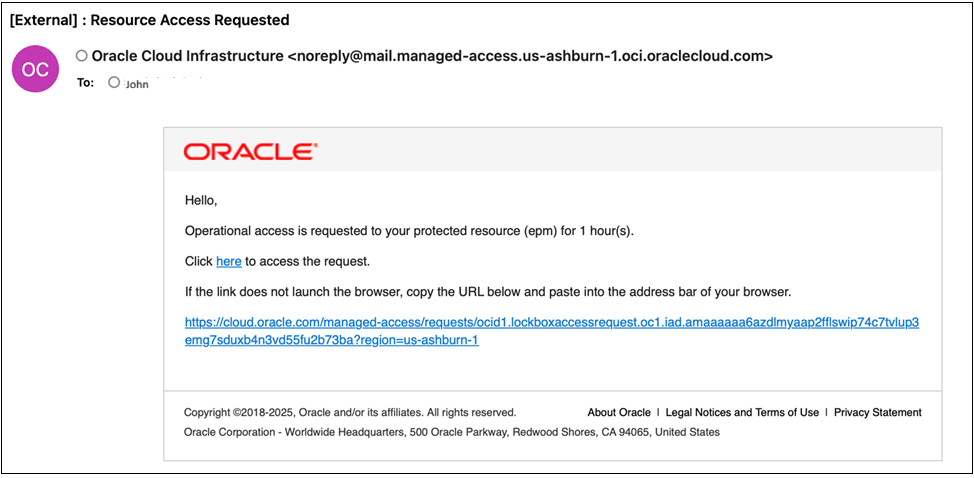
When an Oracle operator requests access to an environment, Managed Access sends an email notification to designated approvers. You can select the link in the email to review the request in the Oracle Cloud Console.
If you disable auto-approval, you must review and approve all access requests manually. If you configure multiple approval levels, approvers at each level receive notifications, and each level must approve the request.
Access Request Email
The access request email includes:
- The environment which is requested to be accessed.
- Requested access duration.
- A URL link to review the request in the Oracle Cloud Console
You can click on the link to review and approve the access request. You can also view and approve access requests by directly access them as described in the following section.
Viewing and Approving Access Requests
To view and approve access requests:- Sign in to the Oracle Cloud Console as an Account Administrator or Identity Domain Administrator.
- Open the Navigation menu, search for "Identity & Security" and select Managed Access.
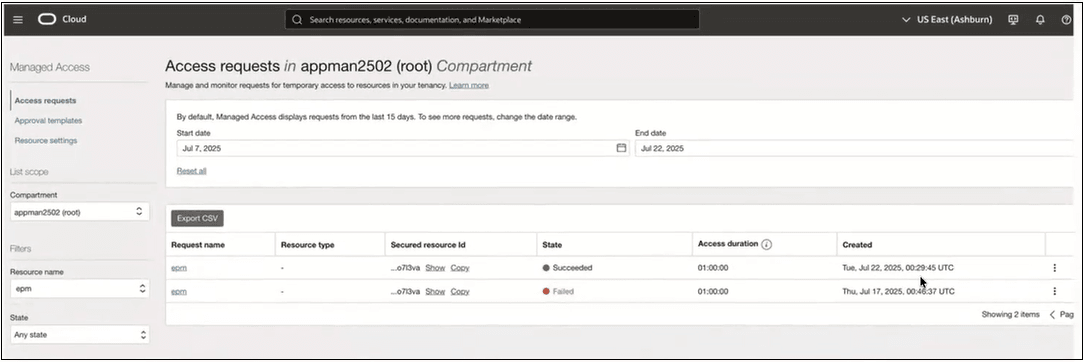
- Select Access Requests.
This page shows all access requests including the ones that are yet to be approved and the ones that are already approved. .
Note:
Managed Access displays the state of each request to access your organization's resources. To learn more, see Request States in Oracle Cloud Infrastructure documentation. - Locate requests in the Waiting state.
- Open the Actions menu (three dots) for the request.
- Select Approve, Decline, or
Revoke.
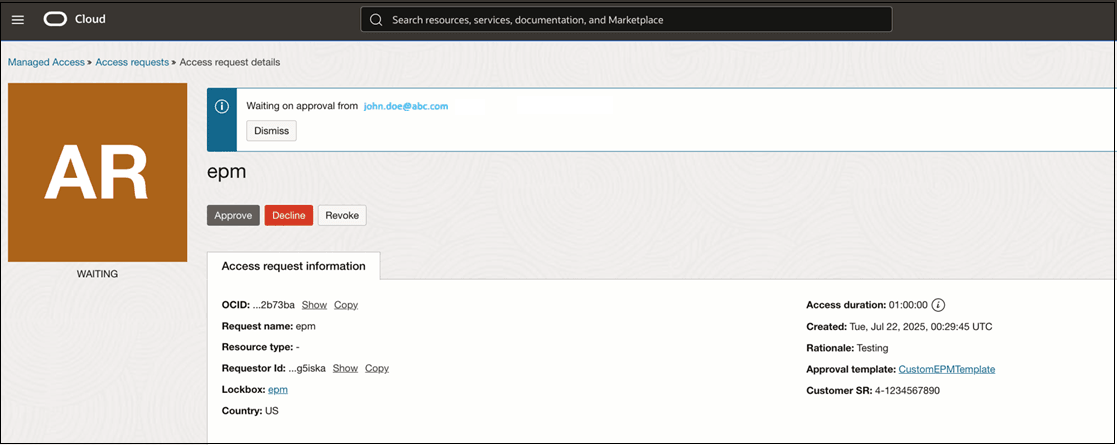
- Select Save.
Note:
You can also use the Access Requests page to audit and track all access requests, including exporting them to a CSV file.Learn More
For complete details on configuration, workflows, and advanced options, see Managed Access Overview in Oracle Cloud Infrastructure documentation.