Running and Validating AI Agents
Verify the business objects, user permissions, and security configuration before running the assistants. Validate that users can access only the Oracle Fusion Cloud Enterprise Performance Management and Oracle Fusion Cloud Enterprise Data Management resources permitted by their assigned application roles and business process security before deploying assistants for production use.
Prerequisite
Import EPM Assistants into AI Agent Studio. See Importing EPM Assistants into AI Agent Studio
Running the Agent
To run an AI Agent:- Sign in to AI Agent Studio.
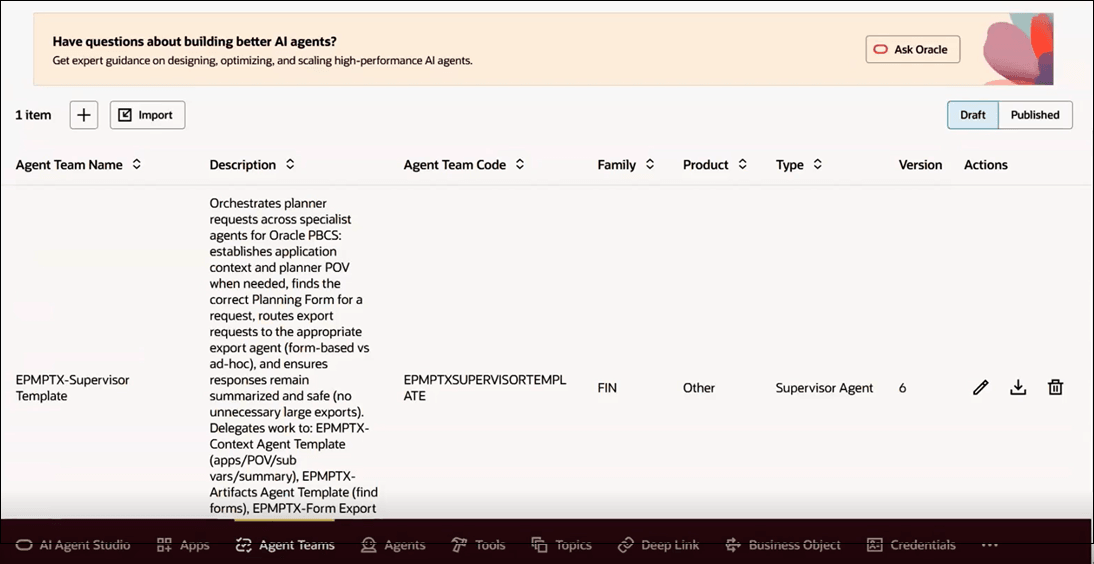
- Select the Agent Teams tab.
- Select an agent team, and click Edit icon.
- Click the Play icon to start interacting with the agent
using prompts.
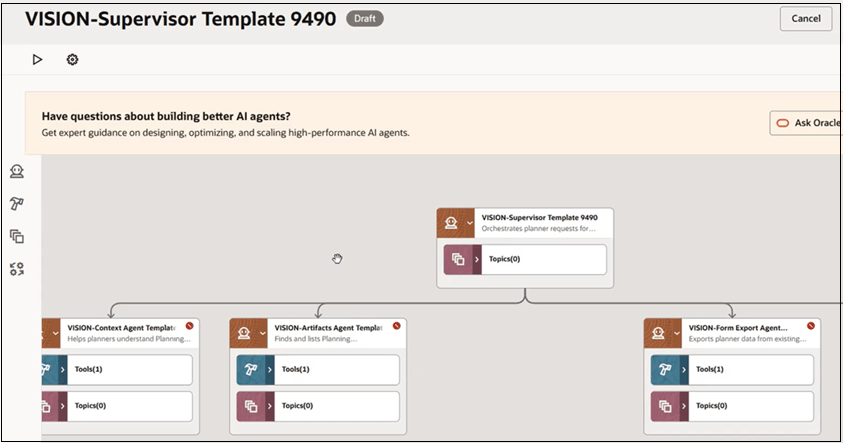
- Use the Debug Play icon to test agent responses and verify expected behavior.
- Confirm that the agent can:
- Retrieve data from Cloud EPM
- Execute actions using Cloud EPM REST APIs
- After validation, click Publish to make the agent team available for use.
Note:
If the agent does not return expected results, verify:- Data source connection configuration
- Business object mappings
Go-Live Readiness Checklist
Before you publish AI agents for production use, verify that the implementation is ready for deployment.
- Verify AI Agent Studio entitlement and design-time access.
- Confirm Cloud EPM or Cloud EDM application and granular role assignments.
- Test SSO or federation for the target users and environments.
- Verify that the confidential application is active and uses the correct certificates and OAuth configuration.
- Verify that the AI Agent Studio data source references the correct REST API and identity domain URLs.
- Verify that the imported business objects reference the correct data source.
- Validate AI agent responses, REST API actions, error handling, role restrictions, and performance by using Play and Debug Play.
- Validate authorized and unauthorized access scenarios.
- Obtain business process owner approval before publishing AI agents.
- Define support, rollback, and hypercare responsibilities before deploying to production.