Importing EPM Assistants into AI Agent Studio
After you configure the data source connection, import the JSON files from the downloaded EPM Assistants into AI Agent Studio. This creates the agent teams and required elements for AI agents to interact with Oracle Fusion Cloud Enterprise Performance Management REST APIs.
Note:
If you have previously imported the EPM Assistants and made any modifications, it is recommended that you back up your current configuration before proceeding. This can be done by downloading the existing agent team. Please be aware that importing the JSON files may overwrite or replace existing configurations.Prerequisite
Ensure the following prerequisites are met:
- Download EPM Assistants from the Cloud EPM environment. See Download the EPM Assistants.
- Establish a data source connection in AI Agent Studio. See Establish a data source connection.
Importing EPM Assistants
To import EPM Assistants:- Sign in to AI Agent Studio.
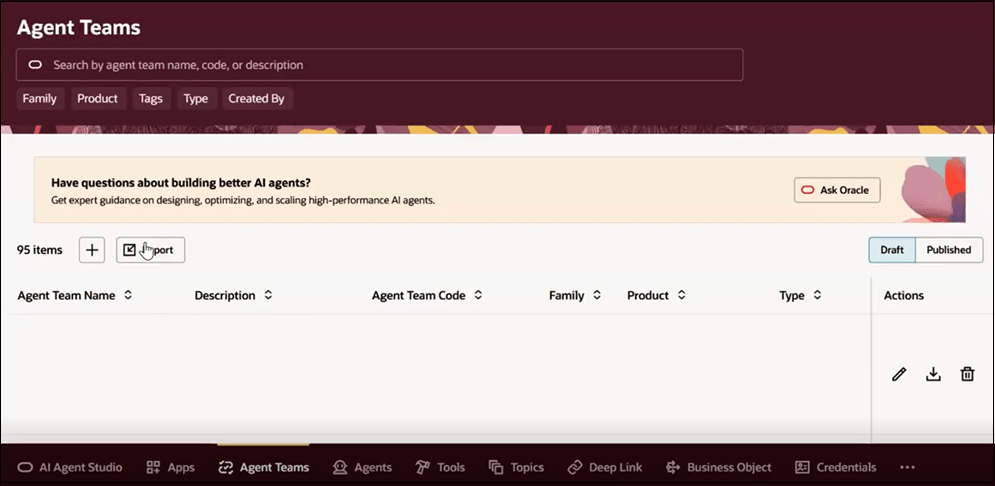
- Select the Agent Teams tab.
- Click Import, and then select a JSON file from the downloaded EPM Assistants package.
- Repeat these steps to import all JSON files.
After import, the agent teams and related elements appear on the Agent Teams page.
Note:
Import all JSON files to ensure that all required elements are created and configured correctly.Verifying Imported Business Objects
To verify imported business objects:
- Select the Business Objects tab.
- Search for business objects using the data source name.
For example, if the downloaded file name is
EPM_AI_Agent_Artifacts-VISION-EPM1.zip, useVISIONorEPM1. - Select a business object, and click Edit to review its
configuration.
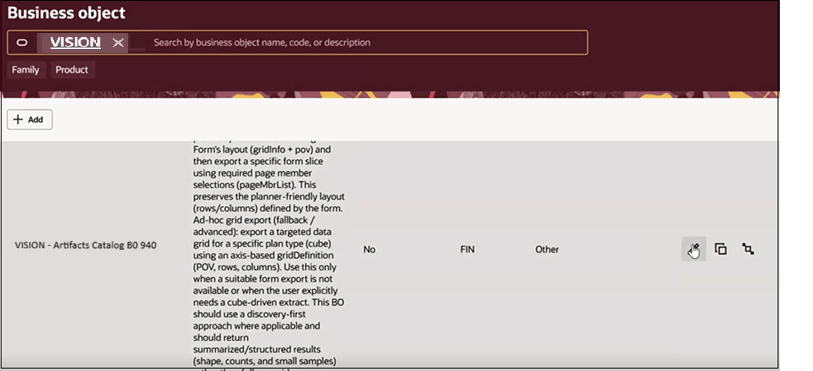
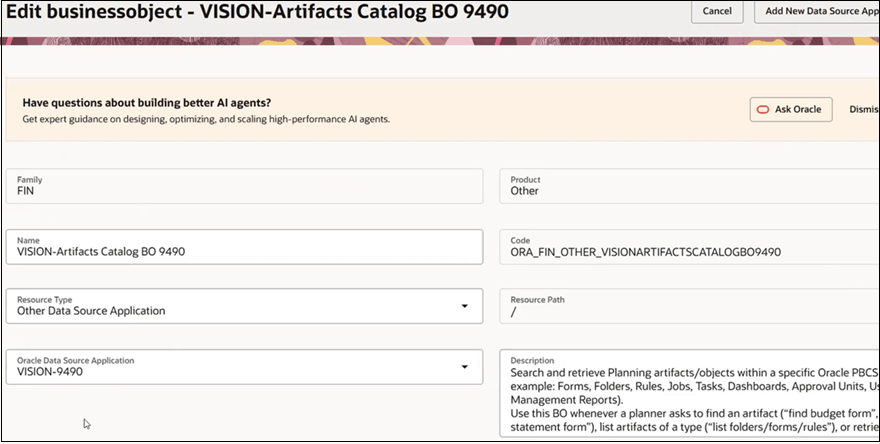
- Verify that the Oracle Data Source Application field references the data
source connection you created earlier.
- The data source name must exactly match the portion of the name of the
downloaded file after
EPM_AI_Agent_Artifacts-. - If the names do not match, the agents may not function correctly.
- The data source name must exactly match the portion of the name of the
downloaded file after
The business objects reference the configured Cloud EPM data source connection.
After you verify the business objects, the AI agents are ready to run.