Viewing Current Oracle Managed Access Settings
You can view the current Oracle Managed Access (OMA) configuration for an environment, including the approval mode and access duration.
Viewing OMA Settings
To view OMA settings:
- Sign in to the Oracle Cloud Console as an Account Administrator or Identity Domain Administrator.
- From the Navigation menu, search for "Identity & Security" and select Managed Access.
- Select Resource settings.
All environments in the compartment and their associated access settings are listed in a table.
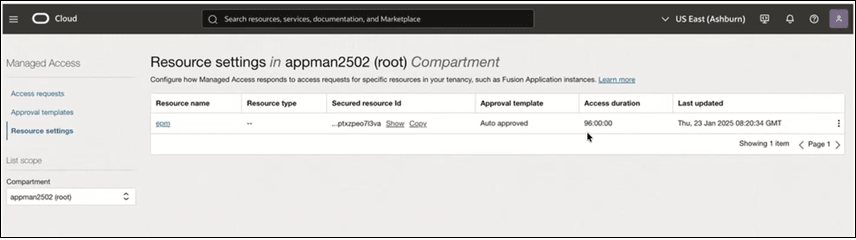
From this page, you can review:
- The Approval template assigned to the environment.
By default, it is Auto-approved. This means that when an Oracle operator submits an access request, it is automatically approved without manual intervention.
- The Access duration for operator access requests.
By default, it is 96 hours. Once approved, access is granted for this duration.
When Oracle Break Glass is enabled, this default configuration is applied automatically.