Enabling Generative AI in Narrative Reporting
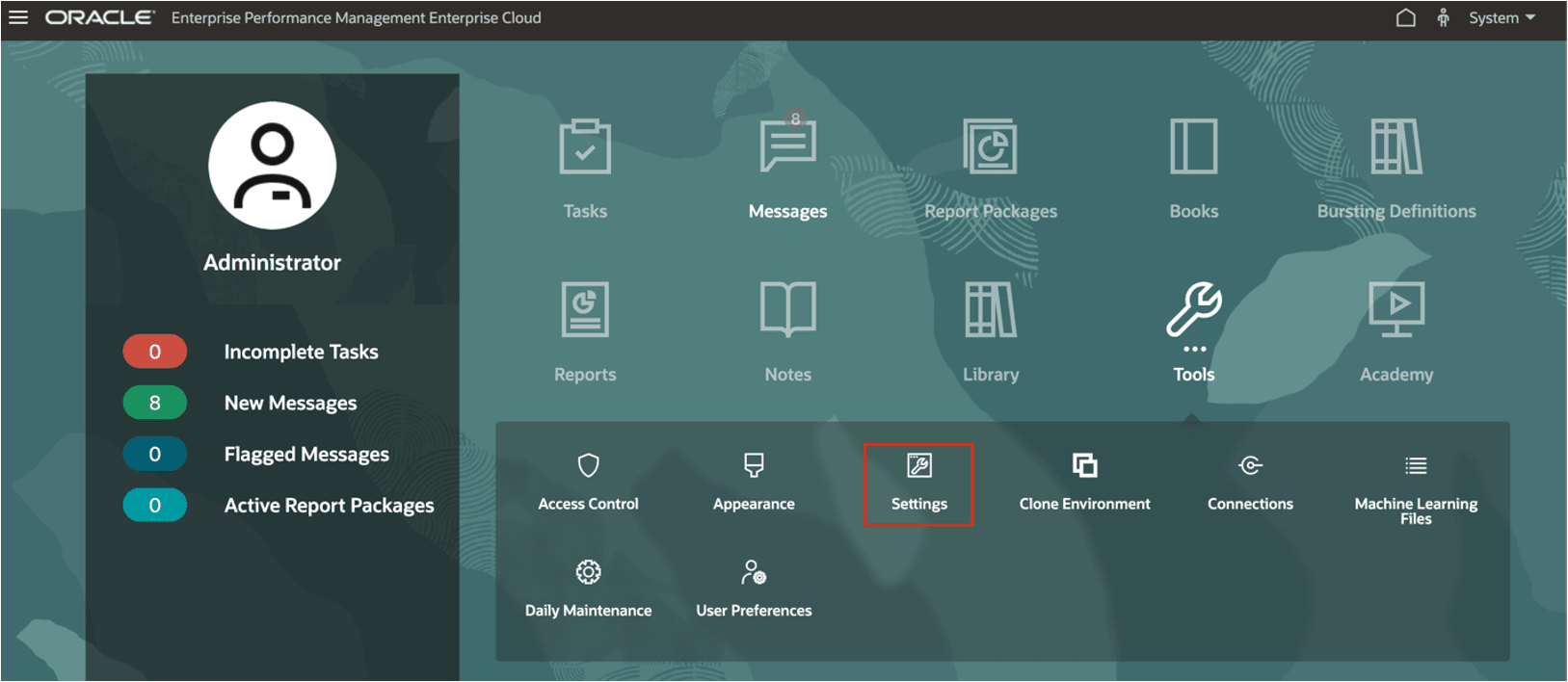
Currently the Generative AI (GenAI) service is not available in all data centers. If GenAI is available in your data center, you can enable it from the Tools > Settings card.
Note:
To view the regions where it is available, please refer to the Availability of Generative AI in Operations Guide
To enable GenAI, follow these steps:
For Narrative Reporting Deployments:
-
On the Narrative Reporting Home Page, select Tools, then select Settings.
-
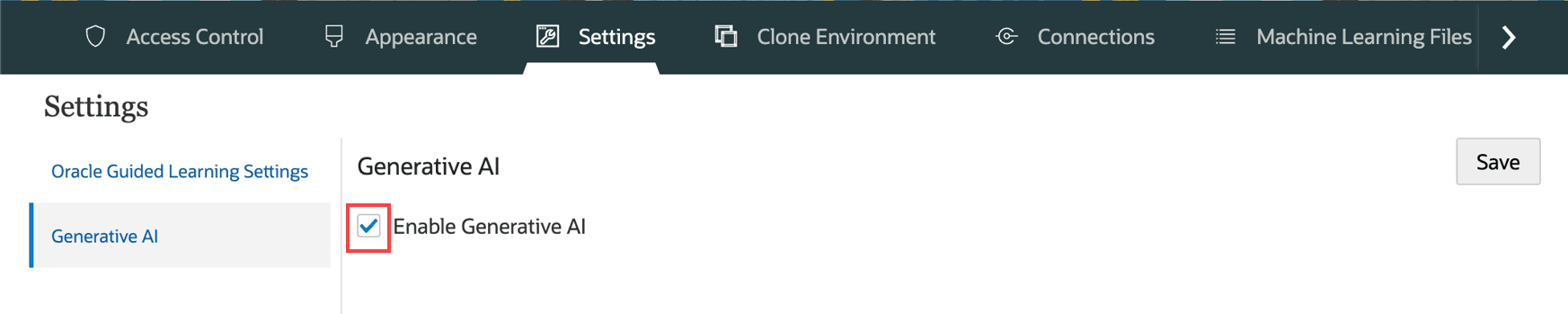
In the Settings window, in the left panel, select Generative AI.
NOTE: If Generative AI is not available in your data center, the Generative AI panel will display "Generative AI is not available".
-
Select the Enable Generative AI checkbox, then click Save.
For Enterprise Performance Management Cloud Deployments:
-
From the Home Page, click Application, then click Settings.
-
In the Enable AI section, select Generative AI.
-
Click Save.
Insight summaries use GenAI. Output from GenAI may not always be factual, accurate, or appropriate. You are responsible for reviewing and using GenAI output at your discretion.
Note:
The Enable AI option is available only for EPM Enterprise subscriptions and when Hybrid mode is enabled. For more information, see Considerations for IPM Insights in Administering Planning.