Working with the Reporting Agent
Reporting Agent, also known as Ask Oracle, is a GenAI-powered agent available in Narrative Reporting Library and Report Preview.
Using Ask Oracle to Search the Library
To search the Narrative Reporting library using Ask Oracle:
- On the Narrative Reporting Home Page, select Library.
- In the Ask Oracle search bar at the top of the library,
enter a natural-language request, and then click Search.
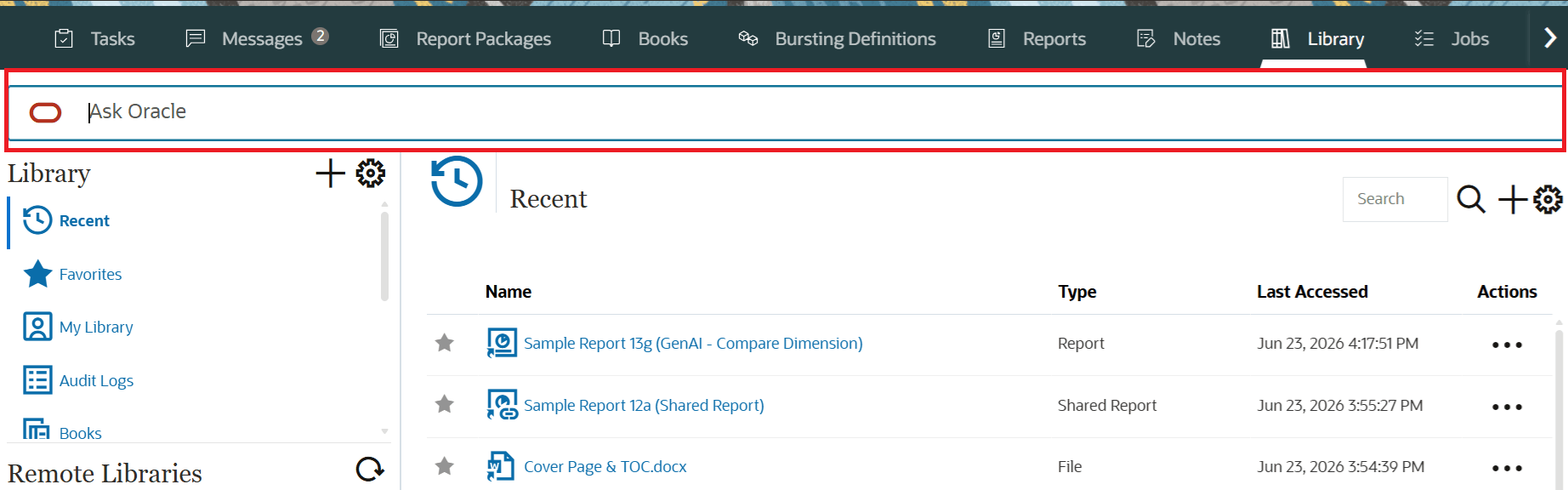
A few examples of the library prompts are:
-
Find a report quickly: Show me a list of Cash Flow reports → Ask Oracle returns matching reports from the Library.
-
Handle an incomplete report name: What is actual net revenue from Monthly P&L Report? → Ask Oracle prompts the user to select the intended matching report, then answers using that report context.
-
Locate related artifacts: Find reports that start with Income Statement or Show me books related to financial reporting → Ask Oracle returns relevant Library artifacts for the user to open or review.
-
- Review the list of matching reports and artifacts returned by Ask Oracle and
select the report or artifact that you want to open.
If Ask Oracle requires additional information to complete the request, respond to the clarification prompt. For example, if multiple reports match your request, Ask Oracle may ask you to select the report that you want.
Asking Questions About a Report Grid
To ask questions about a report grid using Ask Oracle:
- Open a report in HTML Preview mode.
- By default, the Ask Oracle panel is displayed when opening a report in HTML
preview for the first time in a session. Click
 to open or close the Ask Oracle chat panel displayed next to the
report. This selection is applied for any report opened within the same
session.
to open or close the Ask Oracle chat panel displayed next to the
report. This selection is applied for any report opened within the same
session.
- Select the grid you want to analyze, enter the question for the selected grid,
and then press Enter.
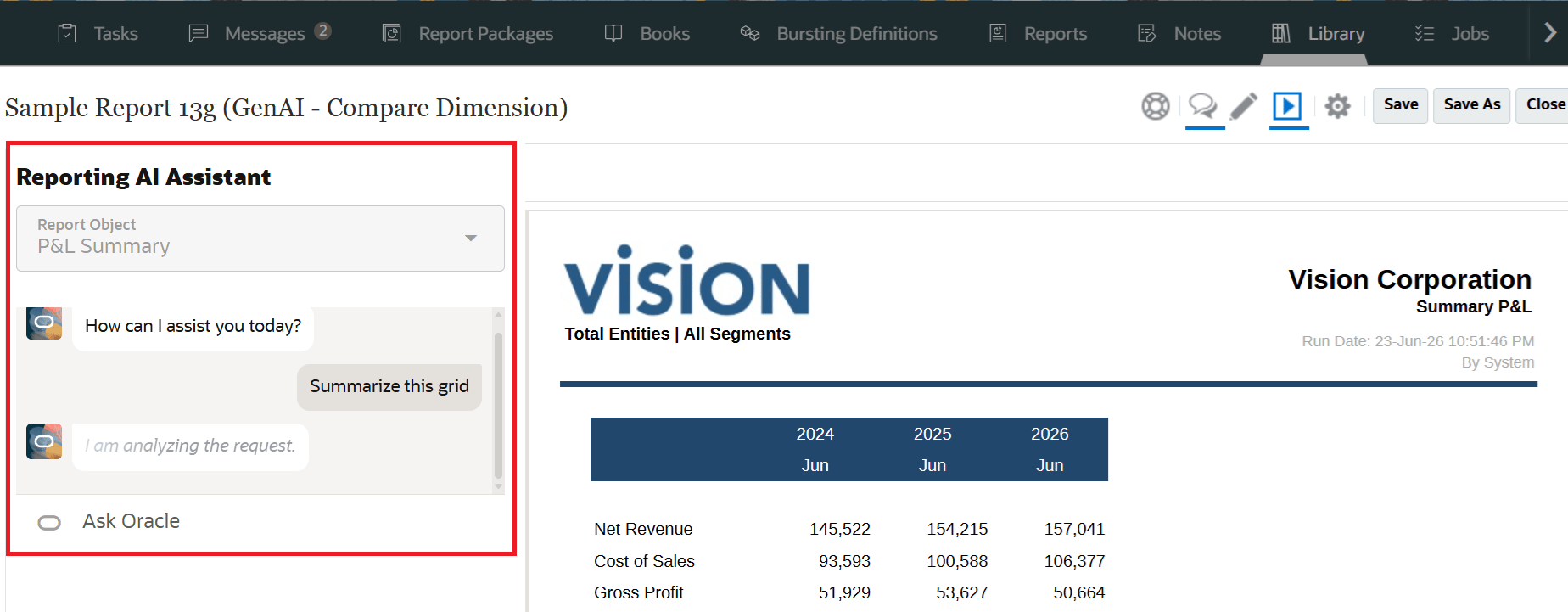
A few examples of report preview prompts are:
- What is plan cost of sales?
- What are the top three operating expenses?
- Summarize this grid
Ask Oracle uses the selected report, grid, Point of View (POV), prompt selections, and recent conversation context when generating responses. The chat questions and responses are retained for each grid and report within the user's current session and up to 40 responses are retained for a session.
Analyzing Contributors in a Report Grid
You can use Ask Oracle in HTML Preview to identify the top or bottom grid row contributors to a value in a selected report grid. A contributor request creates a separate analysis grid and leaves the source grid unchanged, allowing users to compare the ranked result with the original report data.
To analyze contributors, perform the following steps:
- Open the report in HTML Preview mode. The Ask Oracle is displayed. Select the source grid that contains the data or calculated result to investigate. The Report Object must point to the intended grid.
- Enter a prompt that identifies the number and direction of contributors, the
target member, and the measure or column. You can also specify a positive or
negative value filter or a hierarchy-level restriction.
For example:
- What are the top three operating expenses?
- What are the bottom five negative contributors to net revenue?
Use exact member and column names, ambiguous references may require clarification before Ask Oracle can generate the analysis grid.
- Ask Oracle determines whether the selected grid can answer the question directly
or whether a dynamic contributor analysis is required to identify the requested
members.
Contributor requests can use child descendants or a named level, multiple target members, formula columns, and reports with multilayer column headers. You can request top or bottom contributors and restrict results to positive or negative values. If few values meet the filter criteria, the analysis grid may contain fewer members than requested.
- Review the generated analysis grid. Ask Oracle creates this grid separately and leaves the source grid unchanged, allowing you to compare the ranked results with the original report data. The analysis grid preserves relevant headers and columns, adds a Rank column, sorts contributors from highest to lowest or lowest to highest, and applies the requested filtering.
- Select the analysis grid to ask follow-up questions.
- Save the report to retain the analysis grid, or you can select Undo to remove the most recent question and its associated report change.
Ask Oracle returns responses in formatted HTML by default. To receive an unformatted response, request plain text in a follow-up question.