Working with Generative AI Notes Summarization
In Narrative Reporting, you can use Generative AI (GenAI) to summarize Notes sourced from a Note segment or a Note text box, as an end-user action.
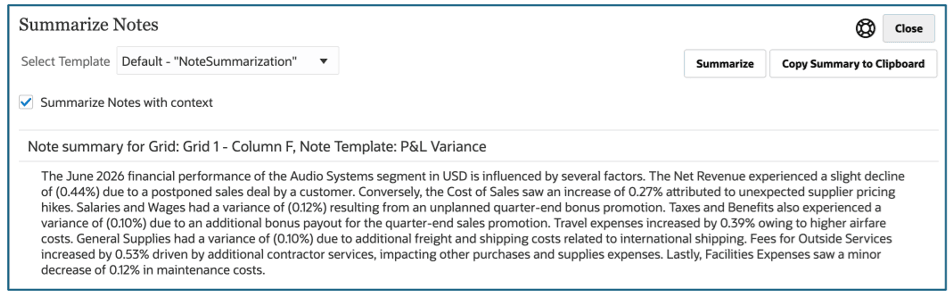
To summarize Notes in a report using GenAI, perform the following steps:
- Preview a report that contains Notes in a Note box and/or Note segment (row or column).
- From the Actions menu, select Summarize Notes.
- Optional: In the Summarize Notes dialog:
- Select Summarize Notes with context, which includes the data value for the member associated with the Note segment; applies to Note segments only, not Notes boxes).
- Select a Machine Learning Template to use for the Note summarization.
- Click Summarize Notes.
- Optional: Click Copy Summary to Clipboard to copy the generated summary.