Analyzing Insights in Ad Hoc Grids
Analyze the data table associated with an IPM insight using the various ad hoc analysis operations offered by Oracle Smart View for Office.
You can directly insert the data table associated with the insight in ad hoc analysis mode, without inserting the insight itself in an Excel sheet.
You can also open the data table in ad hoc analysis mode after you have inserted an insight.
Note:
- Analyzing insights in an ad hoc grid is available only in Microsoft Excel.
- Ad hoc analysis of insights is supported only in Standard mode applications.
Inserting Insight Data Directly for Ad Hoc Analysis
To insert the data table associated with an insight directly for ad hoc analysis:
- Open an Excel sheet and connect to your business process that has IPM Insights.
- In the Smart View Panel, right-click the
application name and then select IPM
Insights.
Alternatively, you can also click More in the Action panel and then select IPM Insights. The IPM Insights dialog displays all the available insights generated in the application.
- In the IPM Insights dialog, select an insight and click
 .
.
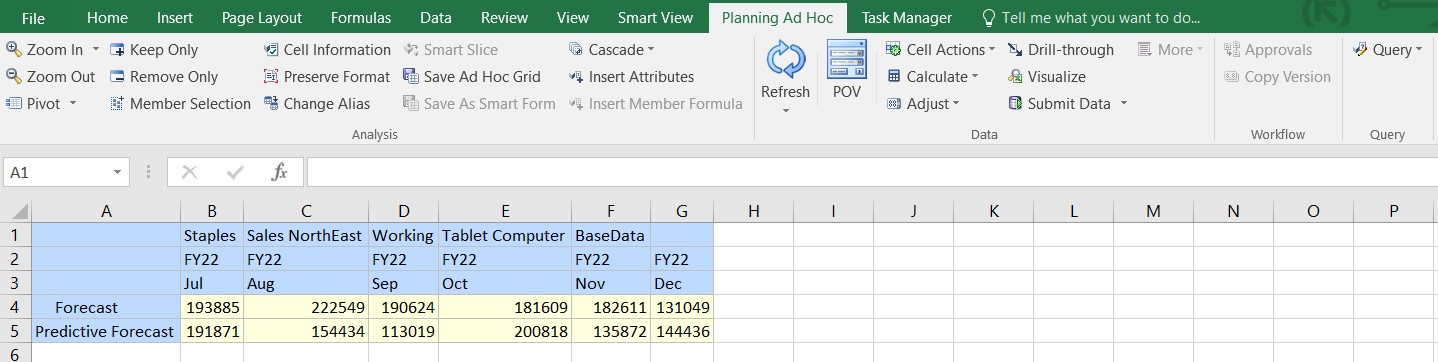
The data table associated with the insight opens in the ad hoc analysis mode. If the current sheet is blank, then it opens in the same sheet. However, if the current sheet has existing content like a form or an ad hoc grid, then the data table opens as ad hoc grid in a new sheet.
You can analyze it using the various ad hoc analysis operations available on the provider ad hoc ribbon.
Analyzing Insights Data after Inserting an Insight
To open the data table in ad hoc analysis mode after inserting an insight:
- Open an Excel sheet, connect to your business process that has IPM Insights, and insert an insight.
- Once inserted, right click in the insights sheet.
- In the right-click menu, select Smart View and then select
Analyze.
The data table associated with the inserted insight opens in a new sheet tab in ad hoc analysis mode. You can analyze it using the various ad hoc analysis operations available on the provider ad hoc ribbon.