Working with Doclet Workflow Notes
You can use Doclet Workflow Notes (Doclet Notes) to add commentary and discussion notes to doclets during the development and approval process.
Authors add key context when submitting a doclet for approval, and approvers provide feedback when returning it for revision or rejecting it.
-
Select a doclet in the report package.
-
Click
 next to the doclet name.
-
Select Act on Content, and then click Add Doclet Note.
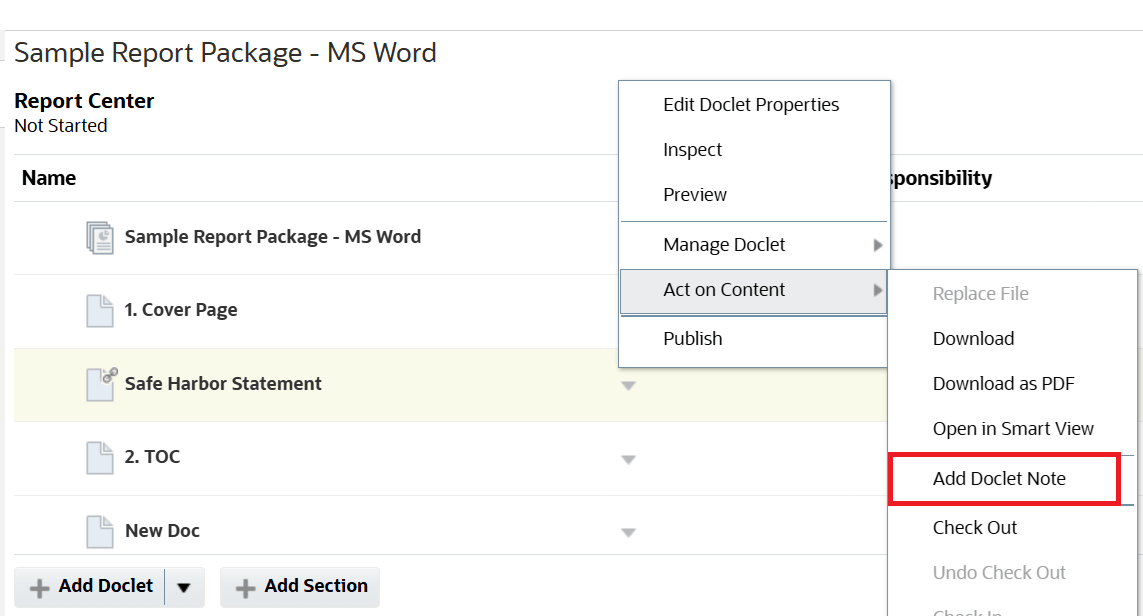
-
Click
 , and then enter the text or comment for the doclet.
- Optional: You can add rich text formatting to your note text.
- Click the Rich Text Editor icon.
- Apply additional formatting within the Rich Text Editor dialog.
- Click OK or Cancel.
- Optional: You can add an attachment to the note.
- Click the Attachments icon, and then choose the required file.
- Click Attach.
-
Click Post.
When a note is added, a notification is sent to all authors and approvers on the doclet.
To edit or delete a Doclet Note:
- Select the note in the list and click the
 to edit.
- Similarly, to delete a note, click
 icon.
icon.
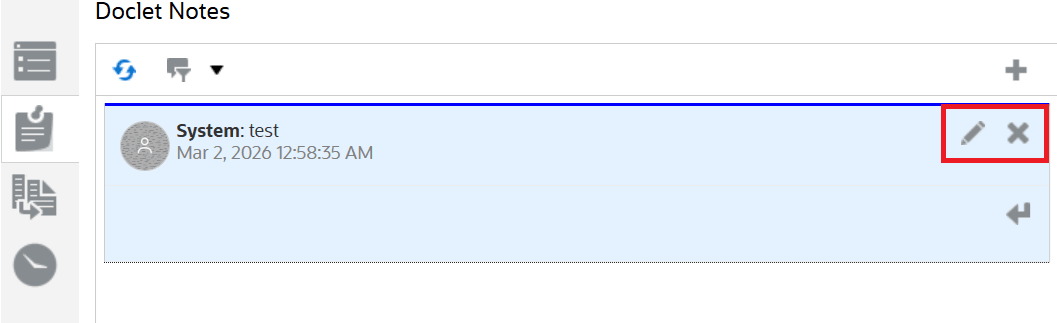
- Select a note from the list.
- Click
 icon, and then enter the text for the reply.
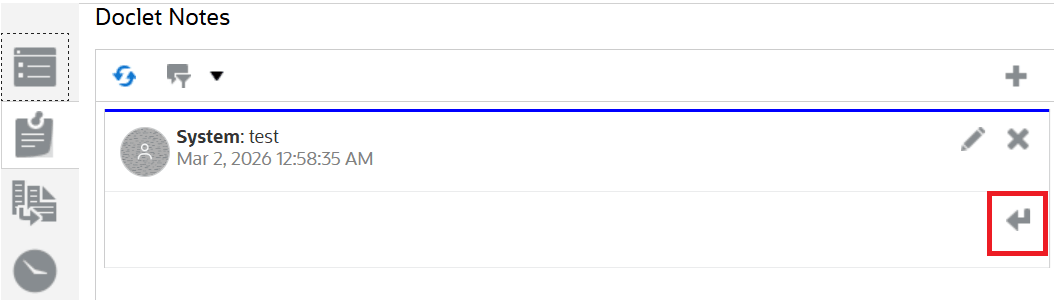
-
Optional: You can add rich text formatting to your reply text.
- Optional: You can add an attachment to your reply.
- Click Post.