Creating a Rule Set Context
You can create a Rule Set Context to define member selections for dimensions that will use the same member for all rules in the rule set. Defining default member selections saves you from having to select the members for a dimension each time the dimension is used in a rule. You can make default member selections for dimensions that are used in defining the source and destination in allocation rules or the target in custom rules. See Understanding Model and Rule Set Context.
To create a rule set context that defines default member selections for the dimensions in a rule set:
-
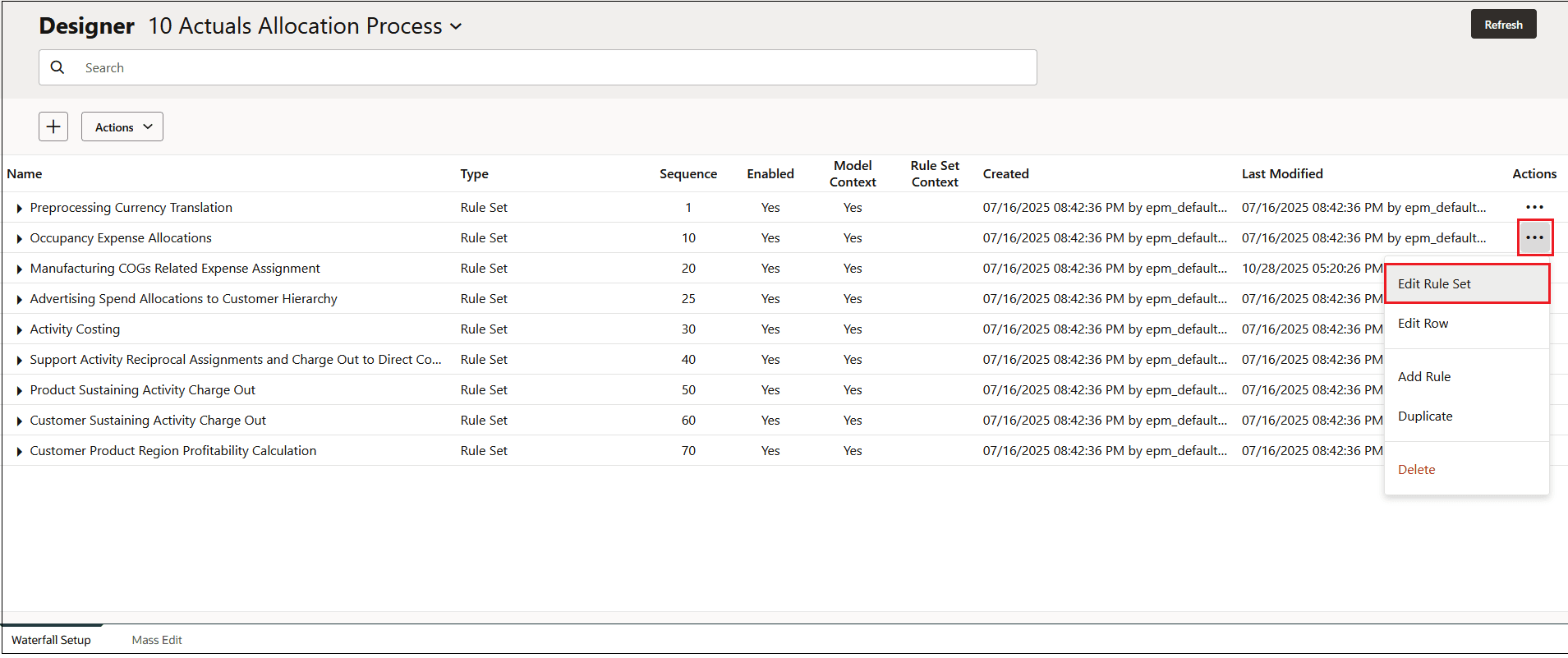
In the Waterfall Setup tab, select a rule set and then click Edit.
-
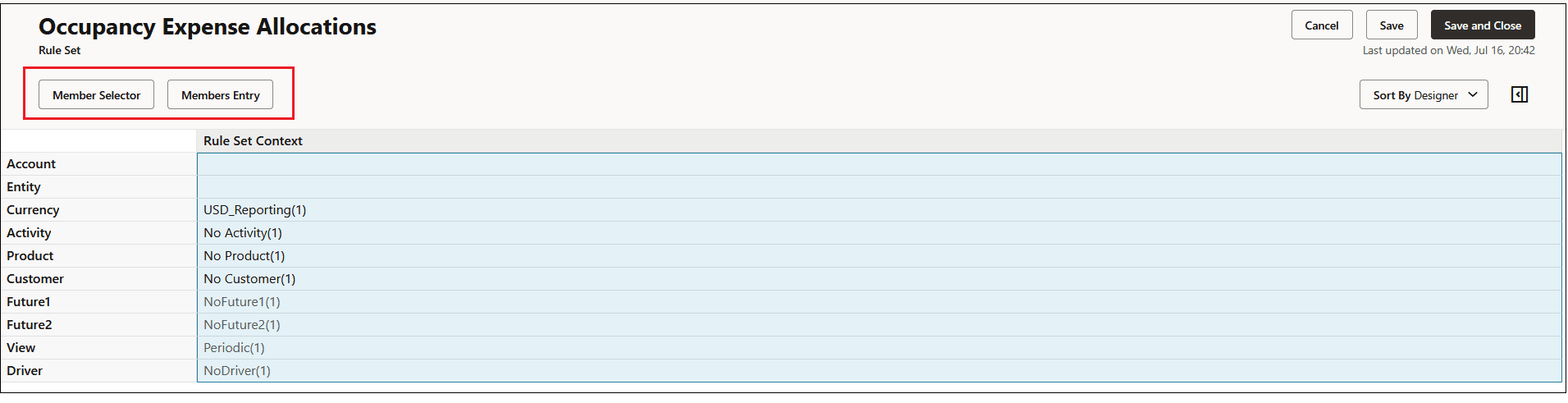
Click in the Rule Set Context column next to a dimension to enable the Edit button, and then click Edit.
-
In the Edit Rule Set Context Component panel, do one of the following to define member selections for dimensions that will use the same member for all rules in the rule set:
-
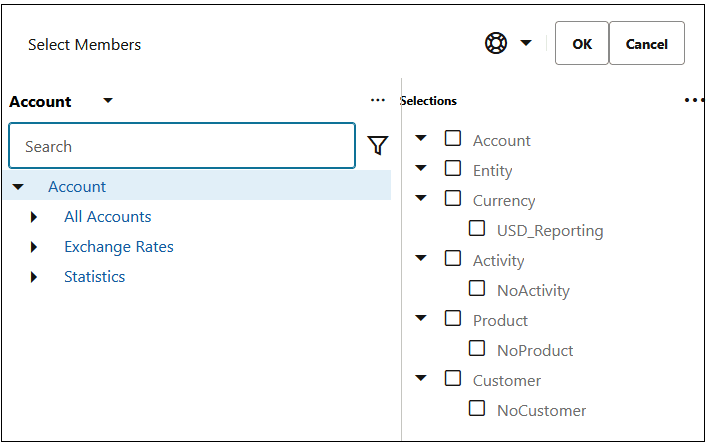
Click Member Selector to open the Select Members dialog box, where you can select the members that you want to assign to the dimension,. See Using the Member Selector.
When making member selections for a Rule Set Context, you can select only level 0 members.
This example shows the member selected for the rule set context defined for the Occupance Expense Allocations rule set.
-
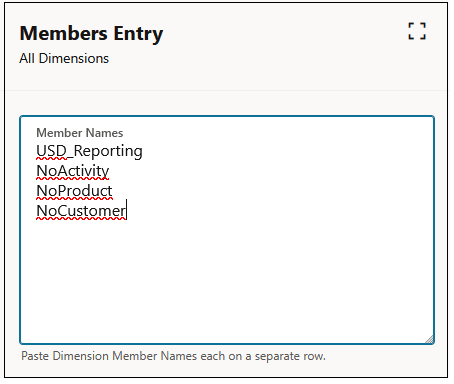
Enter member names, one per line, in the Dimension Members area.
-
-
Click Submit to save the members you have selected for the rule set context.