Working with the Enhanced PCM Agent
The redesigned PCM Agent provides a true conversational experience directly within the application’s key modeling workflows.
PCM Agent is now embedded in these major modeling pages to streamline common modeling tasks.
- Models
- Designer - Waterfall Setup
- Designer - Mass Edit
- Calculation Control
To open PCM Agent:
-
Click
 at the top of the page.
PCM Agent is displayed on the left side of the page
-
Enter a prompt in the Ask Oracle area at the bottom of the page.
The PCM Agent assistant prompts you with the information required to complete the task.
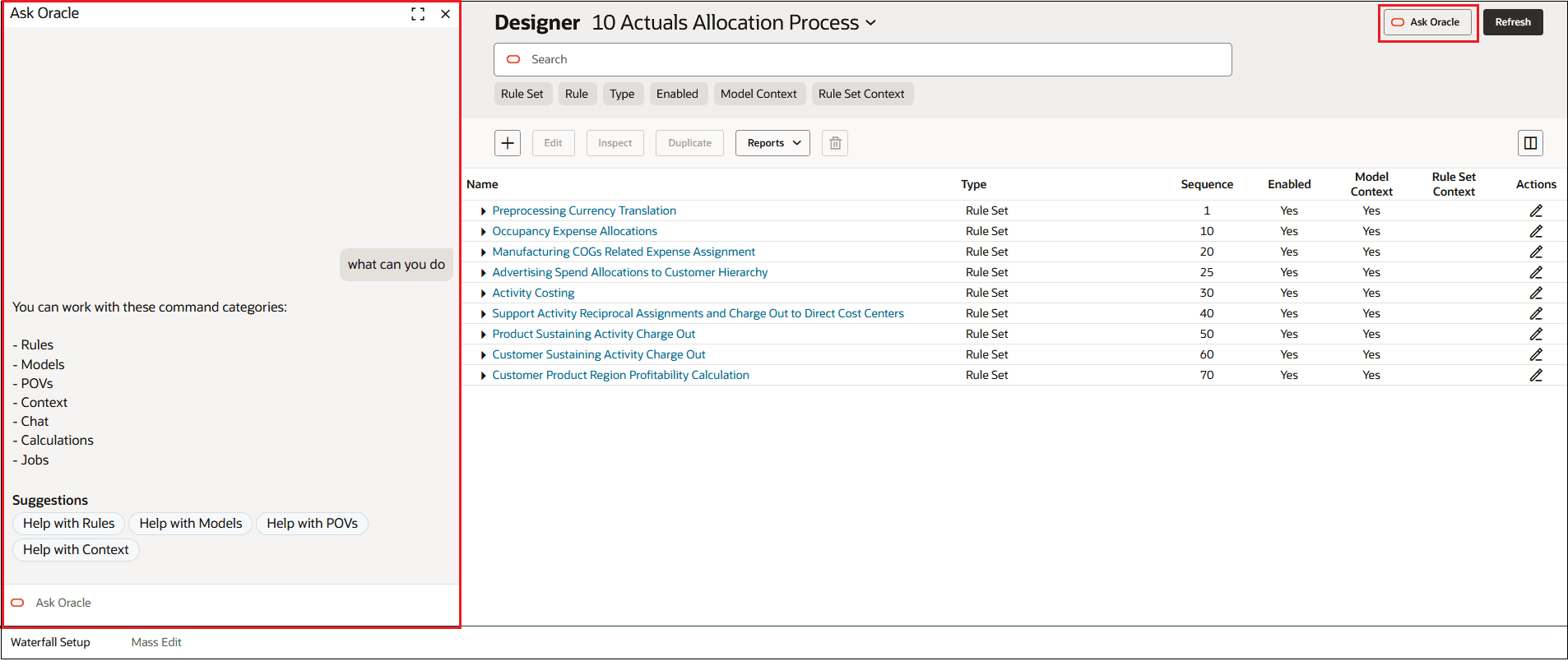
The following example shows PCM Agent displayed on the Waterfall Setup tab.
Figure 14-20 PCM Agent Displayed on the Waterfall Setup Tab
Tip:
See PCM Agent Command Categories for specific information about the command categories available in PCM Agent.