Check for Route Activation
At the beginning of the day, dispatchers and supervisors will want to verify that the resources’ routes have been activated on time, the routes are efficient, and manual routing of new activities has been performed. At the start of the shift, you can check the resource tree to verify that all of the resources have activated their routes.
-
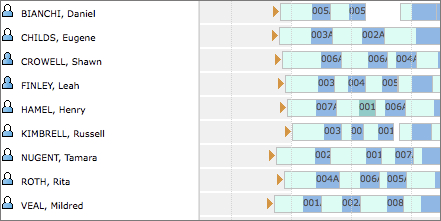
Look for orange arrows at the beginning of the routes.
The start route indicator should be visible at the resource’s scheduled start time, as shown in this screenshot: