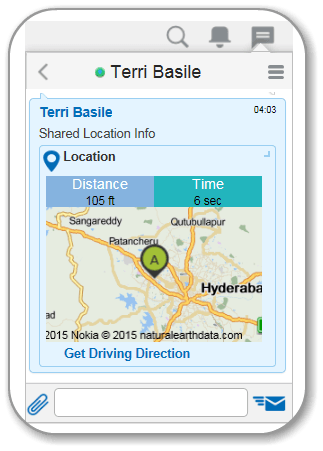
Get Driving Directions
Updated Content Available: As part of our ongoing initiative to consolidate our documentation with up-to-date use cases, this page is being transitioned. The latest content is available in Collaboration. We recommend that you update your bookmarks accordingly.
View the direction assistance link and the location map when a mobile user reaches out to you.
-
Android users - The application invokes your native map application. You can select the appropriate application for the direction assistance.
-
iPhone users - The application invokes the native apple map application for the direction assistance.
-
Other devices - The application redirects to the Oracle map. You can get text based direction assistance to the location.
To obtain driving assistance:
- Open the chat along with the location details received
from a user.
The chat window with location map opens.