Transfer a Helpdesk Conversation
Important:
Updated Content Available: As part of our ongoing initiative to consolidate our documentation with up-to-date use cases, this page is being transitioned. The latest content is available in Collaboration. We recommend that you update your bookmarks accordingly.
You can transfer a request to another helpdesk agent suitable to fulfill the request.
-
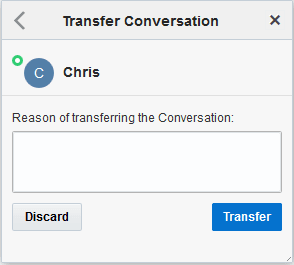
Click the transfer chat icon

- Select the helpdesk operator to whom you want to transfer
the conversation.
The Transfer Conversation window displays.