Consolidation Assistant Examples
Consolidation Performance
Enter a prompt, for example "Consolidation is running slow", to check consolidation
performance.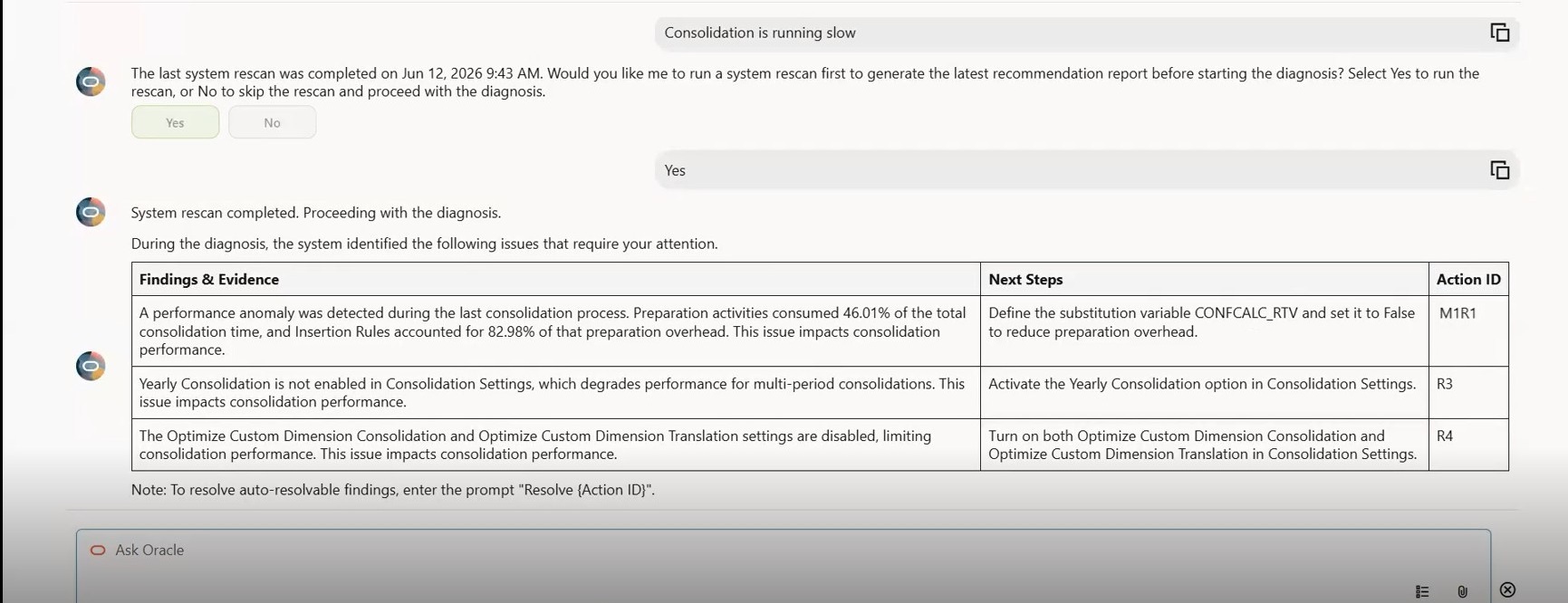
Tip: You can also select a prompt from a list of provided prompts at the bottom of the
chat window. To see the list, click the Instruction Templates
icon 
To have the assistant resolve an issue, enter "resolve" with the Action ID.
To have the assistant roll back an issue, enter "rollback" with the Action ID.
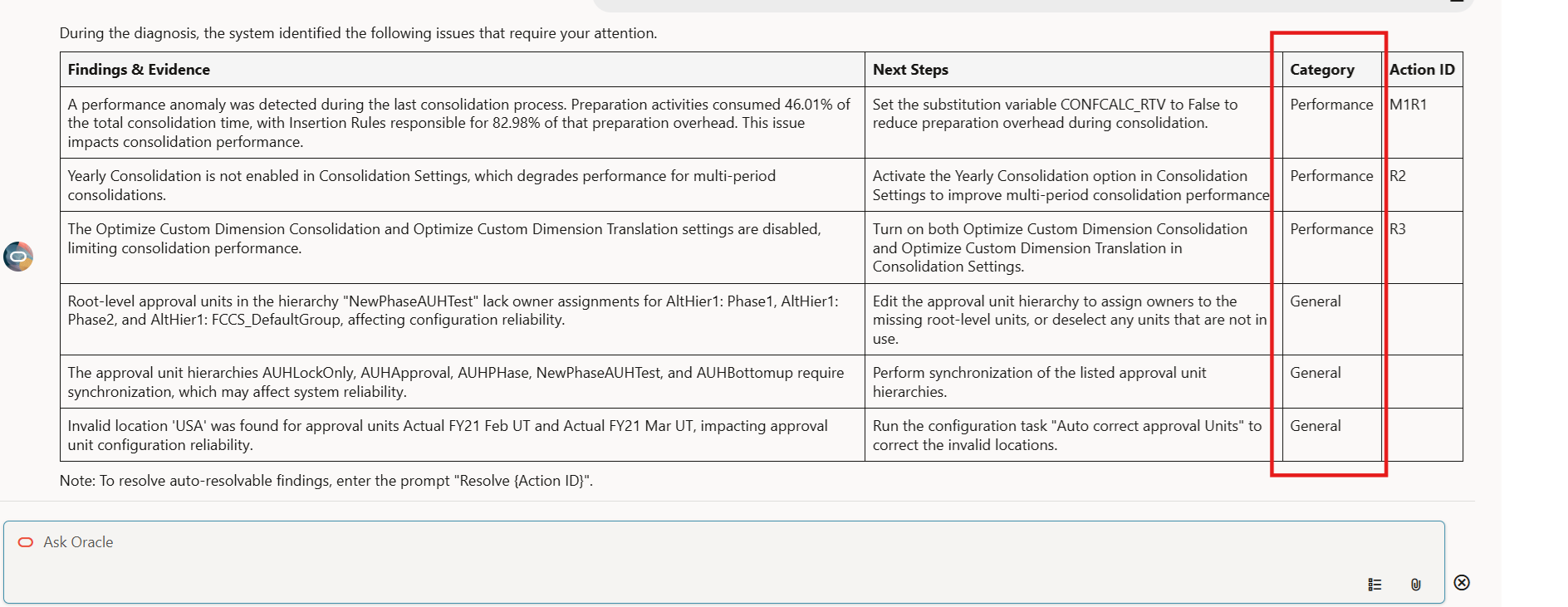
Enter a prompt to check system health.
Note that the system health diagnosis table contains a Category column, to categorize consolidation performance issues and general system health issues.