Configure Card Issuer
Use the Manage Banks task to configure the card issuer. Follow these steps:
- Go to .
- Select Create.
- Enter these values for the card issuer:
- Country
- Bank Name: <Enter a user-defined value to represent the card issuer as a party>
- Select Save and Close.
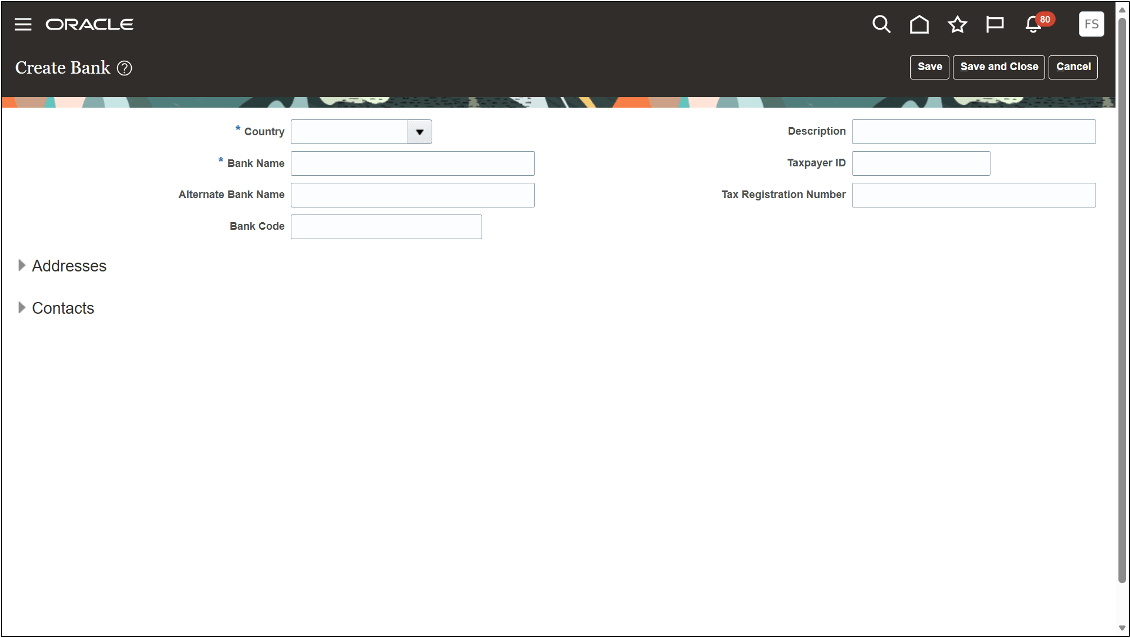
For J.P. Morgan virtual cards, additional configuration is required. Follow these steps:
- In the Addresses section, select Create.
- Enter the Address Line 1, City, State, and Postal Code provided by J.P. Morgan in the IRS W-9 form.
- Select Save and Close.
Note:
The address is required to identify the party to which the card statement bill is paid. If an address isn't added, no invoice is automatically created to pay the card issuer.
Configure Bank Branch for J.P. Morgan
Use the Manage Bank Branches task to configure the J.P. Morgan bank branch where virtual card statement payments will be sent. Follow these steps:
- Go to .
- Select Create.
- Select the bank name from the drop-down list.
- Enter the following fields:
- Branch Name: <Enter a unique name for the branch used to make payments for the statement>
- Routing Number: <Provided by J.P. Morgan for branches in the US>
- Select Save and Close.