Rerun, Step Through, or Resume a Workflow
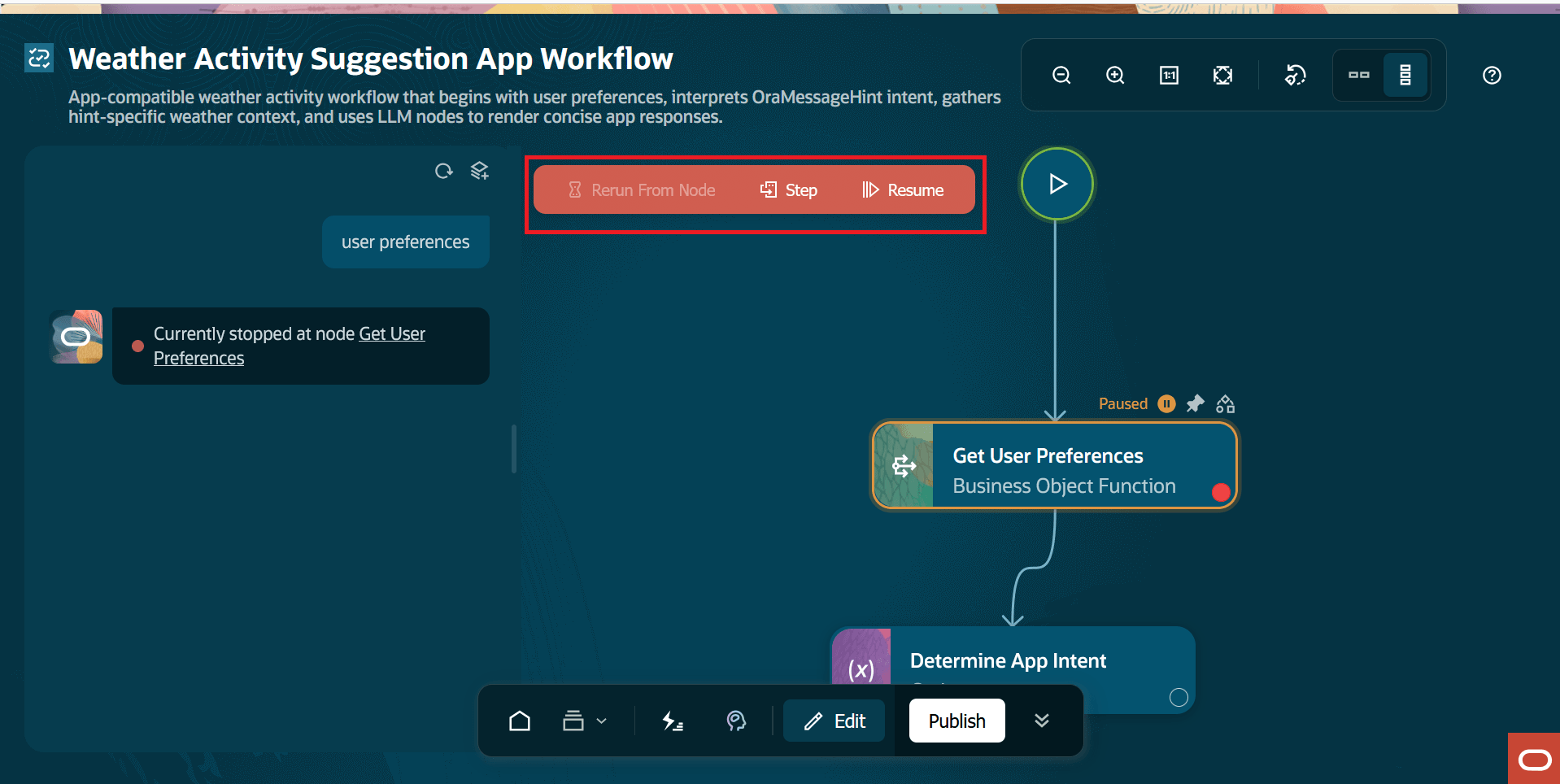
When the run pauses, a red control bar appears near the top of the canvas. Here's a screenshot that displays the Rerun From Node, Step, and Resume options.
- Rerun From Node: Restart the run from the currently selected node.
- Step: Run the next node and pause again.
- Resume: Continue the run until the next breakpoint or the end of the workflow.
Rerun From Node
Select Rerun From Node
 from the control bar, when the upstream work is already correct and you
want to retest the current node and downstream nodes. Here's a list of typical
uses:
from the control bar, when the upstream work is already correct and you
want to retest the current node and downstream nodes. Here's a list of typical
uses:
from the control bar, when the upstream work is already correct and you
want to retest the current node and downstream nodes. Here's a list of typical
uses:- Retest a node after changing its configuration.
- Replay a data, tool, or service call without repeating earlier intent extraction.
- Retest the final summarization after confirming the retrieved data.
- Continue debugging from a paused node using the current context.
Step Through a Workflow
Use Step
 when you need to inspect every handoff. This pattern is useful between a
payload-generation node and a data, tool, or service node, where the upstream output
must match the downstream node's expected input shape.
when you need to inspect every handoff. This pattern is useful between a
payload-generation node and a data, tool, or service node, where the upstream output
must match the downstream node's expected input shape.
when you need to inspect every handoff. This pattern is useful between a
payload-generation node and a data, tool, or service node, where the upstream output
must match the downstream node's expected input shape.- Go to AI Agent Studio and open the
Workflows
 tab.
tab. - Select Edit
 to modify a workflow.
 - From the toolbar, select Debug
 .
. - Enter a prompt in Ask Oracle and submit it to run the workflow.
- Let the run pause at a node.
- Select the last node that was run.
- Inspect Input, Output, and Context.
- Select Step
.
- Inspect the next node.
- Repeat until you understand the handoff.
- Select Resume
 after completing the step-by-step inspection.
Resume Run
Select Resume
from the control bar, when the current state looks correct and you want the
workflow to continue. The workflow runs until it reaches the next breakpoint or it
completes.