Rule Types
There are three types of rules in decision service and flow projects:
Each rule has a result that is either a Boolean, number, string, date, reference or record list.
Field rules
A field rule determines a result that sets the value of a field, for one or more records. A field rule can be written using the Boolean rule template or calculation rule template, or alternatively you can just start writing in a rule block and use indentation to indicate conditions.
A Boolean rule sets a value for a Boolean type field. (A Boolean field takes a true or false value.) This type of rule must have an if condition that determines when a result field's value is set. For example: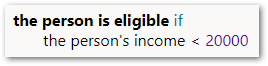
For more information, see Add a Rule to Prove a Boolean.
A calculation rule sets a value for any type of field using "=". Calculation rules do not have conditions. (To set the value of a non-Boolean field using conditions, use a table rule instead.) For example: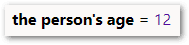
For more information, see Add a Rule to Calculate a Value.
Table rules
A table rule sets multiple fields using multiple conditions. For example:
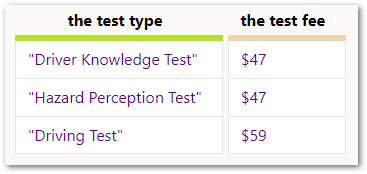
For more information, see Add a Table Rule.
Object rules
Object rules define the primary record list for an object. For example:
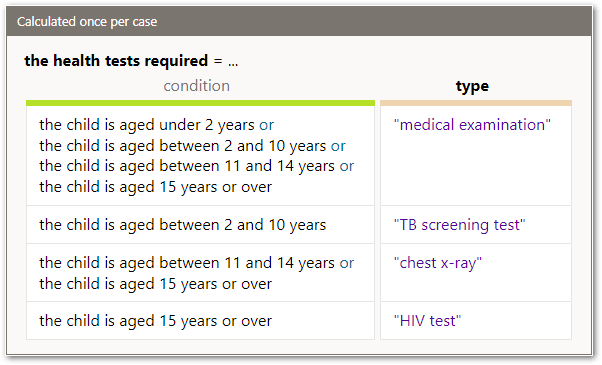
For more information, see Write Rules Using Objects.