Change the Sentence Forms for an Attribute
When you create an attribute, the sentence forms for the attribute are automatically generated. The sentence forms that are created depend on the type of attribute and are shown in the Edit Attribute dialog.
For Boolean attributes, the sentence forms generated are the question form, negative form and uncertain form.
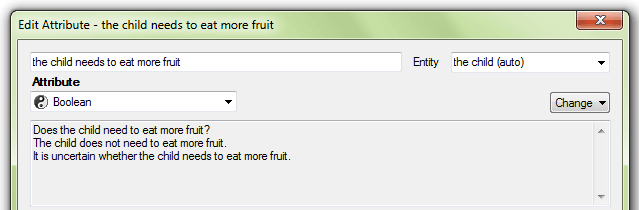
For non-Boolean attributes and automatic-type attributes, the sentence forms generated are the question form, statement form, uncertain form and unknown form.
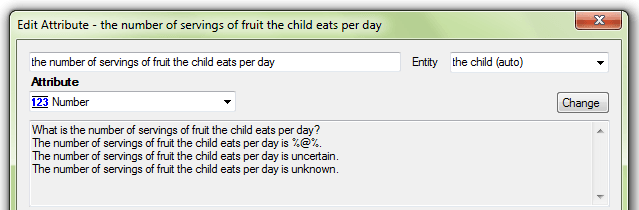
The negative, statement, uncertain and unknown forms are used in rules and in explanations, and the question form is used by default on interview screens. (Note that question text can be changed. For more information, see Change the Text of an Interview Question.) It is therefore important that attributes are reviewed to check that the sentence forms are correct.