Specify Attributes to Be Seeded Via URL
To specify that a global attribute can be seeded via URL:
- On the Data tab, double-click the attribute to be pre-seeded.
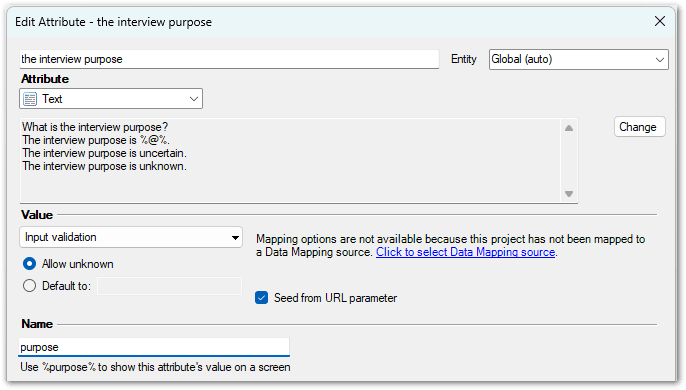
- In the Edit Attribute dialog:
- Add a Name for the attribute (if one does not already exist).
- Select the option to Seed from URL parameter.
- Click OK. The Mapped In column on the Data tab is updated to show <URL parameter> for the seeded attribute.