Specify the File Type for a Form
By default, forms are created as PDF documents. To change the file type for a form:
- In the screen list, select the form control.
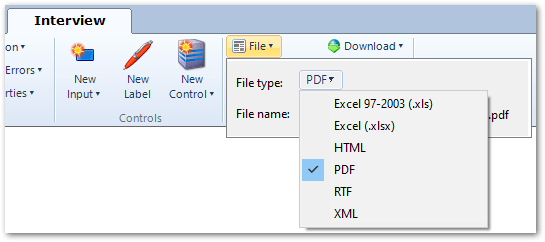
- In the command bar, click File. In the drop-down window, select a different file type in the File type drop-down. The options are:
- for RTF form templates: Excel 97-2003 (.xls), Excel (.xlsx), HTML, PDF, RTF (rich text format) or XML.
- for PDF form templates: PDF or XML.
Note: PDF documents generated from RTF form templates will only conform to the PDF/UA (ISO 14289) standard for accessibility if that option is specified for forms under Project settings. For more information, see Generate forms that conform to the PDF/UA standard.